
- Title: Lenovo A916 stock rom multi-language
- Listed: December, 2014
- Last modified: 12/21/2014 7:17 pm
- Version: Android 4.4 KitKat
You must be logged for ROM download.
57870 total views, 5 today
140 Total favorites
 Member Info
DESCRIPTION
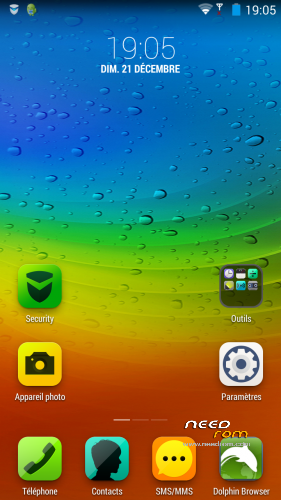
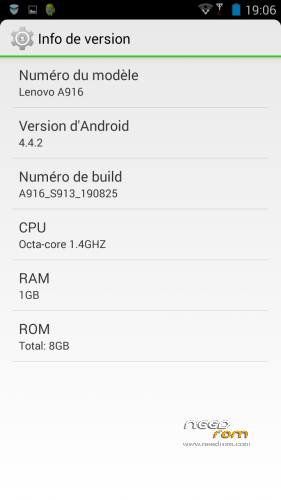
Lenovo A916 stock rom optimized.
This rom is rooted with multi-language firmware and got SuperSU root manager.
Chinese apps and bloatware are removed by myself.
Gapps is included with Google Play Store
Added some apps like :
- advanced task killer
- Ccleaner
- Documents to go
- MX Player
- Outlook
- Skype
- Tunein Radio
- Titanium Backup
Mobogenie is still on the rom in case of you don't use Google account, you can download apps with this application.
How to install ?
1 – Download CWM recovert and SP Flash Tools.
2 – Open SP fiash tools and select the scatter of CWM recovery
3 – now remove the phone battery and click on download and plug in the phone until you got a green circle pop up.
4 – Now extract the firmware (rar files) on MICROSD/clockworkmod/backup/2010-01-01.00.00.53
If you extract into your internal memory it will not working because internal memory not detected on recovery.
5 – Now go to restore, just restore it and reboot
6 – You got the new optimized firmware made by myself !
_______________________________________________________________________________________________________________________
Lenovo A916 stock rom optimisé.
Cette rom est rooté avec un firmware multi-langue et dispose de SuperSU.
Les applications chinoises et bloatware ont été supprimé par moi même.
Les Gapps sont inclues avec le Google Play Store
Applications ajoutées par mes soins :
- advanced task killer
- Ccleaner
- Documents to go
- MX Player
- Outlook
- Skype
- Tunein Radio
- Titanium Backup
Mobogenie est toujours dans la rom dans le cas ou vous ne souhaitez pas utiliser de compte google,
vous pourrez donc télécharger des application avec cette application.
Comment l'installer ?
1 – Télécharger CWM recovery et SP Flash Tools.
2 – Ouvrir SP fiash tools et selectionner le scatter du CWM recovery
3 – Enlever la batterie du téléphone et cliquer sur download puis brancher votre téléphone jusqu'a ce que vous avez le cercle
vert qui vous indiquera la fin du flashage.
4 – Maintenant extraire le firmware (fichier rar) dans MICROSD/clockworkmod/backup/2010-01-01.00.00.53
Si vous voulez extraire dans la mémoire interne, cela ne fonctionnera pas car elle n'est pas détecter dans le recovery.
5 – Maintenant allez dans restore, puis restorer le puis redémarrer
6 – Maintenant vous avez le nouveau firmware optimisé par moi même !
※Please make a backup of your device before installing or updating ROM
Hello thanks for any help and your software in advance do i install the rar files with the phone on or off also do i extract onto the sd card or put the rar file on sd card then extract.
which and how many languages?
why my lenovo stuck in lenovo logo after restore backup
#sorry my bad inglish
Is there any way someone will make a stock-google rom? maybe a port? I use this rom now and it's really great but I not a big fan of the Lenovo UI.
sorry, the tutorial is very poorly explained! extract the software or firmware ave? the name? Then you go to restore called? but where?
có thể là tốt.. nhưng nó bị treo khi sử dụng vs module xposed. mong sửa lại I wan't a updeta . please
Hi mashaq,
Can you advice me how did you manage the CWM restore successfully with mixmafritz's rom?
I did downloaded his rom but error restore which prompted ' md5 mismatch' and kick off from CWM restore.
Kindly advice how you manage the restore this rom , thanks
kcdt
ITS TRUE I HAVE SAME PROBLEM! PLEASE FIX!
how is the touch screen sensivity?
quick question i got this lenovo a916 it is brand new but it doesnt same to have any service putting a differnt rom can this change this or is it just faulty
i still can't do it… oh pleaasseee help me… the flash tool bar not start processing even the driver has detected…. i had follow everything in the tutorial….