
- Title: LENOVO K910 VibeUI 2.0 Row Multi language
- Listed: October, 2014
- Last modified: 10/23/2014 9:41 pm
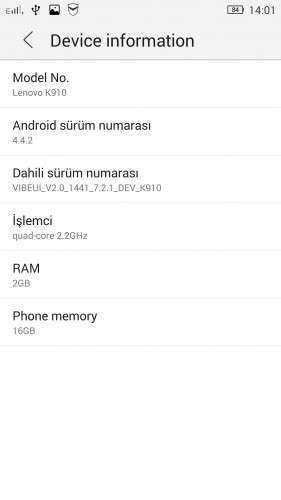
- Version: VibeUI 2.0 4.4.2 1441 DEV ROW ROM
You must be logged for ROM download.
25140 total views, 2 today
94 Total favorites


 Member Info
DESCRIPTION
K910 Dual sim
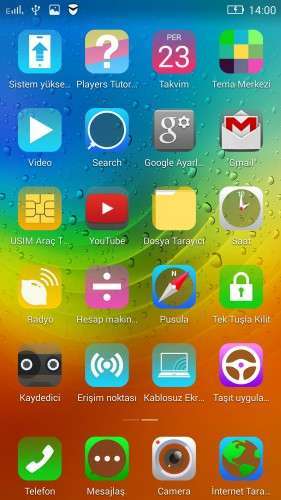
Gapps included.
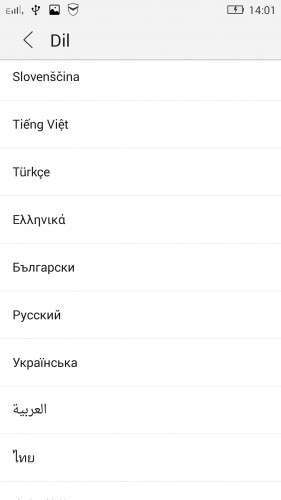
Multi language row rom :


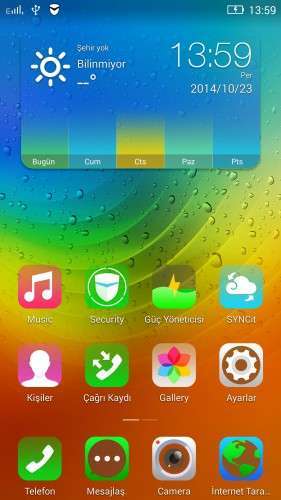
Removed all unusable app
Lenovo Weather widget works
ROM Install :
CWM
Step 1: Download the custom ROM copied to an external SD card root directory
Step 2: the shutdown state. While holding down:
– Power button + volume button up, to enter the recovery mode.
– Wipe Data / Factory Reset -> delete all user data
– Wipe Cache Partition -> Wipe cache
Step 3: Return to recovery main interface Install zip from sdcard -> choose zip from sdcard -> Select your ROM
Step 4: Brush complete, restart the phone Patience required – first boot takes a while
※Please make a backup of your device before installing or updating ROM
Thank you for your hardwork – I am happy to see Turkish people here and working on custom Roms.
You are wellcome bro .)
It needs new version of recovery:
recovery-clockwork-6.0.4.6-b140205-kiton.img.zip
https://www.androidfilehost.co.....329332407569476
thank you
how can i root my device after install thisi room please ???
Root Genius http://www.shuame.com/en/root/
Hi, i alredy download it, and paste it in the root of the phone, then at the momento of try to update it from the boot menu fails. How can I try to install it diferently?
hi! i am in VIBEROM_V1.0_1407_2_ST_K910 and i try to install this rom but the it says "instalation aborted" in the recovery mode. i also cannot enter recovery mode with the power and the up volume button. i try to use minimal adb and fast boot with the recovery command but nothing happens. is there a complete guide of how to fix this or even install cynogenmod? thanks!
Why im not found this before. All i need is gapps. Thanks bro!
Is there a Lithuanian language? And whether there is a Google Play account?