
- Title: Lenovo S650 ROW S116 (Multilanguage ROM)
- Listed: May, 2014
- Last modified: 05/22/2014 2:33 pm
- Version: S650 ROW S116 || Android 4.2.2 ||
You must be logged for ROM download.
41684 total views, N/A today
3 Total favorites
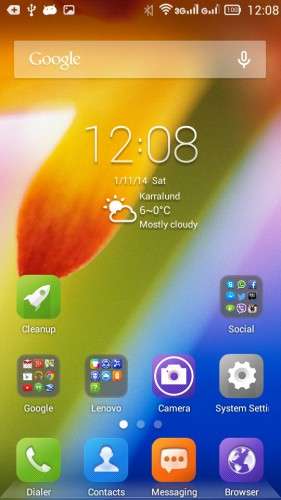
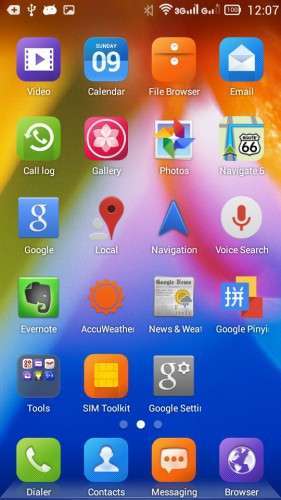
 Member Info
DESCRIPTION
Official LENOVO ROM S650 – Android 4.2.2
Google Apps: Included
Root: Not Rooted
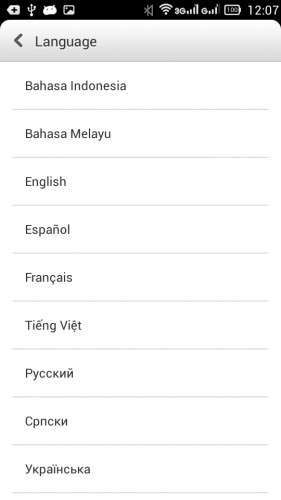
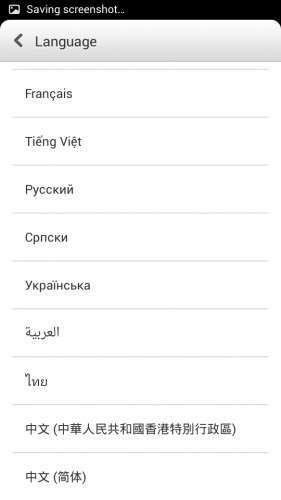
Supported Languages: Russian , Ukrainian, English, Arabic, Spanish, French, Chinese, Vietnamese, Indonesian, Malaysian, Thai
Keyboard Languages: Multilanguage
___________________________________
- Download first the tools and drivers attached in this post
___________________________________
ROM Installation:
- Unpack the ROM
- Unpack FlashTools, and Click on Flash_tool.exe
- Select a the MT6582_Android_scatter.txt from the unpacked ROM

- Wait file to be added into Flash Tool
- Choose Option –> USB Model, click USB Model
–> Choose Option –> DA DownLoad All –>Speed –> High Speed, click High Speed
- Turn off your phone, remove the battery. (YES remove the battery)
- "Press F9 (hit Download button) " OR " if upgrade ROM Firmware->Upgrade "
- Now connect your phone into the computer via USB data cable.
**(Windows 8 users may get some problems with the drivers, disable driver Signature
https://www.youtube.com/watch?v=NM1MN8QZhnk)**
- The process will start and a red progress bar will appear –> purple–> yellow.
- When done, Green circle pops up!!
- You can now safely disconnect your phone and turn it on.
※Please make a backup of your device before installing or updating ROM
Create Yandex account, and save it to your account, then download it. Dropbox has blocked the links many times, i can't share with dropbox anymore.
There is an update ROW_S125_140714. Please insert download link and necessary files. Thank you.
Is it for ROW or CN??
Yes, I updated the phone, Now android 4.4.2
Here is the link
https://cloud.mail.ru/public/9.....s215_140714.rar
Tomorrow I will edit the post and add new links for android 4.4.2
how to install the driver ? reply asap. im a beginner
Did you get a reply ??? Have you been able to install the drivers ?? Which version of Windows are you using ??
I asked the same question as you did .. Any reply from anyone ?? Urgent Please.
check last comment for installation of drivers
@hesperos1980
How to install the attached USB and SP drivers under Windows 7 Home Premium 64 bit????
Urgent Please.
Hallo, sorry for late answer, I'm little busy these days,
To install the driver you need to reboot the phone to bootloader and recovery, the computer will detect new drivers,
Open you device manger in your computer and be ready when the driver pops up, right click and update driver, browse the folder of driver you just downloaded, the windows will find the driver and install. In case you miss it, reboot the phone again untill you install drivers.
sorry disturb befor flash.must root phone or not.thx
No no need to root
i downloaded it and all tools , started flash_tool.exe and setup every thing.same as toutarial below !
ROM Installation:
- Unpack the ROM
- Unpack FlashTools, and Click on Flash_tool.exe
- Select a the MT6582_Android_scatter.txt from the unpacked ROM
- Wait file to be added into Flash Tool
- Choose Option –> USB Model, click USB Model
–> Choose Option –> DA DownLoad All –>Speed –> High Speed, click High Speed
- Turn off your phone, remove the battery. (YES remove the battery)
- "Press F9 (hit Download button) " OR " if upgrade ROM Firmware->Upgrade "
- Now connect your phone into the computer via USB data cable.
- The process will start and a red progress bar will appear –> purple–> yellow.
- When done, Green circle pops up!!
well i removed my battery , pressed F9 and connected my phone to pc after download process completed.
as i did that , progress bar's color change to red but my pc freezed after while !
and here is the problem.
when i connect my phone to pc , i can see it in device manager that is connected but after 2 or 3 second it will be disapeared from device manager list. even when i use USBDeview it says it is not connect (but it is).
i installed drivers too.
so i guess in flash process my s650 disconnected and now when i want to power it on it says:
tool dl image fail !
what can i do?
tank you
Don't worry, you can flash again as you did before but you need to check the dl box in the flash tool before flashing.
tnx hesperos1980
but my phone disconnect after 2 secs automaticly !
Ok, try to install again, and when the flashing tool show searching for the phone, try to disconnect and connet the usb, if you don't manage to install it write me in private message and i will help you.
sir is there any problems in lenovo s650 s116 update rom????
no
im not good with computer.. i still not undertstanding how this tools work, especially SP DRIVER and USB DRIVERS..can someone help me out… plz i need help…