
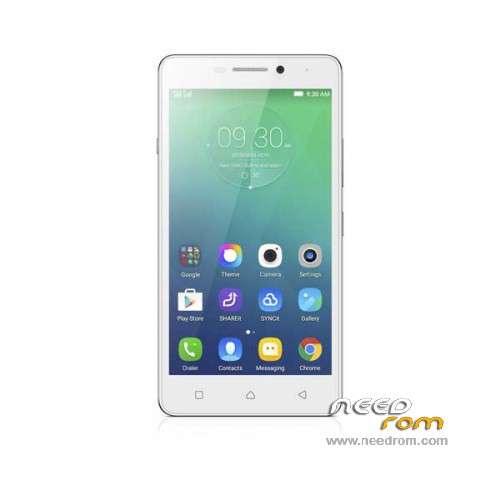
- Title: Lenovo P1ma40
- Listed: February, 2016
- Last modified: 11/20/2016 1:08 am
- Version: ROM Android 5.1
You must be logged for ROM download.
52142 total views, 5 today
33 Total favorites
 Member Info
DESCRIPTION
ROM Phone Lenovo P1ma40 – ROM Android 5.1
ONLY MT6735M
Official ROM Lenovo P1ma40 version:
ATTENTION Two versions:
ROM 1 – Update P1ma40_S038_161102_16G_ROW – full_wt98735_a1-user 5.1 LMY47D – SW_G98735A1_V044_M10_E_LENOVO_PARD_USR_MP_ROW
install : Flash
————————————————————————————————————————————————————————————————
ROM 1 – Update P1ma40_S036_160822_16G_ROW – full_wt98735_a1-user 5.1 LMY47D – SW_G98735A1_V037_M10_E_LENOVO_PARD_USR_MP_ROW
install : OTA
————————————————————————————————————————————————————————————————
ROM 1 – Update P1ma40_S033_160808_16G_ROW – full_wt98735_a1-user 5.1 LMY47D – SW_G98735A1_V037_M10_E_LENOVO_PARD_USR_MP_ROW
————————————————————————————————————————————————————————————————
ROM 1 – Update P1ma40_S031_160722_16G_ROW – full_wt98735_a1-user 5.1 LMY47D – SW_G98735A1_V037_M10_E_LENOVO_PARD_USR_MP_ROW
————————————————————————————————————————————————————————————————
ROM 1 – Update P1ma40_S029_160226_16G_ROW – full_wt98735_a1-user 5.1 LMY47D – SW_G98735A1_V035_M10_E_LENOVO_PARD_USR_MP_ROW
————————————————————————————————————————————————————————————————
ROM 1 – P1ma40_S028_160127_16G_ROW – full_wt98735_a1-user 5.1 LMY47D – SW_G98735A1_V034_M10_E_LENOVO_PARD_USR_MP_ROW
ROM 2 – P1ma40_S_S005_160127_16G_ROW – full_wt98735_c1-user 5.1 LMY47D – SW_G98735C1_V005_M10_E_LENOVO_PARD_USR_MP_ROW
Gapps include – No Rooted
Language support: en_US,fr_FR,ru_RU,ar_EG,in_ID,hi_IN,ms_MY,th_TH,vi_VN,uk_UA,zh_HK,ro_RO,bg_BG,hu_HU,el_GR,zh_CN,tr_TR,
cs_CZ,zh_TW,hr_HR,sl_SI,sk_SK,sr_RS,pt_PT,es_US,fa_IR,ur_PK,pt_BR,my_MM,bn_IN
ROM Install :
Install with SP MDT:
1). Turn off the smartphone. Cable is not connected to the computer.
2). Remove the battery and insert it again
3). Connect your phone to a computer cable. The operating system detects a new device
4). Disconnect the cable from the computer.
5). Run SPMultiPortFlashDownloadProject.exe
6). Choose File> Open File Agent download and specify the file MTK_AllInOneDA.bin (it is in the folder SP_MDT).
7). Click Scatter File and select the MT6735M_Android_scatter.txt file (it's in the folder with the rom).
8). Click "Start all".
9). Connect your phone to a computer cable. The program should see and blink. If the phone is not detected, then unplug it from the computer,
remove and insert the battery (if the battery is removable) and reconnect it to the computer.
10). After (OK) click Stop and disable any phone.
11). Completed.
OR OTA ( ROM 1 )
※Please make a backup of your device before installing or updating ROM
why my phone can't not ditect
please help me
did you installed the virtual driver?
Any custom ROM available?
Any way to port miui for p1m
Perfect Thanks
@vic77 whats new in this version?
thanks
Quick no fault
Hello S029 OTA Update please
thankas sir
Thanks bro
pls will this rom work for all lenovo p1ma40 or it is for a particular variant. secondly, what does 's002' mean
After i update my phone did not open…and im connecting it to pc it said unknown device…wat will i do???pls help….m