
- Title: Lenovo P780
- Listed: July, 2013
- Last modified: 07/09/2013 3:26 pm
- Version: ROM Android 4.2.1
You must be logged for ROM download.
30139 total views, 1 today
2 Total favorites
 Member Info
DESCRIPTION
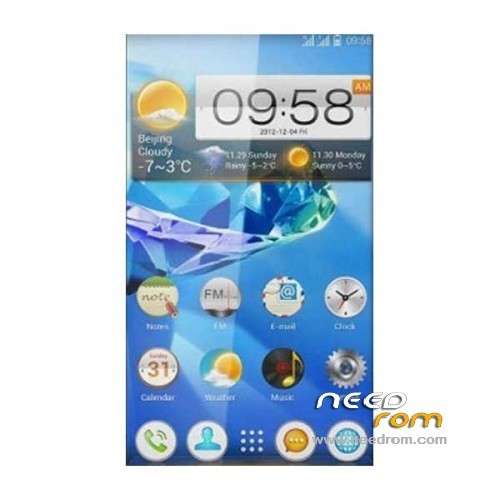
ROM Phone Lenovo P780 – ROM Android 4.2.1
ROM features :
Based on the latest official 4.2.1 Lenovo P780_S125_130529
1 original S125 ROM
2 the original flavor
3 permanent ROOT permissions
4 The default Baidu input method
5 Optimize the kernel
6 has been streamlined
7 APK merger
Gapps no inclue
Language support: EN/CN
Install ROM :
CWM
Step 1: Download the custom ROM copied to an external SD card root directory
Step 2: the shutdown state. While holding down:
– Power button + volume button up, to enter the recovery mode.
– Wipe Data / Factory Reset -> delete all user data
– Wipe Cache Partition -> Wipe cache
Step 3: Return to recovery main interface Install zip from sdcard -> choose zip from sdcard -> Select your ROM
Step 4: Brush complete, restart the phone Patience required – first boot takes a while
※Please make a backup of your device before installing or updating ROM
Rom with file zip is very easy for flashing. I flashed it by recovery successfully. Thank you very much!
@ bshuy2003 - hi, i got my p780 from china and have lot of chinease stuff installed. will flashing this rom clear all the bloatware and make it complete english ??? can i install play store ?? plz reply
Hi,
I also have a P780 with a Chinese ROM installed per default.
I have downloaded the ROM, but the steps described are not correct.
- Unpack FlashTools, and Click on Flash_tool.exe
OK
- Select a the MT6589_Android_scatter_emmc.txt in ROM
OK
- Wait file to be added into Flash Tool
OK
- choose Option->USB Model,click USB Model
–> Choose Option->DA DownLoad All->Speed->High Speed, click High Speed
This option does not exist, you can only pick one of the following;
1. "Do not switch speed"
2. "Force to High speed"
What option to choose???
- Turn off your phone, remove the battery.
This battery can not be removed…????
- "Press F9 (hit Download button)" OR " if upgrade ROM Firmware->Upgrade "
- and connect your phone into the computer via USB data cable.
Phone simply gets turned on, and nothing happens…. Any suggestions from anybody?
- The process will start and a red progress bar will appear after color purple, yellow.
- And green circles display
- Finish !
To "jort":
Hi friend, i installed this rom but with multilanguage support from Socrate and everything is ok except one small thing: when i call someone or if someone call me after the conversation on calls list i see as usual the number called me, time of call, duration and under the number is shown one word in chinese language on every call under the number there is one different chinese word. The question is what is this means and why is in chinese(i thing this is location city why is in chinese?) and how can i translate it in English or just to remove it? because it's not on mine language and this is irritating…
Hope for your help