Welcome, visitor! [ Register | Login

  • Title: Lenovo P780 4.4.2 Vibe UI 2.0
  • Listed: August, 2014
  • Last modified: 02/18/2016 9:01 pm
  • Version: Vibe UI 2.0 1512
  • You must be logged for ROM download.


Overall Rating : 173


173252 total views, 14 today

213 Total favorites
  

CUSTOM
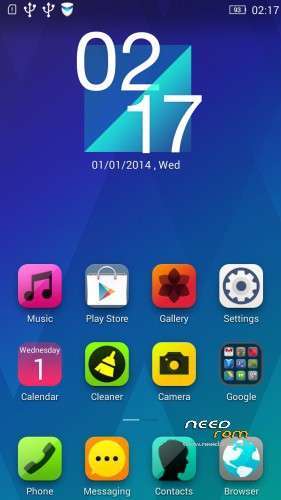
Lenovo P780 4.4.2 Vibe UI 2.0
Lenovo P780 4.4.2 Vibe UI 2.0 - Image 1Lenovo P780 4.4.2 Vibe UI 2.0 - Image 2Lenovo P780 4.4.2 Vibe UI 2.0 - Image 3Lenovo P780 4.4.2 Vibe UI 2.0 - Image 4Lenovo P780 4.4.2 Vibe UI 2.0 - Image 5Lenovo P780 4.4.2 Vibe UI 2.0 - Image 6Lenovo P780 4.4.2 Vibe UI 2.0 - Image 7Lenovo P780 4.4.2 Vibe UI 2.0 - Image 8Lenovo P780 4.4.2 Vibe UI 2.0 - Image 9

Author adMember Info

  • Listed by: baralajbi
  • Member Since: 02/15/2013

DESCRIPTION


Rom for Lenovo P780

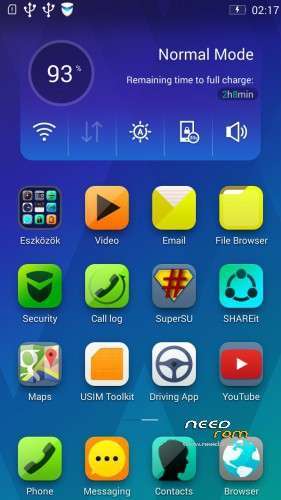
- base : Vibe UI 2.0 for P780

- Removed all unusable app

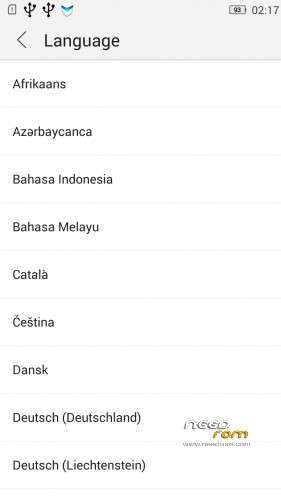
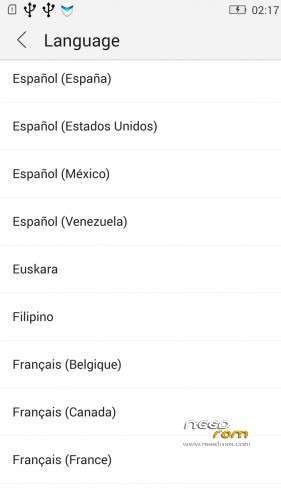
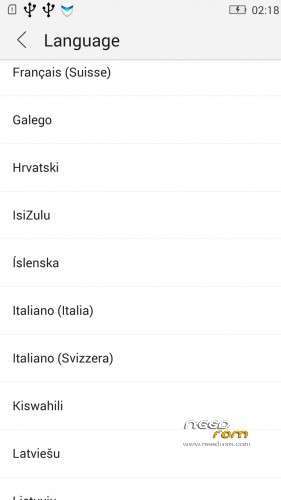
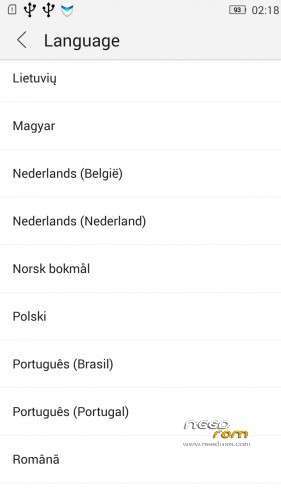
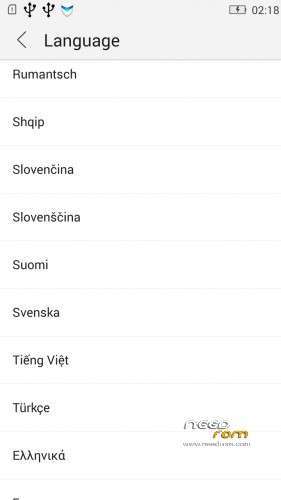
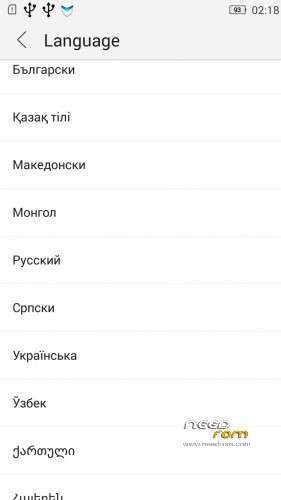
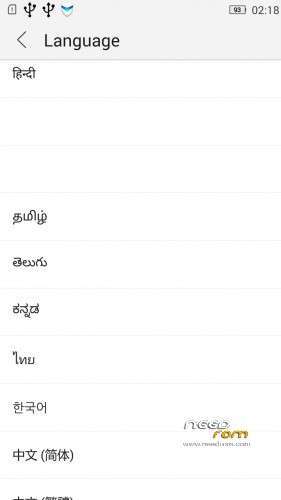
- Added about 70 languages

- The Weather app work as wordwide


Install ROM :

IF YOUR P780 MADE 03.2014 OR LATER THEN USE NEW_PRELOADER.ZIP FILE IN THE ROM!


- Unpack FlashTools, and Click on Flash_tool.exe
- Select the MT6589_Android_scatter.txt in ROM
- Wait file to be added into Flash Tool

- choose Option->USB Model,click USB Model
   –> Choose Option->DA DownLoad All->Speed->High Speed, click High Speed

- choose DA DL All With Check Sum
- Turn off your phone, (push the red reset button)

- "Press F9 (hit Download button)" OR " if upgrade ROM Firmware->Upgrade "
- and connect your phone into the computer via USB data cable.
- The process will start and a red progress bar will appear after color purple, yellow, if no, then have to install the driver

- And green circles display
- Finish !

- You can now safely disconnect your phone and turn it on.


V2 : base is VIBEUI_V2.0_1435_5_DEV_P780_WC8E

- updated some languages


V3 : base is VIBEUI_V2.0_1439_7.10.1_DEV_P780_WCB

After the rom flash If get error(s) on the phone, then have to make a factory reset

- updated the russian language


V4 : base is VIBEUI_V2.0_1443_ST


V5 : base is VIBEUI_V2.0_1447_7.48.1_ST_P780_OLK_W_064D

- fixed some languages


V6: base is VIBEUI_V2.0_1503_7.141.1_ST_P780_OLK_W_855A

- changed only what the Lenovo builded to 1503 version


V7: base is VIBEUI_V2.0_1512_DEV_P780 

- this is my last P780 rom…


If you like my job, do not forget donate me!

This ROM created by Android Lang Project http://www.androidlangproject.com/


※Please make a backup of your device before installing or updating ROM


Responses to “Lenovo P780 4.4.2 Vibe UI 2.0”


  1. 06/13/2014
    Malaysia

    Hi sir..can u create for latest LENOVO P780 VibeUI 2.0 – Update 1437 ST  use flash tool. i already try TRWP and P780-CWMrecovery FAIL and unable Install ROM…THK SIR

  2. 06/13/2014
    Malaysia

    Hi sir..can u create for latest LENOVO P780 VibeUI 2.0 – Update 1437 ST  use flash tool. i already try TRWP and P780-CWMrecovery FAIL and unable Install ROM…THK SIR

  3. 06/13/2014
    Malaysia

    New update ROM LENOVO P780 VibeUI 2.0 – Update 1437 7.14.1 ST anyone can create for Flash TOOL.

    THK

  4. 04/30/2014
    Germany

    @johariaris:

    I downloaded the file you provided, but flashtools says that your scatter is corrupted, so it doesn't work for me. How did you create the file?
     

  5. 09/15/2014
    Lithuania

    Lenovo P780 4.4.2 Vibe UI 2.0 Nice job, do you have plans for this ROM updates? 

  6. 09/10/2014
    United Kingdom

    My nvam is corrupted, I've lost wifi during he flash can anyone pass me out a back up of the nvram with mtk droid tools, i'd really appreciate it.

  7. 04/26/2014
    Indonesia
    VIBEUI_V2.0_1437
    Windows 8.1 Enterprise 64 Bit
     
    Make sure you have P780_4.4.2_1435_VibeUI_2.0_MultiLang_Gapps_Root_baralajbi.zip installed with CTR/Carliv recovery
    Now download / make sure you have it :
     
    Put
    P780_S931_VIBEUI_V2.0_1437_7.14.1_ST_WC7A.zip
    YourZgappsXS-4.4-2014.06.18.zip
    com.koushikdutta.backup-1.apk
    SD KitKat Fixer.apk
    superuser KAOSH.zip
    to you SD Card or sdcard0 root folder
     
    Now install / download com.koushikdutta.backup-1.apk (Helium) backup all you want for current app and make sure APK included on your backup with Helium, sometimes Helium put  your backup on internal SDCard, cut/move it to you External SD Card. Its look like sdcard0/carbon/
     
    Write your IMEI to txt file or notepad, no need backup, we write it later
     
    Go to carliv recovery and do FULL backup your current ROM to SD Card
    Now install P780_S931_VIBEUI_V2.0_1437_7.14.1_ST_WC7A.zip with carliv recovery – wipe dalvik & cache – reboot recovery – install superuser KAOSH.zip
    IF your Carliv recovery Overwritten by new recovery, flash it (See my older post) remember denied SecureIT & Power APP
    Now the IMEI section (spent one night to solve this J)
     
    Read adbd insecure if you want
    Overwritten adb file on C:\Windows with ADB Drivers Updated V1.0.31.zip
    Install adbd Insecure v1.30.apk – enable insecure adbd DON’T CONNECT THE PHONE
    Open MTK MtkDroidTools leave it 1 – 2 minute
    Connect your phone and MTK MtkDroidTools will read your devices with Root Sheell – Write your IMEI – Reboot
     
    WiFi NVRAM Warnig Errr -> Google it
    Now install YourZgappsXS-4.4-2014.06.18.zip trough Carliv Recovery and recover your app with helium. DONE :)
    No need to freez SecureIT forever it works for install / uninstalling Apps
    All Lenovo APP now Updateable
    Signalling issue solved / Full Bar (for me)
    If something happen and not working, use your Carliv recovery to perform Full Restore your ROM
     
    Can you compile that thing and make it Flashable with Flastools ? yes i can
    Can you make it Zip flashable with recovery ? yes i can
    Why you not do that ? RESPECT DEVELOPER
  8. 06/13/2014
    Malaysia
    Please anyone can help me create VIBEUI_V2.0_1437_7.14.1_ST for SP Tool.

    Many many thank

  9. 06/13/2014
    Malaysia

    As honest as me fail use  TRWP and CWN. Please Help

  10. 08/29/2014
    Brazil

    why we cant save whatsapp media on External sd card? Tubemate app files only works on internal SD and others programs.

    How to fix this? I would like to instal apps on external SD as default, because internal memory is too short.

    can Anybody fixed this?

    I have heard this problem is because google changed the way how androids works internaly. My old 4.2.1 android works this perfectly (instal and save stuff straigh to external SD card.


Leave a Reply

You must be logged in to post a comment.


Terms&Conditions  -  Privacy&Cookie © 2012 - 2026 Needrom.com