
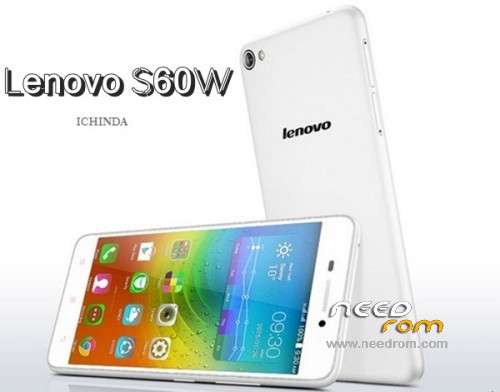
- Title: Lenovo S60-w STOCK ROM
- Listed: August, 2015
- Last modified: 08/31/2015 3:43 pm
- Version: 4.4.4 VIBEUI V2.0 1516 5.51.1 ST S60-w
You must be logged for ROM download.
27256 total views, N/A today
5 Total favorites
 Member Info
DESCRIPTION
Lenovo S60-w

BEFORE UPGRADE S60-a 4.4.4 or S60-w:
Do the root with kingroot. After root do the backup all partitions with Partitions Backup & Restore and keep it in safe place:
https://play.google.com/store/apps/details?id=ma.wanam.partitions
This is original firmware for chineese version of Lenovo S60. This is only for Lenovo S60-w.
It conatins all files: system, boot, modem, recovery etc. (for example GPT partiton table in file: gpt_main0.bin, flash programmer file: MPRG8916.mbn, boot image: 8916_msimage.mbn)
Warning:
This ROM will wipe all userdata! Except external SD Card.
If phone after flash won't boot up and only long vibrating long hold: VOL- and POWER BUTTON (30-120seconds). Phone should restart.It happens when you will flash from other versions loader (for example 5.0.2 -> 4.4.4 or 4.4.4 -> 5.0.2). Why? Because old loaders is running and you have flashed the new one so you have to restart the phone but u can't remove the battery and u have to lon pres PWR Button.
You should first backup QCN (imei etc.)! How to:
- Download and install QPST 2.7.422 with QFIL and Qualcomm USB Drivers.
- Turn off the phone. Hold Vol- button and plug-in USB Cable. (VOL- and Power Button runs something like recovery menu)
-
There should be devices in device manager: Ports COM called:
Lenovo HS-USB Diagnostics (COMXX)
and
Lenovo HS-USB NMEA (COMXX)
If there is no devices u have to install it manually in device manager. - Run QFIL, check is there a correct diagnostic port COM. On the top click: Tools > QCN Backup Restore
-
Choose path with write permission, click Backup QCN

Version info:
VIBEUI_V2.0_1516_5.51.1_ST_S60-w_qpst
S60-w_USR_ST1516_5.51.1_1504151037_Q1001419.1_CNAndroid 4.4.4 (RAM 2GB, ROM 8GB)
English and Chineese language only
Short dial codes:
####5993# – check internal version (check current ROM/software/firmware version)
####2222# – check PN and SN (product number and serial number)
####7777# – factory reset (remove all user data, except external SD Card)
build.prop for other info:
http://pastebin.com/tPpRj70h
How to flash:
- Download and install QPST 2.7.422 with QFIL and Qualcomm USB Drivers.
- Turn off the phone. Hold Vol+ button and plug-in USB Cable. Phone will vibrate one time, screen wil be black. This is DownloadMode.
-
There should be device called in device management:
Qualcomm HS-USB QDLoader 9008 (COMXX)
In any other case u have to install drivers manually. -
Run QFIL.
Click Browse… in Programmer Path and choose prog_emmc_firehose_8916.mbn
Load XML in Download Section:
First select RawProgram File: rawprogram0.xml
then Select Patch File: patch0.xml -
Check all inputs is correct and click Download under Load XML button and wait about 5 to 10 minutes:

In emergency cases:
How to reset phone from QDLOader Mode: hold power button for 30-120 seconds
other possibility: hold vol- and vol+ and pwr button (all buttons) for some time
or try hold any button and connect USB.
Lenovo Security Problem
After rmeove Secureit app you will got a message security problem. The on soluiton is:
For remove message you must to edit /system/build.prop and add the one line
ro.lenovo.check_safeapp=0
http://forum.xda-developers.com/showpost.php?p=62785241&postcount=9
QPST info:
QPST.WIN.2.7
INSTALLER
DCN: 72-V1400-158
ECO: C496148
Version: 00422
Source:
http://ask.lenovomobile.com/index.php?question/view/600574
※Please make a backup of your device before installing or updating ROM
https://www.kaskus.co.id/show_.....dah-menginstall
why it say sahara fail??? how to do??