
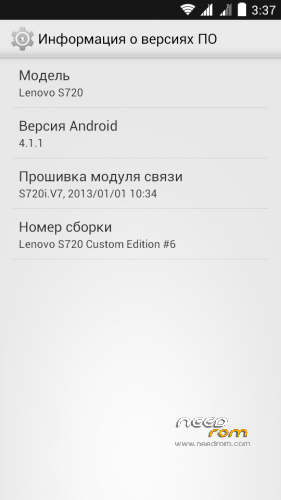
- Title: Lenovo s720 JB 4.1.1 Custom Edition
- Listed: December, 2013
- Last modified: 12/10/2013 11:00 pm
- Version: 4.1.1
You must be logged for ROM download.
37821 total views, 1 today
2 Total favorites

 Member Info
DESCRIPTION
Features ROM:
Language: russian, english, chinese
ROM install:
Step 1: Install TWRP Recovery
Step 2: Download the custom ROM copied to an external SD card root directory
Step 3: the shutdown state. While holding down:
– Power button + volume button up, to enter the recovery mode.
– Wipe Data / Factory Reset -> delete all user data
– Wipe Cache Partition -> Wipe cache
– Advanced -> Wipe Dalvik Cache
Step 4: Return to recovery main interface Install –> Select your ROM
Step 5: Brush complete, reboot -> system
Install Reboot patch (advanced power menu) -> Step 4 and 5
※Please make a backup of your device before installing or updating ROM
Hello! Rom is also good for the S720i phone?
I can not install it, just give me more specific way. thank you
work for S720i
friend just wipe :
– Wipe Data / Factory Reset -> delete all user data
– Wipe Cache Partition -> Wipe cache
– Advanced -> Wipe Dalvik Cache
and
Install lenovo_720_JB4.1.18.zip file only
dont apply patch
and it will run on lenovo S720
not working, just stuck on Lenovo logo
only work with s702i
wew
some bug. but thank you!
faulty process.acore should not to be
Is there any bug within this custom rom?
Because the developer didn’t mention anything about that.
hI ..who can tell me , this version default langguage is ?
tieng viet
ban rom co root san nhung ko su dung duoc,mo # no' bao tap nhi phan SU chua duoc cai dat,day la mot van de lon….co' ai biet cach khac phuc.loi nay ko?thanks
Thank you very much! Succesfully installed!
Factory reset
Wipe cache
Wipe Dalvik
Wipe ROM
Install ZIP
Finally, reboot!