
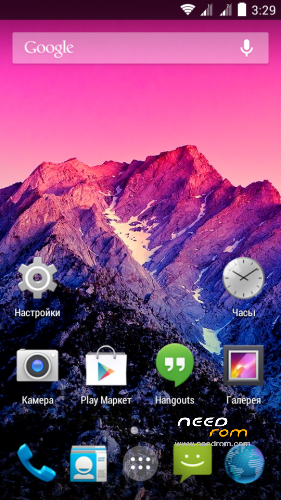
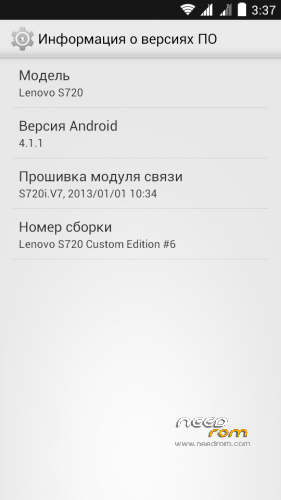
- Title: Lenovo s720 JB 4.1.1 Custom Edition
- Listed: December, 2013
- Last modified: 12/10/2013 11:00 pm
- Version: 4.1.1
You must be logged for ROM download.
37785 total views, 3 today
2 Total favorites
 Member Info
DESCRIPTION
Features ROM:
Language: russian, english, chinese
ROM install:
Step 1: Install TWRP Recovery
Step 2: Download the custom ROM copied to an external SD card root directory
Step 3: the shutdown state. While holding down:
– Power button + volume button up, to enter the recovery mode.
– Wipe Data / Factory Reset -> delete all user data
– Wipe Cache Partition -> Wipe cache
– Advanced -> Wipe Dalvik Cache
Step 4: Return to recovery main interface Install –> Select your ROM
Step 5: Brush complete, reboot -> system
Install Reboot patch (advanced power menu) -> Step 4 and 5
※Please make a backup of your device before installing or updating ROM
not working, just stuck on Lenovo logo how to fix this problem
please reply fast i cant use my phone
Not good rom.
-double text message that I receive
-When receiving message, flashlight is automatically ON
-Can't connect to wifi
1 star is good enough, sorry
my phone stuck at logo lenovo ??????
Do not waste your time to get a useless stuff like this. On my wife's S720i, having lots of try, got no more results, just "android" text flashing after reboot forever and ever.
I would say, this ROM had to be removed from this site. Besides, I would recommend DreamMod NeXt ROM, same version, flashing without any problems from TWRP. Full functions, no shit.
This ROM is below one star.
what is bug?
sorry for bad english
zzzzzz!!! ir really a bad rom!1 tsk.//
good, i like