
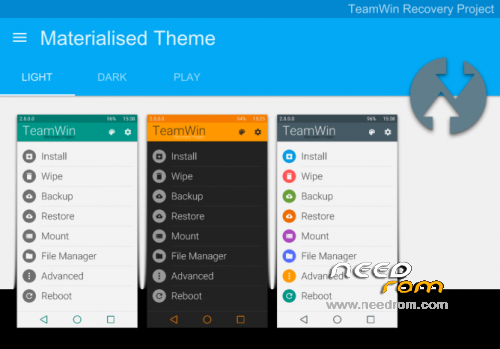
- Title: Lenovo S850 – TWRP 2.8.4.0 ROW/CN Material Design
- Listed: April, 2015
- Last modified: 04/11/2015 5:08 pm
- Version: Recovery
You must be logged for ROM download.
30519 total views, 1 today
6 Total favorites
 Member Info
DESCRIPTION
Custom TWRP Recovery for Lenovo S850 for booth version
CN – China version
ROW – European Version (Rest Of the World)
How to install :
1. turn off phone
2. unpack and run flash tool
3. unpack TWRP Recovery for your version of phone
4. click SCATTER-LOADING button and choose MT6582_Android_scatter.txt from recovery folder
5. check DA DL All with Checksum and click DOWNLOAD button
6. you see warning, click YES
7. now connect phone to PC and wait
8. when you see a GREEN CIRCLE unplug phone
if you want enter to recovery just turrn off the phone, now hold VOL+ & VOL- & POWER. When you see LENOVO LOGO relase POWER button but still hold Vol+ & VOL-. Relase when recovery run. Enjoy
※Please make a backup of your device before installing or updating ROM
not working, Not able to install flash tool.
how toremove twrp??
not working
use fast-boot instead of flash tool it's working
http://www.androidrookies.com/.....ml#.VgOf21PhXIU
A850 can user this version..?? hehe
it has bootloader locked unless you unlock bootloader you cant install it
Works properly on rooted phone
Thanks
Can i install it via flashify app ? Just load the recovery.img then install it ?
I used Rashr insted of flashiy and it worked……My phone was rooted.