
- Title: LENOVO S880i
- Listed: March, 2013
- Last modified: 03/08/2013 1:48 am
- Version: ROM Android 4.0.4
You must be logged for ROM download.
18783 total views, 1 today
1 Total favorites



 Member Info
DESCRIPTION
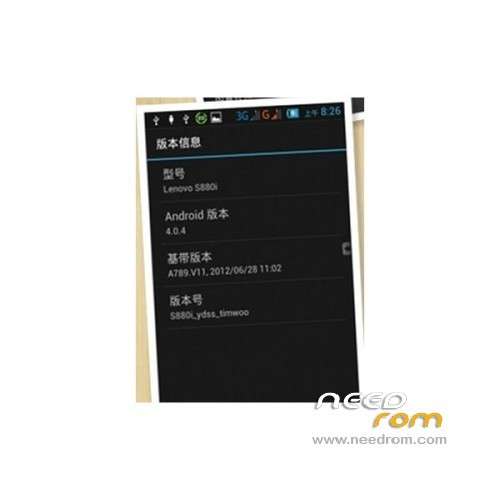
ROM Mobile LENOVO S880i – ROM Android 4.0.4
Model name: S880i
Andrews version: 4.0
ROM Author: timwoo
ROM version number: S880i_ydss_timwoo_1128
Based on the official version: S1009
Features ROM:
1. Hide the virtual keys, built-in button savior. Using the tutorial, refer to my previous version of the new custom rom transplant htc lock screen interface, personal feeling better look at some of the way the e-mail instead of the camera, easy to use;
2. On bar signal display, a card single signal, dual-card dual-signal display add advanced power menu – reboot and restart to rec, facilitate use;
3. Transplantation the Samsung touchv5.0 start, special effects and speed are good;
4. The external sd Cameron think that the first sd cards, built-in set to sdcard2, to facilitate the installation of the big game;
5. Replace the boot animation cancel the startup sound;
6. Automatically obtain root privileges;
7. Optimization part of the default settings, more accustomed to daily use, such as the default installation of non-Market program the open adb and built-in software zipalign processing, small memory footprint
8. Add crt off screen special effects
9. A number of settings interface landscaping, replacement Lenovo red style recovery set developer option, convenient control memory usage, as well as a variety of performance tuning, if you set a limit background process digital memory on the utilization rate stabilized at 60 +% 3 stable at 70%, according to their own set recommended settings for no more than three;
10. Modify the host file screen most of the software advertising, away from advertising troubled;
11. Preliminary optimization kernel reduce ram usage rate, run faster;
12. Own attribution data instead of built-in, did not have to download the update and mistakenly deleted, and easy to use;
13. Add sonybravia engine, the effect of their own experience. . .
14. Update the Lenovo boot the first screen and the second screen, farewell Unicom custom.
15. The more your own experience
Language support : EN/CN
ROM install:
1. Download this rom.
2. Extract all the files in the package to your desktop.
3. now, turn your phone off/remove the battery/put it back in/don’t turn it on.
4. Run flash_tool.exe located in SP_Flash_Tool folder.
5. Select a the in MT6577_Android_scatter_emmc.txt in ROMwith Flashtools
6. Click Flash_tool.exe interface Firmware-> Upgrade
7. Phone after taking the battery in put something
8. Connect the data cable
9. Brush finished with green circles appears
※Please make a backup of your device before installing or updating ROM
Is it possible to access to Google Play?
with gapps
I can't install this rom , my instalation failure and stay in htc logo for along time …
where is T6577_Android_scatter_emmc.tx, i cant see it
ok re dl recovery good now
Let's give it a try…
where is T6577_Android_scatter_emmc.tx, i cant see it
nice
same with puguhrismadi… my lenovo stuck in htc logo for a long time…
The scatter file is not even here.