
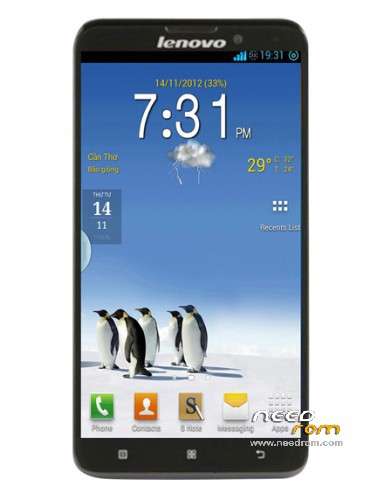
- Title: Lenovo S939
- Listed: April, 2016
- Last modified: 04/06/2016 9:57 pm
- Version: 4.4.2
You must be logged for ROM download.
16259 total views, 1 today
10 Total favorites
 Member Info
DESCRIPTION
How to Flash Lenovo S939 Stock ROM:
Note: Keep in mind that prior to flash check out the battery time. It should be 70-80% charged. Backup your device data including personal data before flashing or installing firmware on your device.
Step 1: Download Lenovo S939 Stock ROM Firmware zip file in your PC and extract it. (It includes Scatter files, SP Flash Tool, and Drivers).
Step 2: Download Lenovo USB Drivers in install in PC. If already installed quit this step.
Step 3: Power Off / Switch of your smartphone (it is better to remove battery after switching if possible)
Step 4: Go to extracted folder “extracted in Step 1” > SP flash tool > you will see Flash-Tool.exe > Open this to Launch setup.
Step 5: One setup is launched Click on > Download Tab > Scatter Loading. Now locate scatter firmware file (Present firmware folder extracted in Step 1) and load it.
Step 6: Connect your device with PC via data cable (Keep in mind the device should be switch Off). Now click on Download Button / Upgrade Button (having sign of Green Arrow) to begin flash Flashing.
Step 7: Wait Until process complete. In end of Successful Flash Lenovo S939 Stock ROM Firmware, a Green dot / ring will appears.
※Please make a backup of your device before installing or updating ROM
is this custom rom based on standard s939 ?
what is the extra feature/fixing (if any)?
How do i install this? Which is first? and what is the new update/feature? maybe bug fixing?
anyone tried it before. please respond
Yes i have used and install as well its good one by i am looking for rom with google services
This is just stock rom from 2013. One is FT file and the other is CR file.
CAN WE FLASH WITH TWRP?
Большое спасибо. Из скриншотов видно, что прошивка очень красивая и быстрая, в своём составе содержит необходимые приложения.
MIUI 5.12.31
bro dowunlood spride varry solo