
- Title: Lenovo Vibe P1c72 ST
- Listed: October, 2015
- Last modified: 10/26/2015 1:31 am
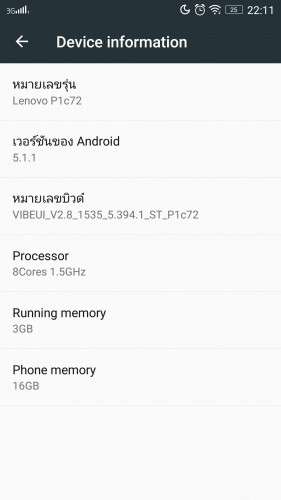
- Version: VIBEUI V2.8 1535 5.394.1 ST P1c72
You must be logged for ROM download.
22513 total views, 3 today
7 Total favorites



 Member Info
DESCRIPTION
ROM Mobile Lenovo P1 – ROM Android 5.1.1
Official ROM Lenovo P1 version: VIBEUI V2.8 1535 5.394.1 ST P1c72
No Rooted
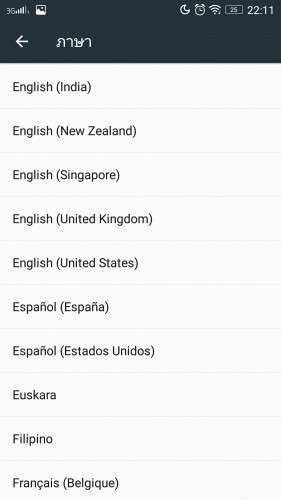
Language support: Multilang
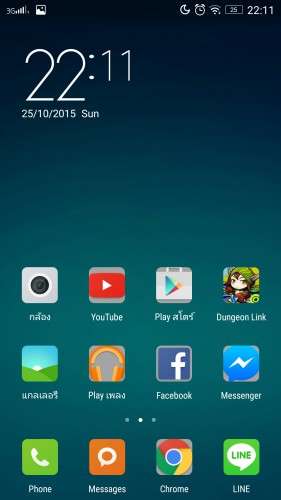
Google Play
ROM Install :
QPST
1.Connect your phone to PC and let the driver install
2.Install QPST
3.Open QPST Configuration -> Add new port -> Select the com port of your device -> exit
4.Go to Start -> All Programs -> QPST eMMC Software Download open the tool -> Check program boot loaders -> Browse for the device com port
5.Click Load XML def and browse for yuanrawprogram_unsparse.xml in folder ROM
6.Click Load Patch def and browse for patch0.xml in folder ROM
7.Check the search path 2 and browse for the folder ROM
11.Now click download, wait for the download to finish (it never finish but it also detects for a new driver, and that’s important)
and it will search for the new hardware found, install the driver
*********
the video shows you how to install tool http://v.youku.com/v_show/id_XMTM1NDYyMjA5Mg==_type_99.html
the video shows you how to root the phone http://v.youku.com/v_show/id_XMTM1NDY0ODcyOA==_type_99.html
After you install firmware , tool and drive , you need to turn off the phone first , then press the buttom volume up ( first ) , then buttom turn on together , release the buttom turn on , only volume up , until the phone vibrate , then connect the phone to computer with usb
Hope it can help you , and if you have any question , pls feel free to contact us
Joanne-eternalteam
※Please make a backup of your device before installing or updating ROM
Lenovo USB Driver
support Windown 7 32bit
Download file
hy…..i do not see any com port availabel in QPST Configuration -> Add new port ….i install lenovo usb driver……lenovo phone install his drivers but still can t see…any help please
After you install firmware , tool and drive , you need to
1 – turn off the phone first ,
2 – then press the buttom volume up ( first ) ,
3 – then buttom turn on together ,
release the buttom turn on , only volume up , until the phone vibrate , then connect the phone to computer with usb
When connect you will show download appear
Mean when show download appear press download
This rom dose not contain power saving mode (hadware key).
Hello does the rom work well and does the play store work, could you do a test and see if the app called ALERT ME works, this app alerts you when you miss a text or call so you dont have to keep looking at the phone it makes a sound, you can set time from 30 sec – 30 min to keep reminding you. it does not work unless the screen lights up on the rom i have. I done a over the air update and the app still dont work unless the screen lights up when i press the power button.
work with lenovo viber x
Hi All,
Sorry for dump question. After hitting download, the backup runs in QPST, but it stops with EMMCBLD.HEX that could not be found. I'm lost here. I can't find this hex file anywhere. Any ideas anyone?
Thank you.
Hi All
I have problem with rom.
Yesterday automaticly my old rom actualized to VIBEUI_V2.8_1539_5.503.1_ST_P1C72.
Problem with no google play, no internet working from sim.
Second problem i have to connect my phon to QPST, not exist any COM port.
Anybody know how can i restore previous settings (rom) or how instal old rom?
If I use option backup and reset than instaled new rom.
Does this rom include italian language?
How root Lenovo Vibe P1 pro?
Please describe correct step to uplad this rom
i'm trying with more windows SO 32-64 bit and follow the indicated step, but no port is available on QFIL tool and key combination don't works.
HELP ME please!!
no fileeeeeeeeeee