
- Title: LENOVO Z90-7 ROM Android 5.1 S240 ROW ROOT
- Listed: March, 2016
- Last modified: 03/04/2016 1:58 pm
- Version: Z90a40 S240 160119 ROW
You must be logged for ROM download.
17366 total views, 2 today
6 Total favorites
CUSTOM
 Member Info
DESCRIPTION
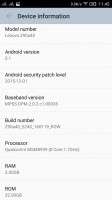
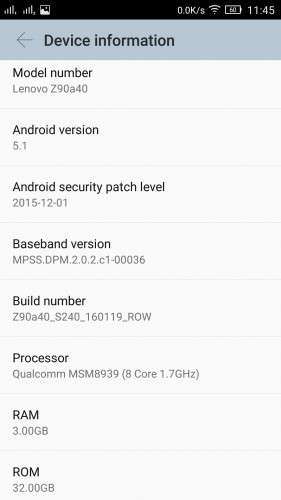
This is original release of Z90a40_S240_160119_ROW for z90-7, added SuperSU v2.68 and BusyBox 1.24.1
Please remove SDCARD before using miflash!
Update procedure as usual, go to DLOAD mode by 'adb reboot edl' and use miflash.
Enjoy!
※Please make a backup of your device before installing or updating ROM
I flashed using QFIL as I did with the unrooted version of this rom as it seems to be less problematic.Anyway seems to be working fine. Thanks
Hi!
Today i'v got a message of SuperSU upgrade from Google Play. It was successfully, next su binary upgrade, it was successfully too. Unfortunately reboot phone fails with bootloop. Any idea to make alive without flash. Or do you think i would try to flash this?
Thanks, mobilizmo
I had the same problem 2 months ago, I have the solution, sorry for the late response:
If u have a international ROM and u can only enter the download mode by enter "adb reboot edl" on the cmd (windows) u will have to do this to solve the problem.
-look for this ROM on the internet and download it: Z90a40_S208_150714_ROW.qsb
-take a sd, format it, and create a folder called sdfuse, and put the qsb ROM into the folder, then put the sd into the lenovo z90-7
-with the phone off press VOL- and without release the vol button press the ON/OFF button to swith on the phone. keep press the VOL- button until u see the safe mode menu.
-in the safe mode menu select the "SD update" option and install the sd ROM from this.
-wait and reboot the phone when finish, the phone must works after this.
This cost me about 3 days to find the solution…OMG 3 days without phone xD.
See u
I installed this rom today and now I'm being offered a system update to Marhsmallow. Is this safe to do?
My phone didn't survive a reboot after installing this ROM; I updated some apps and updated the SuperSU binary and my phone got stuck in a boot loop afterwards.
is anybody able to install supersu and xposed framework with this rom? I flashed supersu 2.76 'successfully', but it always complains that the binary needs updating. As for xposed, it always complains that /system is read only.
Just downloaded it and it offered the update to Marshmallow. I did the update and … my phone got bricked. Amazing! I managed to unbrick it but for the future donwloaders DO NOT UPDATE TO MARSHMALLOW!!!
PROBLEM LONG VIBRATE WHEN TURN ON BLACK SCREEN ,,, HELP
YES, PROBLEM LONG VIBRATE WHEN TURN ON BLACK SCREEN
Thank you so much