
- Title: LENOVO Z90-7 ROM update Android 5.1 Multilingual, Google Service, no ROOT
- Listed: July, 2015
- Last modified: 07/08/2015 2:32 pm
- Version: Z90-a40 S118 1505272008 ROW
You must be logged for ROM download.
24583 total views, 1 today
5 Total favorites
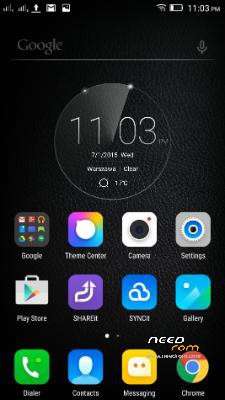
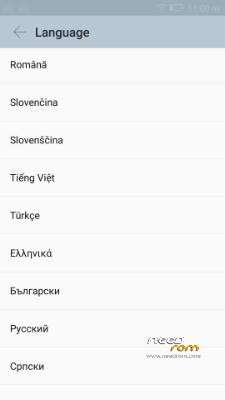
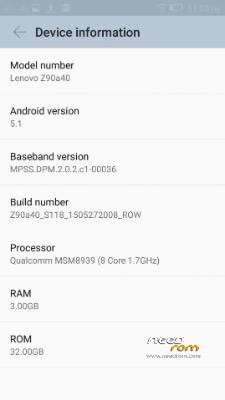
 Member Info
DESCRIPTION
1. Unzip the ROM to a folder of your choice.
2. Install MiFlash.exe after installation, restart your PC
Warning Windows 32bit preference.
3. Start the MiFash software and select the folder or the ROM has been decompressed (you must see this)
ROM Officiel Android 5.1
4. The phone must be turned off, no SD card in your phone and unplug your PC, once off the phone only supported on the Volume Up button after 3 seconds connect your device to your PC with USB and 2 seconds release the Volume up button.
5. Press the Refresh button MiFlash software, your device will be seen.
6. Press the flash button, wait for the message operation completed successfully.
※Please make a backup of your device before installing or updating ROM
Thanks friend, the rom work perfect and in Spanish perfect.
Now I only need root, to be perfect perfect
sorry the root version only happened in chinese version rom which i shared out previously, is a stable rom as well but u can only deal with english with it i suppose
Hi manja13 ! This is rom is pefect for Z90-7 32GB .
But I tried it for Z90-3 16GB , all functions are good, but the phone can not detect simcards, and can not make call.
Can you fix for Z90-3 or have you got multilang rom for Z90-3 ? Pls share me.
Thank you so much
this rom is only for z90-7, no international rom for z90-3 yet, u might need to flash back the official chinese rom for your z90-3
http://pan.baidu.com/s/1mg25KT.....E
password :club.lenovo.com.cn
dont worry Bro just donwload a z90-3 rom unzip it and find the NON-HLOS.bin file… copy it to this rom's unzipped folder and re flash with this modified rom your phone this will solved your problem and your phone must protect your sim
have italian too?????
should have, not very sure, not using this rom at the moment
You can explain "Warning Windows 32bit preference"?
Thanks.
if you are using 64 bit machine, before you install miflash, reboot your pc and press F8. Select disable signature mode
Hello friend, im very happy with this rom but here in spain the 4g dont work i dont know why, i want to try other roms and now i cant. when i conect the telephone with vol + pussed to enter in download mode the telephone always power on and i cant reflash the telephone.
can you help me?
i have solve ir send via adb "adb reboot adl"
In spain don´t work 4g with this rom, i have put other rom chinnese version and works ok
Hi
Please can you tell me which ROM you flashed to make 4G Work? I have same issue in the UK when using Z90-a40_S118_1505272008_ROW ROM i can not get 4G to work. Please tell me which Chinese Rom did you use? I tried to flash to ROOT – VIBEUI version 1525. but this DID NOT WORK. I had to go back to Z90-a40_S118_1505272008_ROW ROM .
Please help thanks
no italian language…….helpme
Hello,
First of all thanks for the help. Is my first time trying to change rom.
I have a z90-7 with android 5.0.2, and the only problem the phone has, is that tethering doens´t work, Can anybody say me if with this rom change it will work? Also anybody can say me how I can root the phone?
Thanks a lot.
Please give a different download link, not hosted at 1fitchier.com
PAyment does not work safe. Thank you.
Flash worked, but no Android setting possible, so also no USB debuggung!! Restore of my data is therefore not possible!
No German.
Hello,
First of all, This rom is perfect for my z90-7. Thank you!
But, i have a little problem. my phone only seems to be connectiong to 2.4ghz network instead of 5ghz.
How can i find 5ghz network in WLAN list? (I can't see 5ghz network in WLAN list.)
Is this my phone's problem? or ROM's problem?
I want to know about this problem's solutions. (for use 5ghz wifi network)
If anybody answer for me, I'll be very grateful.
Thanks for reading.