
- Title: Lenovo_A319_S313_MOD2
- Listed: November, 2015
- Last modified: 11/01/2015 6:21 pm
- Version: 4.4.2
You must be logged for ROM download.
46230 total views, 3 today
20 Total favorites
 Member Info
DESCRIPTION
I want to share with you today where and how you can download the exact working firmware of this phone from Lenovo which is called Lenovo A319.
This firmware is you can use it to fix your Lenovo A319 to this following problem….
1.Hang in logo
2.Rebooting
3.Bootloop
4.Dead Phone But detected in PC.
Download the firmware here
Note:You must have an account to that site in order to download that firmware.
Follow this procedures to flash your phone using SP Flash T
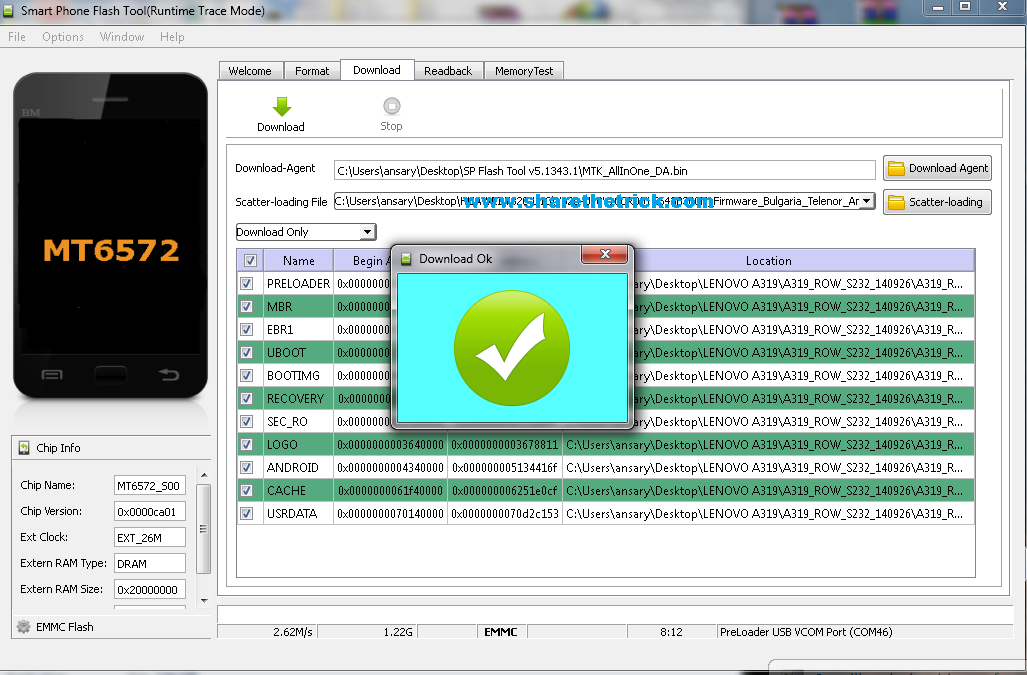
1- open flash tool
2- select the scatter file
3- you must select download format all+Download
4- shut down the phone or remove battery and reconnect it
5- plugging the usb cable you will see the download and format started and that's it
6- restor the imei of the phone from my post from the section below
For Invalid IMEI:
Your Phone/Tablet must be rooted first
follow my tuto for restoring MTK imei from here
※Please make a backup of your device before installing or updating ROM
i don't know how to use it. Newbie here. My A319 was stuck on it's logo. Help me, please
HI
Thank you very much
https://rom29.com/lenovo-a319-.....firmware/ Lenovo A319 Firmware Thank you very much for this post, Please keep it up ! It is very useful for all gsm field.
link not working
disabled your addblocker to download this files
the file is no more available on mega ????
what would i do ????
password nya apa