
- Title: LeTV One X600 for SP FlashTool Multilanguage
- Listed: January, 2016
- Last modified: 01/20/2016 2:07 pm
- Version: EUI version 55.5.034E (Beta)
You must be logged for ROM download.
24647 total views, N/A today
13 Total favorites





 Member Info
DESCRIPTION
This is custom ROM from the developer.
Model: LeTV X600
Android version: 5.0.2
EUI version: 55.5.034E (beta)
CPU: Helio X10 8-core 2.0GHz
GApps – included
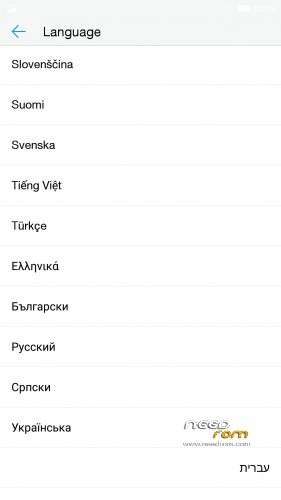
Multilang – about 50 languages
use the latest SP Flashtool, I used THIS
Install ROM :
- Unpack FlashTools, and Click on Flash_tool.exe
- Select the MT6795_Android_scatter.txt in ROM
- Wait file to be added into Flash Tool
- choose Option->Choose Option->DownLoad->check DA DL All with Checksum
- Turn off your phone
- choose Firmware Upgrade
- and connect your phone into the computer via USB data cable.
- The process will start and a red progress bar will appear after color purple, yellow.
- When green circles display, it is finish succesfully
- Finish !
- You can now safely disconnect your phone and turn it on.
※Please make a backup of your device before installing or updating ROM
Installed Flashtools, selected the MT6795_Android_scatter.txt and the files were added. I chose the 2 klicks in options/downdload/…
I turned of my phone, chose Firmware upgrade, connected to PC via usb cable (usb debugging enabled) and turned on my phone. NOTHING HAPPENS.
When do I have to push the download agent or Download button in Flashtools ? (Scatter-loading was successful)
Thx
After loading the scatter file, choose firmware upgrade from the drop down menu, mark the two options, turn off your phone, connect it to usb and then you click the download button.
And make sure you have the mtk preload driver installed http://forum.xda-developers.co.....d.php?t=2180436
thanks for the fast response !
yes, the preload drivers
where can i get them ? i followed the instruction on your link, but at first, i cannot take my battery out of the phone…
in win 7 device manager, i got the android device with ROMaster Composite ADB Interface.
2 other unknown issues . i
You have to connect the phone to the computer while it is off, then you should see a device in your computer's device manager named something with preload, install de drivers and you should be good to go.
Hello mate,
How did you root it to stop the system update?
Ok guys, thank you for your help, especially stefanpaulos !
I have the same problem as azzi333. Cannot stop the system update to start ! I thought I refused every system app etc. to make automatic update or anything else.
And as I woke up this morning: My phone was back in chinese again.
How can I stop EUI to update ?
Thanks
btw: phone is great !
thanks very much for the rom.
if i have the new rom on my phone, can i do a system update or better not? (the system update show me this latest version: 5.5.043E)
thanks for your answer.
SP Fast Tool Error: (8417)
Hallo to everyone,
i´ve downloaded the ROM as desribed, I´ve downloaded the flash tool. I had started the flash tool. Everything nice, but…
i decompresed the ROM i choose how described, the MT6795_Android_scatter.txt but i got following error message.
SP FLASH TOOL ERROR:(8417)
The load scatter file is invalid!
[HINT]:
Please check the scatter file and select again!
what is the next step, has anyone a solution or the right one scatter.txt file for downloading it.
THX b.r. Bojan from Germany
i've download a another ROM. Within this zip folder was the right one. But i have following probrlem i don't have any progress within the flash process. How can I initiate it. I followed the description but nothing happens. What is the fail?
I flashed the rom which was easy. But after that my phone is full of spam..spam..spam….!!!!!…