
- Title: LEWA OS v6 – ART
- Listed: May, 2015
- Last modified: 05/03/2015 3:08 pm
- Version: 4.4.2
You must be logged for ROM download.
14503 total views, 1 today
 Member Info
DESCRIPTION
Install ROM :
CWM/TWRP
Step 1: Download the custom ROM copied to an external SD card root directory
Step 2: the shutdown state. While holding down:
– Power button + volume button up, to enter the recovery mode. (With USB cabel inserted to computer)
– Wipe Data / Factory Reset -> delete all user data
– Wipe Cache Partition -> Wipe cache
Step 3: Return to recovery main interface Install zip from sdcard -> choose zip from sdcard -> Select your ROM
Step 4: Flash complete, restart the phone Patience required – first boot takes a while
Password: rcho
Source : http://forum.xda-developers.com/redmi-note/general/collection-custom-roms-xiaomi-redmi-t2934218
※Please make a backup of your device before installing or updating ROM
thanx gan
COMPASS NOT WORKING – OTG NOT WORKING
Password for extract???
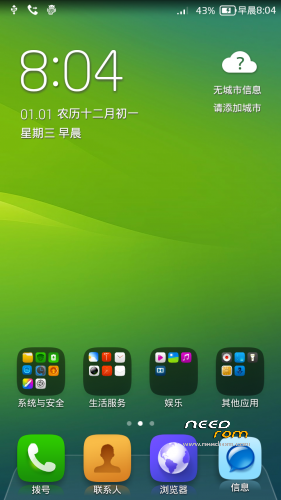
This looks like Lewa 5 and not 6. Let me know if i missed anything here.
About the ROM, it is very nice, very smooth and responsive. Only issue i saw was the call screen not visible. Although you can hear and speak, you cannot see the call page