
- Title: Lineage OS Unofficial Update (04/11/2017)
- Listed: January, 2018
- Last modified: 01/12/2018 2:08 pm
- Version: 14.1 (Android 7.1.2)
You must be logged for ROM download.
13028 total views, 1 today
2 Total favorites
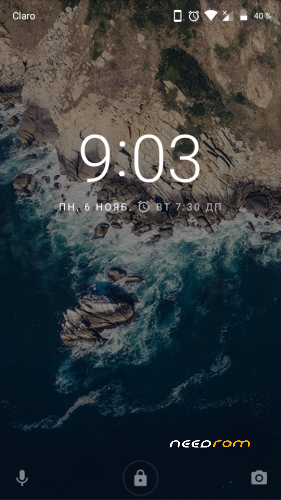
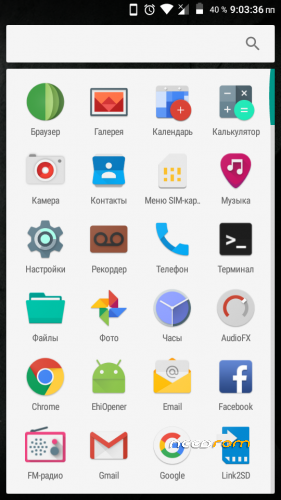
 Member Info
DESCRIPTION
Updating the sources of Lineage.
Updated RIL (flight mode is working).
Rom Features:
Multi-Lingual
Android ver: 7.1.2
Rom ver: 14.1
Root: Enabled
Android Security patch level: Oct 8, 2017
Bugs:
No major bugs found!!
Prerequisites:
1. Your device must be on Android ver 6.x.x or above.
2. Take backup of every files or Nandroid.
3. Custom recovery installed (Recommended: TWRP 2.7.1.1).
4. Download GAPPS moudular (Suggested: PICO).
5. Download Xposed if you want (SDK ver 25 arm).
Installation steps:
Note: I am not responsible for any hard bricks or boot loops caused to your device. Only proceed if you know how to get out of them.
1. Boot to recovery.
2. Flash the ROM
3. Install GAPPS.
4. Wipe Cache, Dalvik, Data and Internal Storage.
5. Reboot System.
6. Flash Xposed after first boot (Optional).
7. Done.
Comment if you find any difficulty in Flashing or find any bugs!!
Additional links:
Fix Wifi Nvram Warning here.
Credits:
Lineage OS Team
Fekz115
Alangomez1231999.
-Thanks-
※Please make a backup of your device before installing or updating ROM
Is internal memory accessible
Pls respond
No!! Internal memory is unaccessible from android M onwards i guess.
How to make it enable
very sad that CM Team decided to remove Theme Engine
True dat!!
u should try substratum
Is this for ROW version or Chinese version?
both can i think
os download link not working
Try again after some time or try to download it through VPN.
IMEI AND BASE BAND ERROR …HAV TO GO BACK TO OFFICIAL FIRMWARE
calm down, try my guides from rom i posted
what android version were u on before installing the ROM?
Hi,
I am a newbee. What does "Update" mean. Is there a special versione needed on the phone before?
Do I need a PC tool? I flashed th phone long time ago and it was done with PC.
Regards
Matthias
No, you dont need a special version to install this ROM, but your device must be running on Marshmellow. So install any marshmellow ROM such as CM13 or RR 5.7.x and then flash this ROM. PC tool is not necessary. You can flash it through TWRP. Follow my step-by-step procedure I have given above for successful installation.
SIM2 cant 3G ?
after install the rom, my phone battery cant charge and my phone cant connect to my pc. please help me
It seems to be a problem with ur battery buddy..Was ur phone charging before installing this rom?
It also might be a result of dirty flashing!
dude you should update this post
http://4pda.ru/forum/index.php.....0#entry61186601