
- Title: LineageOS Rom for HTC Desire 620G
- Listed: January, 2017
- Last modified: 01/29/2017 2:17 pm
- Version: 6.0.1
You must be logged for ROM download.
12609 total views, 2 today
1 Total favorites



 Member Info
DESCRIPTION
VPN (use psiphone's browser only mod)
2G/3G Switch
media.sf.omx-plugin=libffmpeg_omx.so
2). Root Access :-
➯Go To Settings➯About Phone➯Tab Build No 7 Times
Then Go to Devs Option And Select Root Access➯Apps and ADB !
Use VPN for wifi
1. Download psiphon from playstore and open it, choose Browser-Only mode don't tunnel whole device.
2. Go to its logs tab and check the port of http proxy.
3. Now open WiFi setting and long press to your WiFi network (from which u are connected) go to modify tab and from check the advanced options.
4. Chosen manual proxy option and put host name as 127.0.0.1 and port as the no. which you noted in step 2 (eg. 8080) and click save .
For Cellular Data-
1. Download psiphon from playstore and open it, choose Browser-Only mode don't tunnel whole device.
2. Go to its logs tab and check the port of http proxy.
3. Now open Setting>Sim cards>Sim 1/Sim 2 settings/Access Points Names and click on Connected APN
4.In Proxy put 127.0.0.1 and port as the no. which you noted in step 2 (eg. 8080) and click save .
Enjoy you have set up a VPN connection successfully.
You can open your browser and check your IP
Note: You have to undo this after you don't need VPN by changing manual proxy to none .
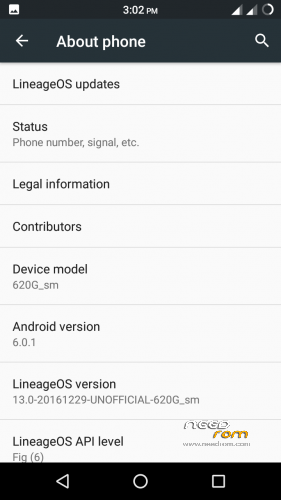
ROM OS Version : 6.0.x Marshmallow
ChipSet : MT6592
Kernel : 3.4.67
Based On : Cyanogenmod
===================================
※Please make a backup of your device before installing or updating ROM
play store problem
Where’s the link
link has been expired
upsate new one
update new one