
- Title: MERE Flare HD
- Listed: March, 2014
- Last modified: 03/05/2014 1:22 am
- Version: Most Epic Rom Ever
You must be logged for ROM download.
19648 total views, 3 today


 Member Info
DESCRIPTION
Steps in Flashing:
- Place in sdcard
- Reboot to recovery (TWRP/CWM)
- Wipe data, system, cache, dalvik-cache
- Flash MERE-HD.zip
- Reboot
How to use Engineer Mode to increase volume levels.
Applicable to all MTK65XX devices
Go to Settings>Engineering Mode>Hardware Testing>Audio>LoudSpeaker Mode
1. Dial: *#*#3646633#*#*
2. @Level 0 set Value to 135 tap Set, Max Vol. =160 tap Set
3. @Level 1 set Value to 155 tap Set, Max Vol. =160 tap Set
4. @Level 2 set Value to 175 tap Set, Max Vol. =160 tap Set
5. @Level 3 set Value to 195 tap Set, Max Vol. =160 tap Set
6. @Level 4 set Value to 215 tap Set, Max Vol. =160 tap Set
7. @Level 5 set Value to 235 tap Set, Max Vol. =160 tap Set
8. @Level 6 set Value to 255 tap Set, Max Vol. =160 tap Set
9. Exit Engineer Mode
Caution:
Setting maximum volume may damageyour internal speaker.
The safest maximum volumevalue is default @ 144.
NOTE:
- First boot may take a long time. DO NOT PANIC.
- Optimizations are done on the first 30 seconds of every boot. Please be patient. (BRY Engine Users Know this)
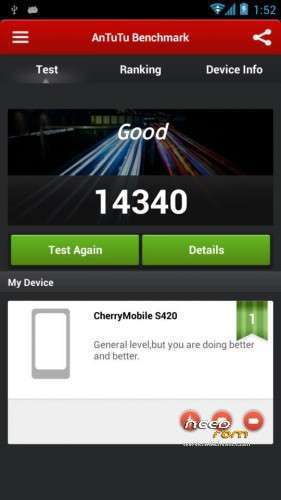
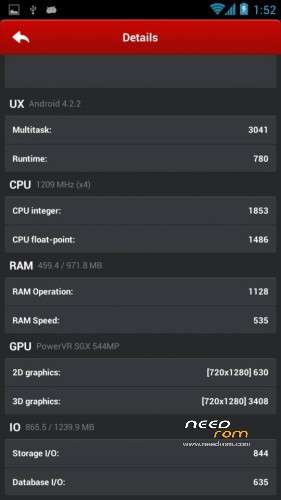
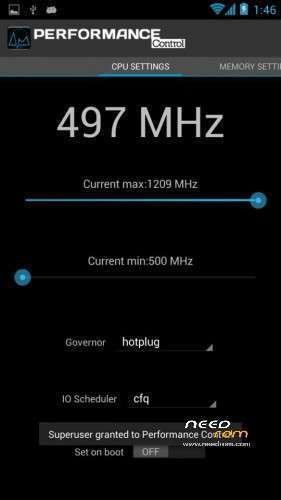
- Before benchmarking reboot your phone first before running your favorite benchmarking app and set your Governor to default (Hotplug) if ever you changed it.
- DO NOT USE OTHER BOOT.IMG or KERNEL
- DO NOT USE OTHER TWEAKS OR PERFORMANCE ENHANCEMENTS FOR IT MAY CAUSE CONFLICT
-
This ROM does not support dual 3G, if you don't like this we are not forcing you. You can always flash other ROMS.

※Please make a backup of your device before installing or updating ROM


