
- Title: Micromax a114 recovery
- Listed: January, 2015
- Last modified: 08/30/2014 2:21 pm
- Version: android 4.2.2
You must be logged for ROM download.
16825 total views, 2 today
OFFICIAL
 Member Info
DESCRIPTION
How to install CWM recovery in Micromax A114: -
Step 1: Download CWM Recovery
Step 2: Copy this file in you SD Card and rename it “recovery.img”
Step 3: Download and installs Mobile Uncle Tools from Play Store Click here or http://dinowap.in/mobileuncle_MTK_toolv2.9.9 by dinowap.in.apk
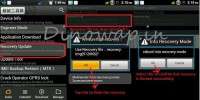
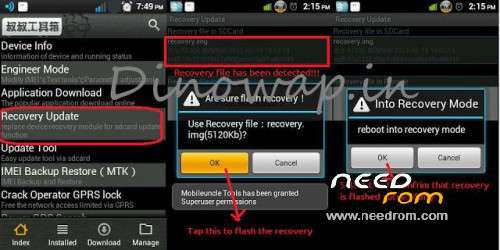
Step 4: Launch Mobile Uncle Tools >>> Grant SU permission >>> Tap on Recovery Update.
Step 5: Tap on the recovery.img file that it show, with location SD Card
Step 6: And apply it. It will ask to you for reboot or go to recovery mode.
by din
※Please make a backup of your device before installing or updating ROM
please upload Direct link Mobile Uncle Tools
thanks in Advance
http://dinowap.in/mobileuncle_.....MTK_toolv2.9.9 by dinowap.in.apk < mobileuncle_MTK_tool
http://dinowap.in/mobileuncle_.....MTK_toolv2.9.9 by dinowap.in.apk
recovery link plz
plz upload new recovery link this link not open