
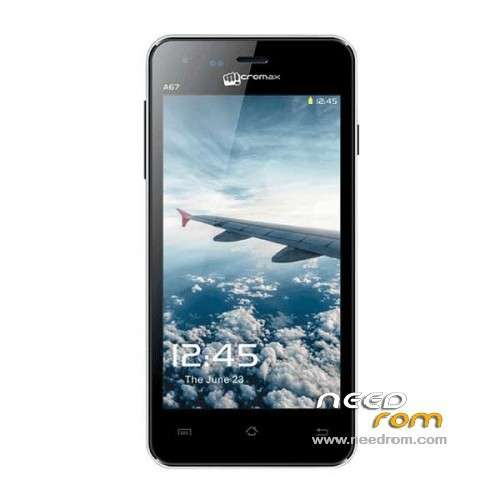
- Title: MICROMAX A76
- Listed: September, 2013
- Last modified: 09/23/2013 3:51 am
- Version: ROM Android 4.2.2
You must be logged for ROM download.
42555 total views, 2 today
4 Total favorites
OFFICIAL

 Member Info
DESCRIPTION
ROM Mobile MICROMAX A76 – ROM Android 4.2.2
ROM Official Micromax A76 Version: Micromax A76_T12
Gapps include – No Rooted
Language support: EN/CN
Install ROM:
Steps: copy the software zipped file in to memory card –> now press volume up and power key together.
※Please make a backup of your device before installing or updating ROM
how to install it???
First root your mobile
then install CLOCK WORK MOD recovery(forum .xda .com)
then switch off your mobile
then press power button+ volum up+ volum down then select recovery mod using power button
now you entered into CWM RECOVERY
then formate/data or wipe > goto advance > then click wipe dalvic cache>
now INSTALL ZIP FROM SD CARD
and then you can find the ROM file into your SD CARD and select and now install processing is goingon……
enjoy!!!!! ( this method is using for all mobiles)
NOTE: recovery mode does not support touch screen
soo power button > select
volume up& volume down is move up & down
Thanks for the stock rom!!!
original rom Micromax a76 in Indonesia Mito A50 Fantasy tnx to needrom
can we install this rom via flashtool???PLZ reply,,,,,,,,,
same with Mito A50
can i get samsung s3 or s4 custom rom for micromax fun a76
plzzz tell me how to install cwm recovery in micromax a76
any one.. have mircomax rom deodex??
my phone got stuck at boot animination
after flashing this rom can i boot ???????????
first you flash your mobile using stock rom
then you root your mobile
then install custom rom to solve this problem
I want update my ROM
I am greatfull to you guys, you just saved my phone….I didn't needed to do much…my phone was stuck in boot loop..and I downloaded ROM from here…send it to my sd card and just pressed vol up + power and a screen appeared showing installing update and the phone rebooted.almost taken 1 min only……..THANKS………….
nice