
- Title: MIUI 10 S7-4G
- Listed: February, 2019
- Last modified: 02/16/2019 1:12 pm
- Version: Android 6
You must be logged for ROM download.
14592 total views, 2 today
CUSTOM
 Member Info
DESCRIPTION
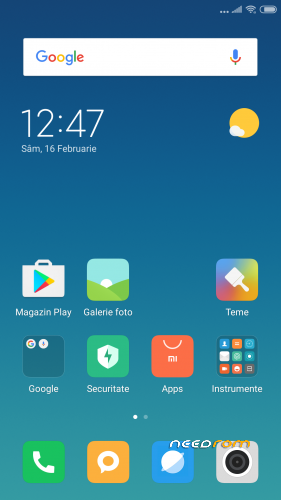
MIUI 10 – V10.1.1.0 Multilang. Based on Helio x20 4G Android 6 MM
Fixed almost all bugs from previous 3G version
Remaining BUGs:
Panorama Camera
Recents Button for 3G users not work
INSTALLATION:
• Download the ROM from the link above
• Put the zip file on your SDCard
• Reboot in Recovery
• Perform an advanced Wipe
Dalvik / art
Cache
Data
System
• Select "Install zip from SDCard"
• Choose ROM zip file
• Flash
• Wipe Cache & Dalvik Cache
• Reboot system
※Please make a backup of your device before installing or updating ROM
I did it all, but only after:
- installation of stock Android 6 S7_4g_20161123095710_v1.4 via SP flash Tool;
- install TWRP 3.1.1 via SP flash Tool;
- SuperSU installation during the first power on TWRP 3.1.1.
————————————————– —————-
Attempts to install MIUI 10 from Android 7 always ended with a bootloop.
The first start occurs after about 10 minutes of waiting.
I tested this rom called MIUI 10 S7-4G for three days.
Results:
merits:
- great functionality both as a whole and separately – by camera, call functions, proprietary MIUI services, and the fingerprint sensor is also quite functional;
demerits:
- accelerated discharge of the battery (discharge up to 45-60% per day, for comparison – on the latest official firmware Elephone_S7_97_20171018 – discharge up to 75-85% per day). As an experiment, in order to reduce the discharge rate of the battery, almost half of the applications were turned off (most of the MIUI services and the built-in browser). Unfortunately, it was not possible to achieve a significant reduction in battery discharge.
- in the WIFI networks menu there is an error "NVRAM WARNING: Err = 0×10". Personally, I did not test the use of the second SIM card, but if you use only one SIM card, then this error is not significant.
P.S. Instructions for removing embedded applications on Xiaomi smartphones in Russian (I used the version for "java"):
https://4pda.ru/forum/index.ph.....0#entry73374785
thanks for your post #trennt
the best way to install a custom rom for daily usage
- flash stock rom
- power on phone and configure it
- install your favorite TWRP
- reboot in recovery, perform an advanced wipe and install the rom
"NVRAM WARNING: Err = 0×10" error will not appear and battery life will be slightly longer