
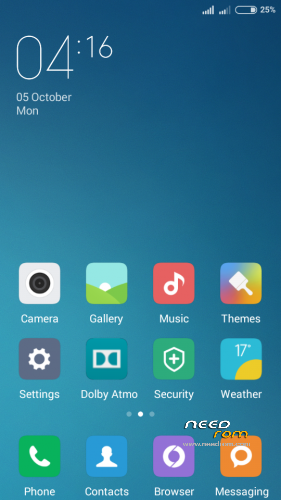
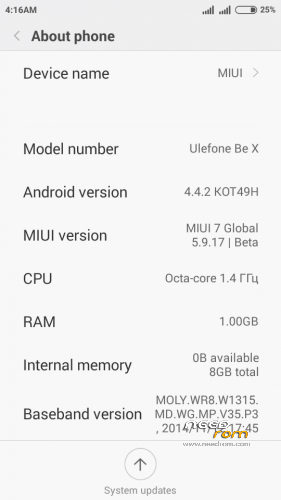
- Title: MIUI 7 v5.9.17
- Listed: October, 2015
- Last modified: 12/07/2015 2:50 pm
- Version: 5.9.17 (Android 4.4.2)
You must be logged for ROM download.
16098 total views, 1 today
2 Total favorites
 Member Info
DESCRIPTION
Please Note
● This is a Beta Release you may expereince some bugs during you usage.
● You need to have TWRP Recovery Installed

CLEAN SYSTEM INSTALLATION INSTRUCTIONS
● Download Rom and copy to Sd card
● Reboot into TWRP Recovery
● Go to Wipe Option in TWRP
● Go to [Advanced Format] option
● Choose [Cache, Data, Sytem, Dalvik cache] and swipe for Formatting.
● Install ROM
● First time boot take some time…please be Patient
UPDATE MIUI6 to MIUI7 INSTRUCTIONS
● Download Rom and copy to Sd card
● Reboot into TWRP Recovery
● Install ROM
● Press [Wipe Cache, Dalvik Cache] button in TWRP
● Restart & enjoy!
07-10-2015 ADDED UPDATE TO FIX SOME BUGS
Include fixes for repair Tethering, WiFi Mac address, MTP bugs.
Install via TWRP file "FIX_MIUI7_BE_X_THRACIAN_071015.ZIP"
07-12-2015 ADDED UPDATE TO FIX BLUETOOTH BUG
Include fix for repair Bluetooth bug.
Special thanks to 4est for a problem solution.
Install via TWRP file "UPDATE_BeX_Bluetooth_Fix_071215.ZIP"
※Please make a backup of your device before installing or updating ROM
My problem is, that the internal storage is not visible. If I start a total commander, only the external SD card is visible. The internal storage is there, because if I open the settings -> storage, then I see the system storage. I see how many free places do I have, how many Apps, Misc are there. Below this informations, I see my SD Card.
How can I set the internal storage visible? Thank you.
I have the same problem. Any solution?