
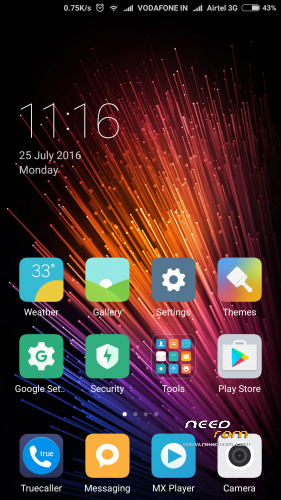
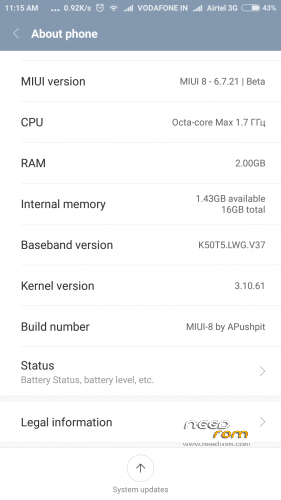
- Title: MIUI-8 Ver. 6.7.21
- Listed: July, 2016
- Last modified: 07/25/2016 12:41 pm
- Version: 5.0.2
You must be logged for ROM download.
13462 total views, 1 today
3 Total favorites
CUSTOM




 Member Info
DESCRIPTION
DON'T USE OTA IT COULD BRICK YOUR DEVICE …. SO PLS ALWAYS DOWNLOAD FROM HERE (IF YOU ARE ON 6.7.14 THEN YOU CAN DIRECTLY FLASH IT WITHOUT WIPING LIKE OTA.
Instruction:
1. Go to TWRP
2. Wipe > Advance Wipe > Dalvik / ART Cache & System & Cache & Data (For fresh Install, ignore if updating from any previous MIUI rom to keep ur data)
3. Install Zip package
4. Clear Dalvik Cache (If updating from any previous MIUI rom)
5. After start keep airplane mode on by presing power key & salect aeroplane mode on ( this need to be done only while startup wizard, after complete start wizard you can off aeroplane mode)
6. Enable "Documents" app by going Setting > Install apps > go to end of apps there is "Documents" app & enable it.
For NVRAM Error:
Download NVRAM File & replace the both file Wifi & Wifi custom to Root or (/Device) > data > nvram > APCFG > APRDEB
& reboot.
IF INTERNET SPEED IS LOW:
Download K3 Note Modem Patch.zip & flash via TWRP. After flashing reboot.
IF FACING APP SLEEP IN BACKGROUND OR NOT AUTOSTART THEN PLEASE FOLLOW BELOW INSTRUCTION:
1. Go to Security app > Permissions > Autostart > Enable the perticular app which you want to be autostart.
2. Go to Security app > Battery > App battery saver > (click on pertucular app which u don't him to be sleep & keep running in background) > choose "No restrictions"
Changelog in 6.7.21
New – Deleted button in the screenshot mode
New – Automatic adjustments for photos when sharing
Optimization – Time, date, and weather adjustments in the status bar
New – Automatic adjustments for photos when sharing
Optimization – Time, date, and weather adjustments in the status bar
New – Sound for delivered messages in the Settings
Lockscreen, Status Bar, Notification Bar
Optimization – Clickable arrow for Wi-Fi
Optimization – Time, date, and weather adjustments in the status bar
Optimization – Time, date, and weather adjustments in the status bar
Changelog in 6.7.14
Xposed Added – install via TWRP then do clear dalvik cache. (BETA)
Very smooth comparing with 6.7.12
Fixed heating problem which was in 6.7.12 while playing game
Battery improved alot & not heating even playing clash of clan with connected charger….. Very surprising!!!
FOR DOWNLOAD:
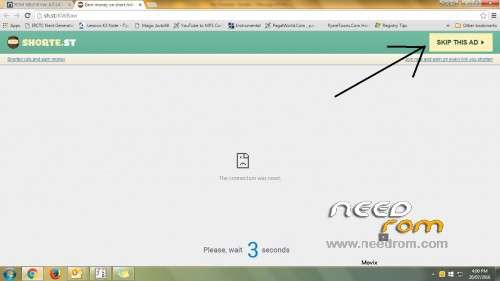
Click on link which come up after 5 secound in right top corner. (See image under all scrn shoot)
Pls donate is you like my work.
※Please make a backup of your device before installing or updating ROM
Music is fine or still same like the previous version?
same
I am using miui 8 .14 can i just ota update?or i have to full install with twrp?
I did ota update and it works.
it got heating or some other problem so dont use OTA
don't go for ota….u can flash my update over version 6.7.14 like OTA
Does second space work in this rom?
no still it is under development
status bar change after change any themes…..?
when flash shows that md5 file not found….Help me..
no md5 file found
Use TWRP 3.0.0.2 not exceding this version.
spacesMangerServices errror
pls help
Overall nice ROM
But please translate RAM management language
bro theme manager is not cracked..
bhaio ya cwm recovery se install hojayegi
u can use TWRP 3.0.0.2