
- Title: MIUI-8 Ver. 6.8.25
- Listed: August, 2016
- Last modified: 08/29/2016 2:10 pm
- Version: 5.0.2
You must be logged for ROM download.
13679 total views, 2 today
2 Total favorites
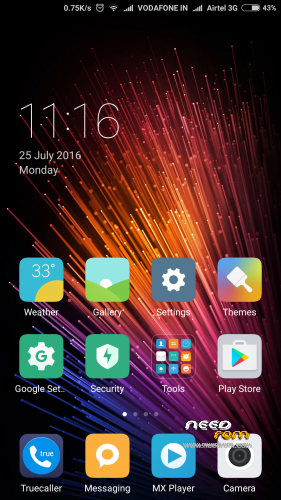
 Member Info
DESCRIPTION

1. Go to Security app > Permissions > Autostart > Enable the perticular app which you want to be autostart.
2. Go to Security app > Battery > App battery saver > (click on pertucular app which u don't him to be sleep & keep running in background) > choose "No restrictions"
New – Redesigned Clock
New – A pop-up will appear when an app is launching another app
New – Calendar can get info about flights and train tickets from the messages automatically
New – Current week is numbered in the "Week" view in Calendar
New – Adjusting call volume
Settings
Optimization – Scan Wi-Fi network's QR code and tap "Result" to view the password
Permissions Manager
New – A pop-up will appear when an app is launching another app
Calendar
New – Calendar can get info about flights and train tickets from the messages automatically
New – Current week is numbered in the "Week" view
Clock / Calculator
New – Redesigned Clock
Optimization – Colored backgrounds for Alarm
FOR DOWNLOAD:
※Please make a backup of your device before installing or updating ROM
Can you add greek language?
มีภาษาไทยใหม
grt rom….but theme manager crashs .while applying themes….permission read +write,read,read..
facing same….
Yes pushpit ji … Theme is not applied.
did u all reboot your mobile?
Chinese language still in theme manager after replacing it. What to do?
rebooted…
Awesome work! Been using for 5 days. Works perfectly. But themes may need some work…..
can you give me the porting guide for a319? plz
what about dolby ? where and whats sound enhancement bro?
Radio without handfree awesome work