
- Title: Miui 9 Android 6.0 Global Beta.
- Listed: September, 2017
- Last modified: 09/23/2017 2:05 pm
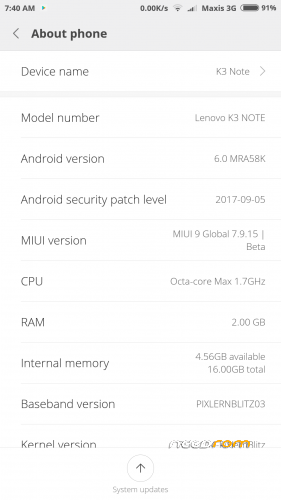
- Version: 6.0 V7. 9.15
You must be logged for ROM download.
14122 total views, 2 today
9 Total favorites
 Member Info
DESCRIPTION
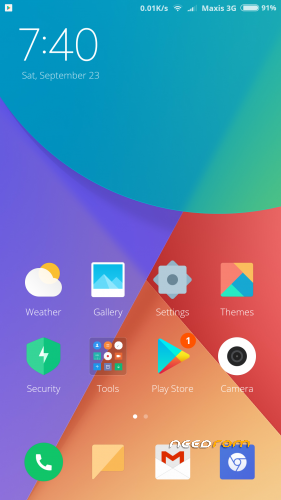
Experience lightning fast of Miui 9
-Latest build of Miui Global v. 7.9.15
-GAPPS pre-installed
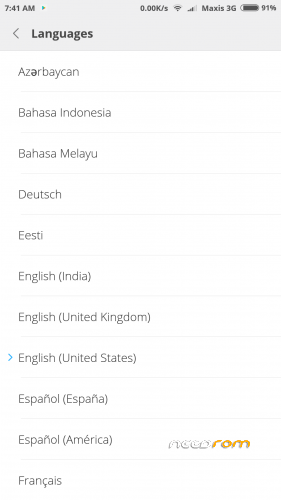
-Multi language
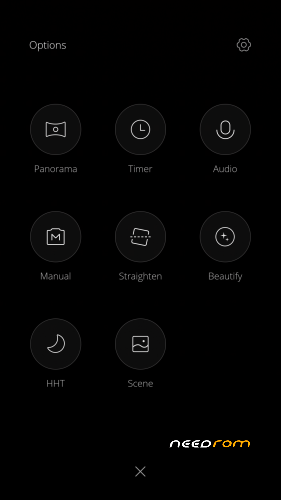
-Fully working MIUI cam
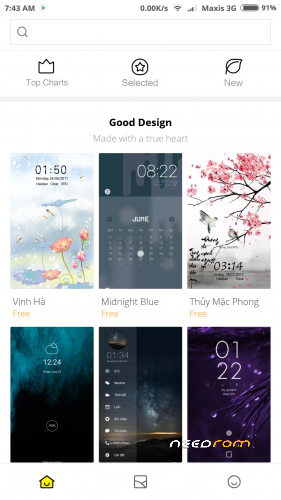
-Global theme
-All sensors works
-DT2W
There shouldn't be any major problems with this rom. If you found any problem.. Tell me.
Installation procedure
Via TWRP – I put through TWRP 3.0.2.7 – not tested other versions.
-Copy rom to SD
-Boot to Twrp
-Wipe delvik/art catch + system + catch +data
-Reboot to Recovery
-Install rom from SD
-After installation completed. Reboot System. It will take about 10 mins for system to optimize. Complete acc. setup and You are ready to rock.
Note: System will fully optimize after couple of boots. Be patient and don't make complaints.
Minor things
-Nvram error – leave it… or flash Nvram error fix and you will loose 5ghz.
-Updater FC – Ota disabled
-Cam panorama mode FC – to be rectify in next build.
-Videocam slowmo mode FC – not supported by device. Normal and fast mode OK.
Not tested functions
-Jio
-Screen cast
Credit to original developer. I found this rom from Chinese web and make few modifications and rectification.
No donation needed. Just rate me with 5 star and I will be happy.
※Please make a backup of your device before installing or updating ROM
Its already 7.9.22…
It’s very good rom battery super and ram also and app instalis pretty fast ,very smooth rom and good performance only one bug that when clicking recovery it’s not working other than this pretty good
(K50a40)
1. No split screen.
2. No VoLTE.
3. Reply from notifications not working.
4. Reboot to recovery doesn't work.
5. Some applications crash frequently and some don't even open after crashing.
6. Suggest me how to remve the smart assistant & mi drive completely. (They're annoying)
7. Device status is locked & can't link mi account. Google assistant dosn't work on locked devices.
8. No separate google settings in the device settings. (Just the sync options)
Am i the only one facing these problems?
Please reply.. Thanks
I am also facing same problems
Gps is not working showing different different locations in Google maps please fix it
hey bro nice rom. But can you provide the flashable zip for miui 9 english theme engine only?
thanks for your work…..
Global theme are all in English sir.
Unfortunately,the process android.com.phone has stopped
I am getting this crash report every second and not able to use the ROM plz make a fix for this
Any solutions for this???
Some more errors:
9. android.com.phone stops.
10. Sometimes reboot and power off not working. It just turns the screen black.
11. Updater doesn't work. Can't even reboot to recovery from there.
12. Flashify is crashing again and again. All the apps that i use for flashing zips aren't able to reboot into recovery or bootloader.
…. There are lots of other bugs which needs to br fixed.. please reply ASAP
Me too have the android phone crash error lets wait for a fix
naah.. done with this rom. Currently using Paranoid android. and its working fine
I hope they fix it soon so i can switch back.
Anyone let me know if you find android o based roms for k3 note.(Hope lineage os 15 will be released soon) thanks
What type of recovery and version you use to flash this rom?. I recommended TWRP 3.0.2.7. From your long list of bugs, only reboot to Recovery function is not working. About Volte, I also don’t know why most of you guys shouting volte.. Volte for K3 note. Just bear in mind that K3 note with mtk6752 are not support volte. If you want volte, just buy a new phone that support volte.
So far I am not facing any problem with this rom.
I'm using twrp 3.1.1. and yes volte is supported on k3 note i can show you the screenshots once i flash the lineage os.(there is a patch available). talking about the long list of bugs, just send me the screenshot if you've fixed any.
Have you strictly follow my installation procedures. For most of Miui rom you need to install fresh without any catch in twrp. That’s why in my installation procedure you need to reboot to Recovery after wiping the 4 things. It mean after wiping, press reboot > recovery and swipe. Wait until twrp screen reappeared and install the rom.
Unfortunately,the process android.com.phone has stopped
I am getting this crash report every second and not able to use the ROM plz make a fix for this
Any solutions for this???
Re-flash and strictly follow installation procedures. Here are in details. Don’t skip no. 6,7,8
1. Enter TWRP Recovery
2. Press Wipe
3. Press Advance Wipe
4. Select Dalvik/art catch, System, Catch, Data
5. Swipe
6. Press Reboot
7. Select Recovery
8. Swipe
9. Press Install
10. Select rom from Sd
11. Swipe
12. After Successful > swipe > Reboot System