
- Title: MIUI 7 MiuiPro.ru
- Listed: March, 2015
- Last modified: 05/10/2015 7:29 pm
- Version: 5.5.8 (V6)
You must be logged for ROM download.
57051 total views, 2 today
12 Total favorites
CUSTOM
 Member Info

DESCRIPTION
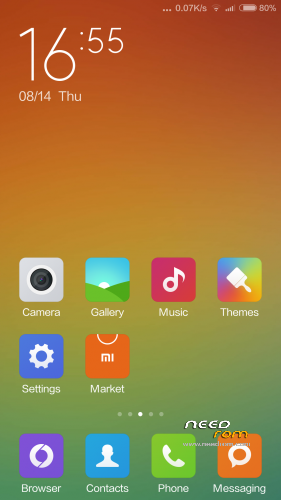
MIUI V6 for G4S, android 4.4.2. Language multilang
zip for custom recovery
-7.03.15 fix many bags
-11.03 update
-13.03 update
-27.03 update
http://miuipro.ru/update-podderzhka-portov-mtk6592-i-modifikatsii/
※Please make a backup of your device before installing or updating ROM
Sometimes it freeze and restart the whole system. Only for me?
ye, didnt have any freeze yet
ok so i had notification about ota upgrade but i closed it by accident, where i can find the app or option to upgrade ?
Settings – About phone – at the bottom of the page button Update system
…WTF…
This ROM is total disaster for me! I DON'T have root access, my PC don't recognize sd cards (have 2 of them), it crashes when I try to run GPS… I have reinstalled it twice (with all wipes) but result is the same…
Have anyone any idea what am I doing wrong?
Does anybody knows if is rooted? I prefer a rom if it is rooted thanks…
For freezes: is there somewhere a log file what help for me?
Rooted. Secuity on desktop, inside root submenu.
No sdcard solution: settings, accounts, 4pda, storage selection, second select, restart.
Installed on G5s and de touchscreen went crazy, when i touched in the lower part, the screen recogniced the upper…
Did a backup and the touchscreen fail stayed for all my roms, even the oficial, so be careful if u want to install it on G5s.
According to official site this rom is only for G4s
Yea, now i know it.. Just warning other people, my phone is now a beautiful brick
For those having problems with freezing and sdcard.
What i did (with one sim card) :
Before i flashed the rom (previously on MG rom), i flashed with flashtool another rom (I flashed chilapos rom) for full wipe. Then i installed the miui rom via costum recovery (i used philz touch). Then you should make the OTA upgrade to version Miui 5.3.5. (settings->about phone–>at the bottom of the page there is a button Update System, as MarijanMac correctly said before) because it fixes minor bugs. After this wait some time for the rom to become stable.
I didn't test Gps yet and i didn't used my second sim card yet, where there is abviously a problem in PIN insert.
For now (after 1 day) the rom works stable, smooth and fast.
I am checking the battery too for up and downs but until now battery seems fine too. Still testing i ll report for anything else.
La mejor ROM que he probado. Es flipante!! Ole ole y ole!!!! a los desarrolladores!! un 10
Black screen after installation on booting. Please help me.
same here…installed through recovery..didnt work