
- Title: MIUI-HUNGARY MSB V7_6.1.28
- Listed: August, 2015
- Last modified: 01/28/2016 2:37 pm
- Version: MIUI MSB V7 6.1.28
You must be logged for ROM download.
38759 total views, 9 today
21 Total favorites
 Member Info
DESCRIPTION
We have best MIUI support over the World, so this ROM not big deal.
I implemented some improvements into ROM to myself and I share with you.
If you like it, use it.
ROM from Hungary
If you are happy for my work, remember to donate on paypal
If you want me to post monthly updates regularly please remember to donate. Even 1$ is appreciated.
When porting to other phones, indicate the source: 105kacsa MSB Thanks!
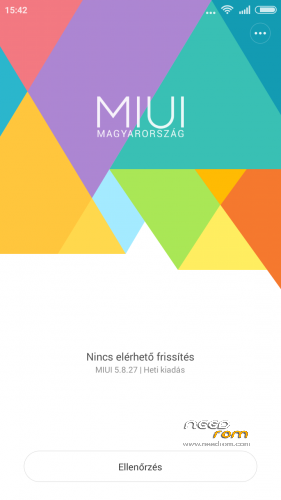
MIUI Multilang: MULTI 5.8.27
Changelog: http://xiaomi.eu/community/threads/5-8-27.28097/
*Weekly update (maybe)
MULTI 5.9.17
Changelog: http://xiaomi.eu/community/threads/5-9-17-18.28347/
MULTI 5.9.24 + German Language included
Changelog: http://xiaomi.eu/community/threads/5-9-24.28459/
MULTI 5.10.08
Changelog: http://xiaomi.eu/community/threads/5-10-8.28692/
MULTI 5.10.15
Changelog: http://xiaomi.eu/community/threads/5-10-15-16.28809/
MULTI 5.10.22
Changelog: http://xiaomi.eu/community/threads/5-10-22.28856/ + My favorite DeskClock app
MULTI 5.10.29http://xiaomi.eu/community/threads/5-10-29-30.28909/
MULTI 5.11.5http://xiaomi.eu/community/threads/5-11-5.28947/
MULTI 5.11.12http://xiaomi.eu/community/threads/5-11-12-13.28972/
MULTI 5.11.19http://xiaomi.eu/community/threads/5-11-19-20.28998/
MULTI 6.1.21http://xiaomi.eu/community/threads/6-1-21.29600/ Install Rom: Step 1: system-1.5Gb install (Make a backup internal storage !!!)
MULTI 6.1.28http://xiaomi.eu/community/threads/6-1-28-29.29731/
Step 1: system-1.5Gb install (Make a backup internal storage !!!)
No OTA updates !!!
Unofficial International MIUI / Xiaomi Phone Support
- Multilanguage support: 26 languages (100% translation)
- Gapps include
Make a backup of your NVRAM/IMEI before flashing higly recommended !
Make a backup (Recovery Backup) before flashing higly recommended !
Install ROM:
TWRP Recovery
Step 1: Download the custom ROM copied to an external SD card root directory
Step 2: the shutdown state. While holding down:
– Power button + volume button up, to enter the recovery mode.
– Wipe Data / Factory Reset -> delete all user data
– Wipe Cache Partition -> Wipe cache
– Advanced -> Wipe Dalvik Cache
Step 3: Return to recovery main interface Install zip from sdcard -> choose zip from sdcard -> Select your ROM
Step 4: Brush complete, restart the phone Patience required – first boot takes a while.
If you liked this project, you can donate
105kacsa (105duck)
※Please make a backup of your device before installing or updating ROM
installing the system-1,5Gb will install TWRP 2.8.x.x and than you have to install 6.1.21 from internal memory
maybe you have to trigger acess to /system
Hi Guys, first of all:
My big thanks to 105kacsa – that's really a great job!
I am very excited and immediately donated to him. Guys supported him, so that our will t11 long supported !!!
I have these questions, why I dont have TWRP and therefore I updated via CWM (unfortunately, this only worked with the version 5:11:19 – in the 6.1.21 the flashing is stopped. When I first install the "system-1.5Gb" there is a Bootloop):
Should I install TWRP? Is the "ThL_T11_TWRP_2.7.0.0_by_SevenMaxs.zip" the correct version?
oh, now it works! Crazy, but I have the "system-1.5Gb" simply repeatedly flashed - the 4th time it worked!
… and 6.1.21 is really great! - Thanks a lot for this!
finally got it running
1st installed system-1.5Gb.zip via TWRP it can be found at needrom ThL_T11_TWRP_2.7.1.0_by_SevenMaxs.zip
after insallation of system-1.5GB.zip you have TWRP 2.8.7.0 installed on your device.
I played several times with wipe and mounting options to get rid of non accesible /system…
I was not able to install the thl-T11_MIUI-HUNGARY-MSB-V7_6.1.21.zip from external sd card.
I got error Error executing updater binary in zip file.
I copied thl-T11_MIUI-HUNGARY-MSB-V7_6.1.21.zip to internal storage and that was sucessful.
Thank you 105kacsa
best regards ontheotherhand
http://4pda.ru/forum/index.php.....0#entry41649384,TWRP 2.7.0.0
Can tell me how TWRP install?
The first time I try to install was missing the system 1.5gb file and my phone have been dead for almost 2 days. after that it open the TWRP recovery and I was able to copy that file into the phone and install this rom. I already updated the rom and it is very stable and very good. thank you 105kacsa for your hard work and your time and sharing this rom with us.
Can't seem to find in themes app the menu to change the boot screen and others…
Hello!
Need a little help.
After a brick situation, i reinstall de rom. What is the right proces: Install the first and them the last update, or, install the last right away??
Thanks
I still have the same problem with 3G band, the 1900 band is disabled in this rom, how can i enabled again?
Same problem, 3G band 1900 is not present and 3g does’t work.
I see probiem… sim1 not active..
Hi
Is this the correct way to install
I copied system 1.5GB and the latest Rom
I rebooted into recovery and wiped all thats needed then installed system 1.5GB
When finished I rebooted phone…..This is where the problem started Phone stuck on THL logo.
I had to reflash the phone with phone tools to recover it.
Can someone explain the propper way in simple steps
Thanks