
- Title: MIUI V12.5.15 MOD14 STABLE Redmi Note 8 Pro
- Listed: June, 2023
- Last modified: 06/07/2023 12:29 pm
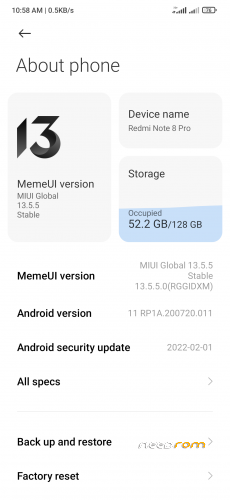
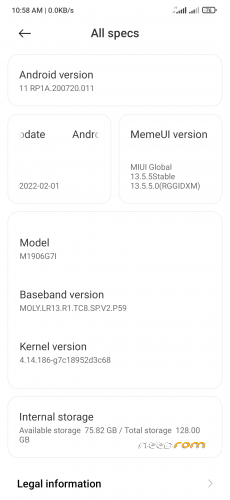
- Version: 12.5 Mod14
You must be logged for ROM download.
6991 total views, 1 today
1 Total favorites
 Member Info
DESCRIPTION
Please First Money for donation universal iban = TR42 0001 0003 1361 1202 9450 01
Changelog
Selinux Enforcing
• Spectrum working with selinux enforcing
• Pre-rooted with Magisk 24.3
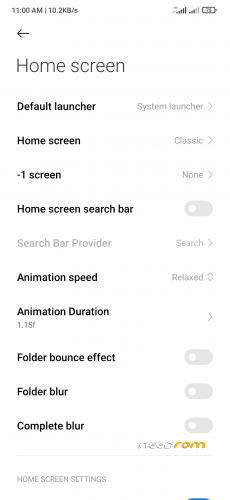
• Touch of MIUI 13
• Updated Always on Display
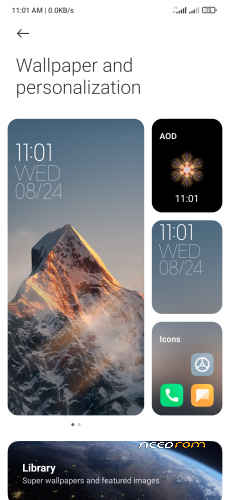
• Updated Super Wallpapers
• Moderately Debloated
• Ai Calls enabled
• Partial screenshot with gesture
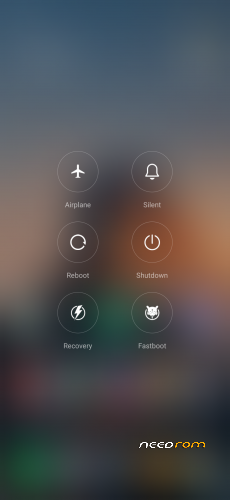
• Advanced Reboot Menu
• Flash Safetynet module (if not present) and enable zygisk +DenyList with Google services .
•Added Selinux Switcher
• Modded MiuiCamera still have issue Processing time in Portrait mode pics.(switch to permissive if green pic in night mode)
• For Audio mods like Dolby or V4A also switch selinux to permissive.
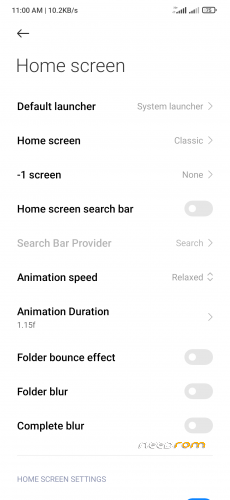
• Modded Miui launcher Special credits and Thanks to "sipollo".
• Updated New App Vault widgets, Do Not Update ThemeStore.
• Updated Security App with new game turbo look and added daily usage option.
• Memory Extension Enabled, not working yet on Stable (sad) .
• Updated Theme Manager with imported Theme Revert fixed.
• Comes with to BRP 3.6 recovery
• Updated MIUI Gallery modded with
- Added phone frame support
- More options in recommended section
• Updated Screen Recorder with Higher Fps
• New Charging animation.
• Added F2FS support ( If you want to use F2FS ,flash f2fs supported kernel and change filesystem of data to F2fs in the end of steps .(f2fs supported kernel:- Neutrino-ROSS, Coconut etc.) )
• For Unlimited Gphotos:- Open Gphotos and set quality as high quality images in backup (don't select original). Now ,go to /system/etc/sysconfig/ and rename nexus to nexus.xml. Reboot.
miui_BEGONIAGlobalStable2.0_V12.5.3.0.RGGIDXM_mod_by_santoshhh000.zip
Date:- 2021-10-06
• Themestore issue fixed
• Rounded Corners in Mi
• Pre-Rooted with Magisk
• Gapps Inbuilt
• Dolby and Viper4AndroidViper4Android Added
• Selinux Permissive
• Spectrum Profile Support
• Added Always on Display
• Added Super Wallpapers
• Moderately Debloated
• Enable Magisk Hide then Clear play store data to pass Safetynet.
• Modded MiuiCamera
• Game turbo with voice changer and display improvement feature.
• Miui launcher modded to give Google feeds support as well as New App Vault Support.
• For adding New App Vault widgets, Install latest mi theme manager alpha version. Uninstall mi theme manager update when work is done.
• Faster Charging then MIUI official (means it might heat while Charging)
• Slow charging support ( Enable battery profile in spectrum while you feel device overheating while charging)
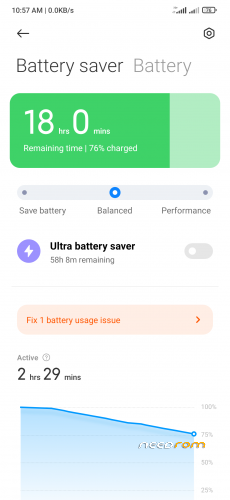
• Security App with Performance , Balanced and battery saver for system.
• Memory Extension Enabled but doesn't seems working but looks good for show case.
• Theme Manager with import theme options. Imported Theme Revert fixed.
• Changed Recovery to BRP 3.0
• MIUI Gallery modded
– Added phone frame support
– More options in recommended section
• Added Screen Recorder with Higher Fps
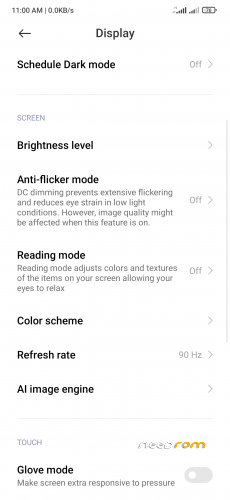
• Added AI Image Engine in settings
• Charging animation changed.
• Added Paper Reading mode
• Added F2FS support in fstab ( If you want to use F2FS flash custom kernel with F2FS support,F2FS supported recovery and change filesystem of data to F2fs )
• For Unlimited Gphotos:- Open Gphotos and set quality as high quality images in backup (don't select original). Now ,go to /system/etc/sysconfig/ and rename nexus to nexus.xml. Reboot.
NOTE: Older version of Modded themestore that's why causing issue and not applying on status bar …
Download themes that u like from it and update the themestore …now apply theme and remove the themestore update later for proper functioning of rom.
※Please make a backup of your device before installing or updating ROM
Hey here for the experts Miui14-FlyMe10 Android13 Test = https://wxdowmloads.cn
ManyRoms https://sbfdzx.top/%E6%97%A0%E.....%89%E6%96%B9ROM
Telegram Supporting: https://t.me/wuxinCommunity