
- Title: Port Jiayu G4 MIUI V5 3.10.6_V1
- Listed: October, 2013
- Last modified: 10/13/2013 4:04 pm
- Version: MIUI V5 3.10.6 multilanguage
You must be logged for ROM download.
16624 total views, 1 today
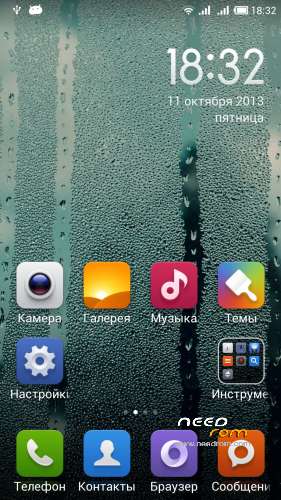
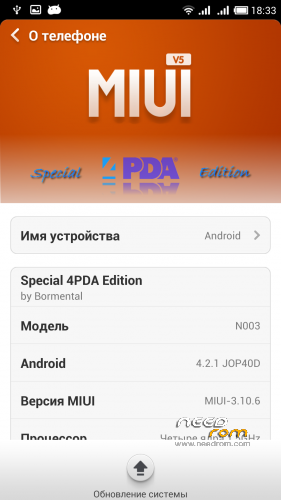
 Member Info
DESCRIPTION
Donate developer
YandexMoney 410012060934423
QIWI+380957178323
Changes in the assembly Bormental (JiaYu G4):
3.10.6
Reduced to 3 seconds time to select the SIM card when you call .Fixed widget "search " desktop .The " pocket " for incoming calls . The screen does not turn on in your pocket .More gradual darkening background of an incoming call.LED when you have missed calls now flashes.The magnetic sensor (compass ) .Error getting SMS from banks , taxis and other spammers, where instead of a specified sender's name.The sound of " piano " in the dialer works .Correction display flow of charge from michfud .Everything listed below.
09/03/29
Error when entering the access point settings (APN).Fixed the Russian language in the digital clock widget .Added support 13PM resolution camera.
03/09/27
FIRST fix a bug automatic shut-off after the call !Removed phantom Wi-Fi network. Appears again, if you make a Factory reset after flashing !Fixed 2G/3G button in the curtain .Fixed translation in the settings and some applications.Fixed guglopoisk in your browser (you just select it in the add. Browser settings ) .Reduced the sensitivity of the screen ( increased length of the minimal gesture ) .Fixed greed application "Themes" . Downloads a paid theme. (thanks stas2z)Fixed bug determining 8911hhh rooms . (thanks stas2z)And many more which I do not remember …
Added / corrected already I :Optimizing firmware under FullND screenLiba , a modem , and a bottle of Neo t.d.po stuff, I do not remember what else added ) )Everything works except fm radio, I cut it at all
Install ROM :
CWM
Step 1: Download the custom ROM copied to an external SD card root directory
Step 2: the shutdown state. While holding down:
– Power button + volume button up, to enter the recovery mode.
– Wipe Data / Factory Reset -> delete all user data
– Wipe Cache Partition -> Wipe cache
Step 3: Return to recovery main interface Install zip from sdcard -> choose zip from sdcard -> Select your ROM
Step 4: Brush complete, restart the phone Patience required – first boot takes a while
Multilanguage ROM!
3G and FM-radio not working now!
※Please make a backup of your device before installing or updating ROM
Not really multilanguage ROM, I've checked spanish, and the most of the menus are in english.
hola, no esta en español?
is there same bug of Caller ID match i have tried all ROMs availble at NEEDROM and all have same bug.
All My numbers are saved with country cod the area and number e.g(+92 333 XXXXXXX) so when i receive calls it did nt show contact name it just show me number without country code (0333 XXXXXXX). and i can not delete country code becuse SMS received with country code.
ONE MORE GAPPS INCLUDED IN THIS ROM OR NOT..????
Very bad version of MIUI. I love it but it has still some annoying bugs. 3G doesn’t work properly, Multilanguage is not as expected, and there is a bug that doesn’t allow you to write because the keyboard doesn’t come up.
I will put the original Neo Rom. This is rubbish even though it’s wonderful.
This & other my ROMs makes for Neo 1/4 version
all versions of muiu not support HDMI & MHL