
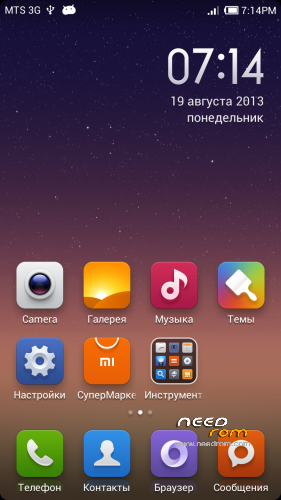
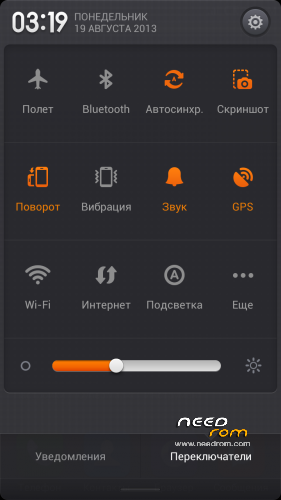
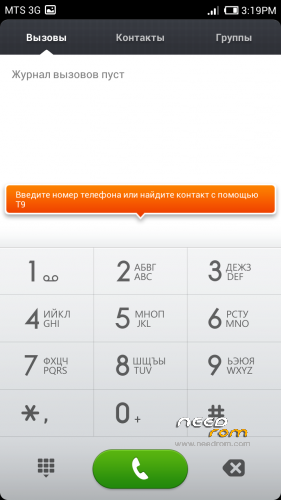
- Title: MIUIv5 S7589
- Listed: August, 2013
- Last modified: 03/15/2014 2:22 pm
- Version: 4.3.7
You must be logged for ROM download.
61887 total views, 15 today
1 Total favorites

 Member Info
DESCRIPTION
Install only from Recovery!!!
Best smart phones and other equipment at low prices on GearBest.com
Features ROM:
Updated 15.03.2014: added version 4.3.7
Model name: Star S7589 4G or 8G
ROM Author: greeshan
Link to 4PDA === Description and features of VERISON 4.3.7
Features:
- Multilanguage (available in 27 languages: English, Chinese, Polish, Russian, Ukrainian, Slovak, Czech, French, Hungarian, Danish, Dutch, German, Greek, Spanish, Italian, Arabic, Norwegian, Hebrew, Vietnamese, Korean, Indonesian, Brazilian-Portuguese, Turkish, Thai, Bulgarian, Finnish, Portuguese.
Will be added later: Swedish, Romanian, Kurdish)
- Full operation and management of two SIM cards
- Switch between 3G sim cards
- Tweaks, scripts, and optimization of the firmware
- SD memory card as the default
FULL WORKS!!!
Attention! When connecting MiCloud be sent paid SMS. Carefully read the information on the screen when you connect. And who have problems with updates from GooglePlay – make Wipe Cache from Recovery or wipe cache from settings in GooglePlay Market, Google Services Framework, Services Google Play. Who have problems with 3G, try different modem for our device! (MODEMS.zip)
Label operator delete from Settings!!!
IF YOU LIKE MY WORK PLEASE DONATE . EVEN 1 $ IS APRECIATED.
Instructions for CWM or TWRP:
Step 1: Download the custom ROM copied to an external SD card root directory
Step 2: the shutdown state. While holding down:
– Power button + volume button up, to enter the recovery mode.
– Wipe Data / Factory Reset -> delete all user data
– Wipe Cache Partition -> Wipe cache
– Advanced -> Wipe Dalvik Cache
Step 3: Return to recovery main interface Install zip from sdcard -> choose zip from sdcard -> Select your ROM
Step 4: Complete, restart the phone. Patience required – first boot takes a while.
※Please make a backup of your device before installing or updating ROM
Hi,.I'm sorry but this is the worst rom I have ever installed,.Sorry my french,.Now I have a problem I can't go back,.can't install another rom because it doen't read my sd card or mount it,from my recovery,There nearly no wifi and the router is 2 meters from the phone,.signal is zilch and before was nearly full no data connection possible,.the outlet of the icons is confusing,.need to look for applications,.where are they,????Look at the saigonphone rom this is the best,..analise it maybe you can learn something for now I would keep of making rom's it's not your strongest,.and if you do so put in apk backup and restore,that come with all the roms,.so we can put our backup back,.thx,.
And how the hell get this mobileuncle*** out and install a rom in condicions thank you,..
stop the word " cr*p" and respect the work of greeshan Thx
Sehr geil , läuft auf meinem Start S7589 perfekt mit Touchwiz Launcher dazu.
Kanns nur weiter empfehlen ♥
I'm sorry got a little caried away,.see that for some people it's working,.but not for me,.Can somebody help me i'm stuck I want to install another rom but it doesn't let me it can't mount sd card and if,it doesn't see the files,..??
What is your version of the device? with 4GB, 8GB, 16GB? what recovery you have installed in the aroma?
You are the first who have such problems with my version MIUI…
Use the "flashtool" to flash a different firmware …
Greeshan tanks for the rom. Aroma is very good.
But the restart or recovery restart from power button don’t work . Just ubutton from 4.1.2
Thanks, already know about the problem, I'll fix
when I enter the run mode to install the ROM appears a message: "no command". how should I install it now?
What version of recovery you use?
Hi guys,.I just want to warn you all,.If you want to install this rom and for some reason you don't like it.And you feel to change and flash with another rom you can't,because your recovery was downgraded to JackSh*t44,(i'm sorry socrates just couldn't leave it)and it will not mount your sd card,.no way,.so to save you 24 hours of headeaq,.just flash it with flashtools and this rom https://www.needrom.com/mobile.....star-s7589-16g/,.it's the original factory rom from there you upgrade,.recovery,.flash other rom,.as you wish,.ok dudes,.bye,.thx to the creator of this rom,….!!
u can choose to not flash your recovery in aroma… this rom works well for me…
thanks, greeshan!!
byservo, Thanks!
The description has been written about that TWRP 2.5.0.0, Repartition and Uboot are not tested. For whom am I writing this?
Bluetooth does not work
bluetooth is working on s7599 16gb..
Bluetooth works, checked. Apk file is transferred to another android
Can I use this on STAR x920e
Impossible de configurer les APN de virgin mobile et je n'ai pas trouvé pour désactiver le vibreur des touches tactiles…
Not possible to configure APN for virgin mobile, and i don't know how to disable vibrate on touch