
- Title: MIUI V5 ZP990/980
- Listed: November, 2013
- Last modified: 09/01/2014 2:36 pm
- Version: 4.8.29
You must be logged for ROM download.
110793 total views, N/A today
5 Total favorites
 Member Info
DESCRIPTION
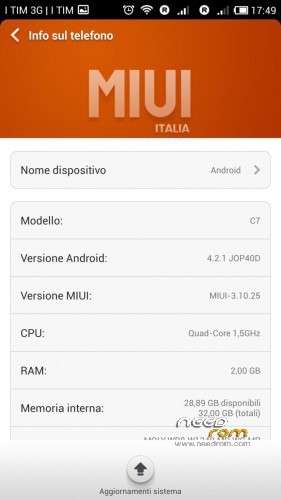
From version 4.1.4 this rom is compatible with zopo 990/C7 and 980/C2/C3
I used aroma installer to allow you to choose which phone to install
Now in aroma installer you can select if you have a model with 1GB ram (for better memory manager), install the sony xperia keyboard and swap sd for use the External SD as a main storage memory
from 4.8.11 version I added the ability to activate a swapfile of 370MB
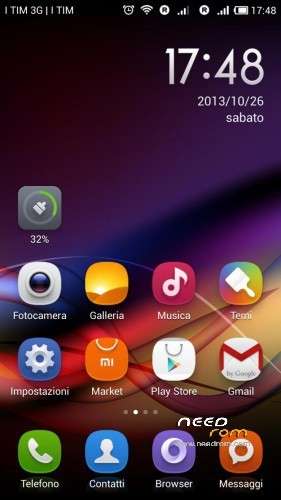
MIUI V5 port from C2 hasz version for zopo 990/C7/980/C2/C3
language: chinese, english and I added italian, spanish, french, czech, slovak, german, russian, polish
Features:
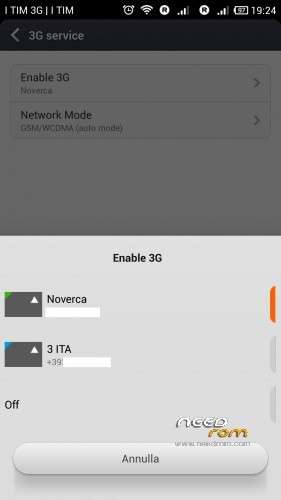
3G active sim card switch
Fix for network locations in google maps via wifi/3g
Fix led notification for missed call
removed all chinese apps
new baseband V7.F2.P2 2013/11/08
support for init.d script
fix chinese in theme app
fix crash in clean app
for search widget install "google search" (from google play) and use this widget instead of the original miui
4.8.29 official changelog: http://en.miui.com/thread-39205-1-1.html
Install ROM :
flash in clockworkmod recovery
Step 1: Download the custom ROM and copy to an external SD card root directory
Step 2: start phone in recovery (volume+ and power)
Step 3: perform wipe data factory/reset (for upgrade from previous MIUI just do wipe cache and advanced->wipe dalvik cache without factory/reset)
Step 4: install zip->choose zip from sdcard and select the rom zip
Step 4: Brush complete, restart the phone
first boot takes a while
※Please make a backup of your device before installing or updating ROM
Thanks for new update.
thank you for this new update, but the link is not working for me
like the last time
no excuse me it's OK
Titanium backup work only if you have the backup files in internal memory (no in SD)… I think is a bug.
The same with photo gallery… you can not see photo on EXTERNAL SD.
You have also to leave te SIM 2 unlocked… the request of pin of te second SIM Crash and don't enable SIM.
Please solve this mini-bugs!
The ROM is very very good not fast but good! really thanks.
in gallery i can see the pictures saved on external sdcard
i do not use titanium but i will try
for sim pin..yes is a bug…
btw, I'm uploading right now version 3.11.29
Ok…. If you Call directory with the same Name in internal sdcard and external sdcard you can only see internal in gallery… The camera make photo in internal sd but when you click in button that shows photo you see the external sd.
I think the trouble is the same Name of directory…
The Search bar does not work… In widget and in the menu Search.
the miui search works on baidu search engine, install google search from market and use it (replace the widget)
I really appreciate the updates, some problems can be solved with other appz but all and all, love the rom. Thx again for the updates and looking forward for more!!!
For "Step 2: start phone in recovery (volume+ and power)" the easiest way is restart into recovery through "mobileuncle" app.
In case you want to use Volume+ and power you have to plug in the charger to make it work.
I choose "apply update from sdcard" update from sdcard in phone recovery
MIUI_ZOPO990_3.11.22_multilang.zip
or
MIUI_ZOPO990_3.11.29_multilang.zip
it writes Error! under android robot and white font is written:
– Install /sdcard …
Installation aborted.
I do not know what to do? I have already tried before SP flash tool from this site. I did not work too. Is possible that my C7 phone is blocked in some way to upgrade rom? Thank you for help
you need a custom recovery, with stock recovery you can't flash a custom rom
Can i flash this with the flash tool?
no, u need a custom recovery