
- Title: MIUI 6 for A177
- Listed: April, 2015
- Last modified: 03/08/2015 2:40 pm
- Version: 4.12.17
You must be logged for ROM download.
27680 total views, 7 today
14 Total favorites
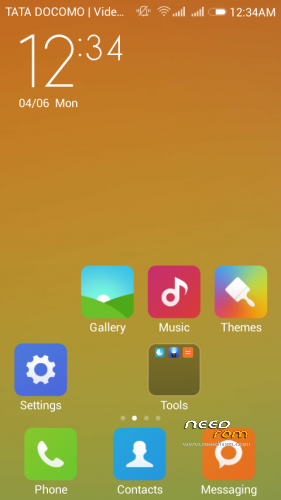
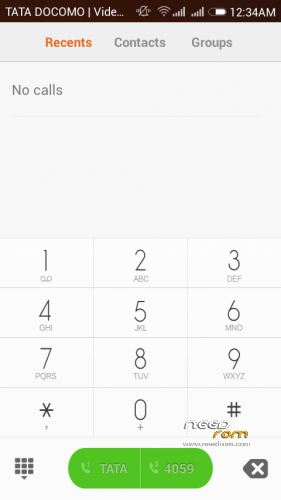

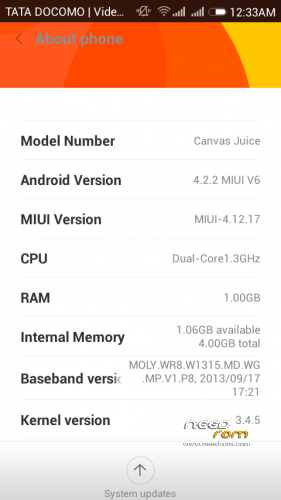
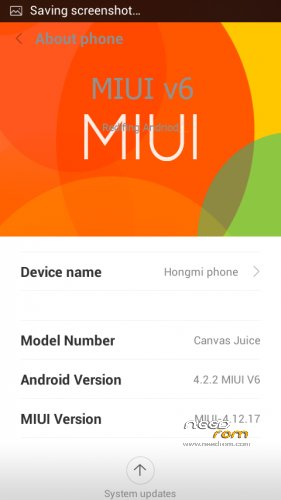
 Member Info
DESCRIPTION
For Micromax A177 /A77
- Download the Rom file from the link provided (Same for both A77 and A177)
- Place it in the root of your SD card
-
Go to CWM or any other custom recovery (not stock one)
-
Select "Install .zip from SD card" and select the file
-
Select "YES"
-
Aroma Installer will apper
-
To select press power botton
-
select next
- now device will reboot atomatically no need to wipe data and Cache
-
Procedure for A177 end here
-
for a77 devices
-
as the device restart press volume + to boot into recovery Agiain
-
THIS Time you need to browse
-
FLASHABLE BOOT IMG.ZIP (link given ) dowload and place in root of sdcard
-
Click install the zip
- Wait for the Device Welcome screen to appear
- Wait for some time if you see boot animation will take some time to boot up
PEOPLES having problem whiling installing flashable boot img
are requested to replace the A77 boot img in rom zip instead of using flashable zip
-
UNPACK THE MIUI V 6 zip And flashable zip
-
now replace the boot img from flashable zip to miui v6 .zip extracted
-
now repack the miui v6
-
install with any custom recovery and wait for some time only if boot animation screen appear
THanx for apperiacting my work
visit my Fb page for more Roms
https://www.facebook.com/customroid?ref=aymt_homepage_panel
Like and share my page..
ROM FEATURES
1.BETTER TOUCH RESPONSE
2.BETTER BATTERY BACKUP
3.SMOOTH OPERATION
4.PERMISSION MANGER
5.GUEST ACCOUNT
6.THEMES PACK
7.DEOXED
8.ROOTED
9.USB Debugging enabled
10.camera ADVANCE MODE (Professional MODE)
11.XPOSED INSTALLED
12.ULTIMATE MUSIC PLAYER SHAKE TO SKIP
13.AND many more download and explore .
14.dont forget to link my page FACEBOOK
15.MIUI v6 (4.12.17) original v5
16.GAPPS INCLUDE UPDATE
DONT SHARE THE MEDIFIRE LINK ANY WHERE ELSE YOU CAN SHARE THE NEED ROM Any where..
DONT FORGET TO TAKE THE BACKUP OF THE EXISTING ROM
FOR INSTALLING PAID THEMES free
download the
NOTE
boot img for a77 link is given
extract and replace or direcly flash
BUGS
wifi stucking on obtaining ip address
SOLUTIONS IS
https://www.youtube.com/watch?v=KjMeDhhU99Q
FIRST U NEED TO ENTER STATIC IP ADDRESS IN THE WIFI U R TRYING TO CONNECT
PROCEDURE
CLICK DESIRED WIFI CONNECTION
GO THE ADVANCE OPTION
THERE U WILL SEE DHCP and Static
Select Static
and will ip address
as follow or u can use any other also
IP Address -192.168.1.30
Network id- 192.168.1.1
mask – -24
DNS1-8.8.8.8
DNS2-4.4.4.4
THEME FREE is not a flashable Zip unpack and install all apps inside it
and after installing all apps
follow the procedure
FOR APPLING Themes …
1.INSTALL THE XPOSED FRAMEWORK
2.open WSM tools
3.INSTALL framework
4.Next select THEMES FRAMEWORK ON
5.Now paste themes in folder in sd card miui/theme/
6.REBOOT
7.OPEN THEMES there you will find upgrade theme
OR
8.CLICK FOR options There you will find IMPORT FROM SDCARD.
9.CLICK and IMPORT
And APPLY ENJOY
※Please make a backup of your device before installing or updating ROM
Dear RS
as per Procedure this rom is not working
how to install
plz comment
RAvu Patil i updated the rom this is changed now .. so check now
RS
flash update only miui 6 disply
around 1/2 hour
can i flash boot.img file
reply
RS
flash update only miui 6 disply
around 1/2 hour
After that i flash boot.img file
no changes plz check
Sorry to say RS
What worng with u
I want this rom
Can u fix the issu
I have lots of time download rom
Plz plz fix 100% 1 more time
Dear RS
working good mmx 177
steps are
1 download rom & flash
2 wipe factory
3 reboot
4 install gapps all 4.2.2 & flash
finish
ravi patil finally u got this good
this rom working now or not? because i wait more hours its not boot pls help
Ravi patil…plz sendsend link of gapps all
Best rom i have used.
USSD Code not working proper
Unable to set my own ringtone as contact ringtone / caller ringtone…
Rest all is perfect
My phone is stuck on miui logo…please help me I am flashing thisa rom on A77
Not working on a77…plzz provide any update