
- Title: MIUI V6 for Inew L1
- Listed: February, 2015
- Last modified: 02/13/2015 2:08 pm
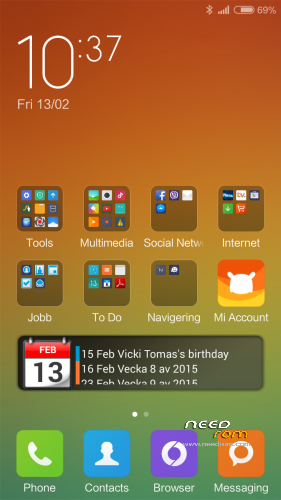
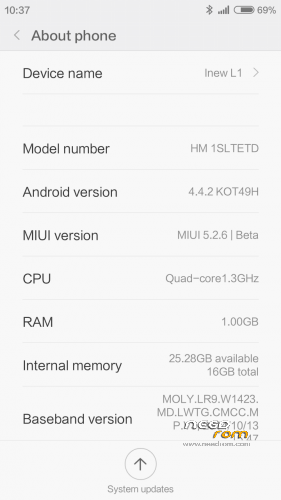
- Version: MIUI V6 5.2.6 android 4.4.2
You must be logged for ROM download.
14767 total views, 2 today
1 Total favorites
 Member Info
DESCRIPTION
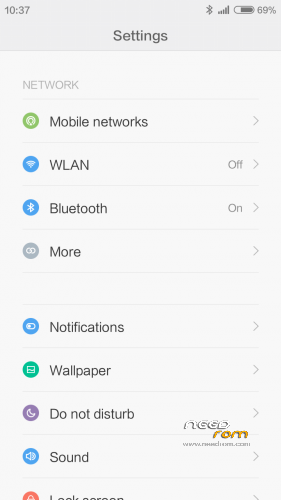
Here is MIUI V6 5.2.6 for our Inew L1 ported from Redmi 1S LTE version
Known Bugs:
ONLY ONE SIM WORKING (The mini sim slot)
Changing to LTE from miui:s network interface don't always work (Just install mobile uncle tool and change network preference. (Use android engineer and not mtk engineer.
———————————————————————————————————————
You need to flash it with custom Recovery like cwm or twrp
If you don't have any custom recovery use mine.
1. Download Flashtools https://www.needrom.com/wp-content/uploads/2014/06/SP_Flash_Tool_v5.1408.00.rar
2. Download Inew orginal Rom: https://www.needrom.com/wp-content/uploads/2015/01/CXQ_INEW_L1-A_v1.0.8.zip
3. Download my custom Recovery: https://mega.co.nz/#!udwGkb5K!eEmtGphpXkSSjh5kUlRhfw8GwWV848TT_fkkeGr2lqM
4. Copy my recovery.img to Inew orginal Rom and replace the recovery.img file when prompted
5. Now start flashtool and just flash the recovery and nothing else.
6. Boot to recovery by holding power + Volume Up
If you want you can donate something to my paypal 
———————————————————————————–
HOW TO INSTALL MIUI 6
First boot takes a while. Get something to drink and eat
No Gaps / Google Play Preinstalled
Download 4.4X GAPPS here
https://mega.co.nz/#!6dhghCpI!X36_jIJOpWiBmykbySI_kqKV8ICOy0CAsCo3C80x6qw
DO NOT FLASH ROM + GAPPS at the same time!
Install ROM :
CWM/TWRP
Step 1: Download the custom ROM copied to an external SD card root directory
Step 2: the shutdown state. While holding down:
– Power button + volume button up, to enter the recovery mode. (With USB cabel inserted to computer)
– Wipe Data / Factory Reset -> delete all user data
– Wipe Cache Partition -> Wipe cache
Step 3: Return to recovery main interface Install zip from sdcard -> choose zip from sdcard -> Select your ROM
Step 4: Flash complete, restart the phone Patience required – first boot takes a while
For Installing GAPPS
Step 1. Copy the Gapps zip file to sdcard
Step 2: the shutdown state. While holding down:
– Power button + volume button up, to enter the recovery mode
Step 3. Hold down powerbutton and choose reboot to recovery
Step 4. choose zip from sdcard -> Select the gapps zip file
Step 4: Flash complete and reboot
※Please make a backup of your device before installing or updating ROM
the screen doesnt work on this rom either, its not calibrated properly wtf
the touch scrren interface is uncalibrated not the actual display