
- Title: MIUI V7 Inew port
- Listed: January, 2015
- Last modified: 06/12/2016 1:20 pm
- Version: 6.5.28, 4.4.2 - Final
You must be logged for ROM download.
181856 total views, 8 today
57 Total favorites
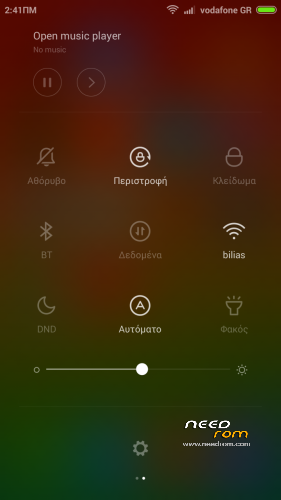
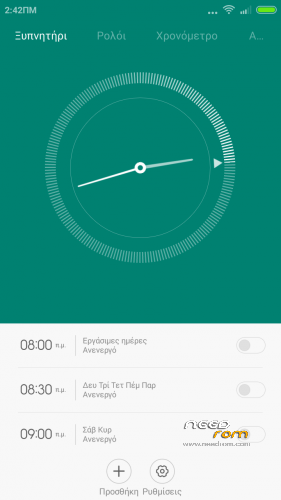
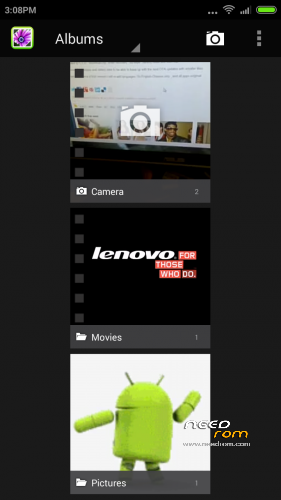
 Member Info
DESCRIPTION
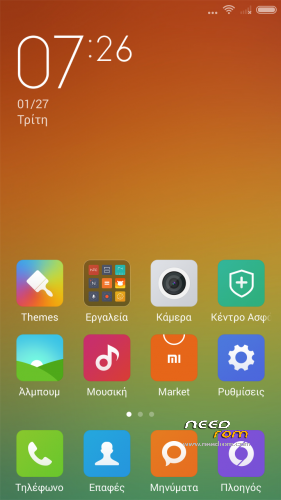
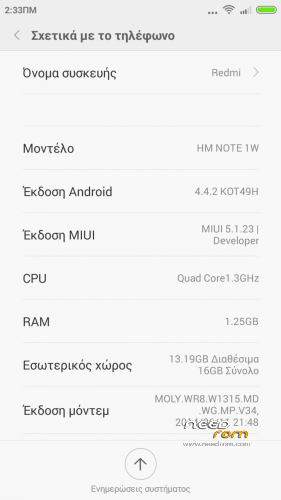
Here I present you my MIUI V7 ota ROM for Inew V3. Ported from Xiaomi Note 3G – end of update , move to 8
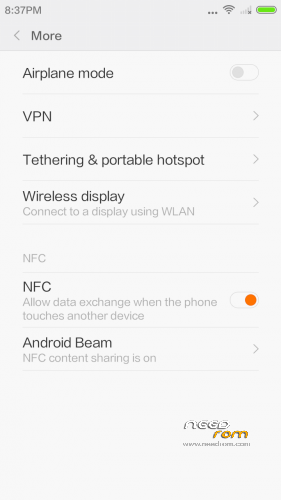
Miui V7 6.5.28 dev NFC fix (Developer edition) – Final miui 7 update version
DO NOT UPDATE from phone downloaded OTA ….. Only use mine from here plz.
PLEASE DONATE SOMETHING TO HELP WITH MY BILLS and invoke me to continue my work. PAYPAL link is below.
It is for the internal /data/media type phones. (with only MBR and EBR1). System is part5 data is part7.
Kitkat! Almost getting close to end  – Very few small bugs left (mainly due to Xiaomi beta)
————————————————————-
Installation
—————
You must first install official KK 1.14 if you come from Jellybean (to make the partitions correct)
Backup your NVRAM and Sec.ro partitions. (better be safe than sorry!) It can be fixed anyway so don't worry.
Transfer my zip rom to your SD. Insert SD in phone.
Reboot phone , enter recovery. (Use this https://www.needrom.com/download/twrp-2-8-4-0-inew-v3/)
If you come from another rom or something is not working after install press Wipe (Default one wipe data , davlik , cache) .
Return to main menu after finished.
Go to install. Choose storage microSD at the middle-bottom
Select correct zip file ( InewV3_6.5.12_v7-4.4.zip ) from microSD
When finished , return to main menu and POWER off phone
Remove microSD and Start phone.
Wait a little bit longer than normal , Rom rebuilding data. Done!
Rom is Deodexed , Superuser and Busybox support , zipaligned!
MULTILANGUAGE – back by popular demand
- English (miui.com, xiaomi.eu)
- Chinese (Xiaomi, miui.com)
- Polish (Acid, miuipolska.pl) – Report Bugs – CHANGELOG
- Slovak (ingbrzy, miuios.cz) - Report Bugs – CHANGELOG
- Czech (kynio, miuios.cz) – Report Bugs – CHANGELOG
- Bulgarian (MIUI.BG) – Report Bugs – CHANGELOG
- Hungarian (vagyula, miui.hu) – Report Bugs – CHANGELOG
- French (cpasmoi, guiluge, burnarz) – Report Bugs – CHANGELOG
- Russian (miui.su)
- Croatian (Masva) – Report Bugs – CHANGELOG
- Vietnamese (Belmont-Gabriel) – Report Bugs – CHANGELOG
- Italian (miui.it) – Report Bugs – CHANGELOG
- Greek (Xiaomi-Miui Hellas TEAM) - Report Bugs – CHANGELOG
- Norwegian (datagutt, miuios.no) – Report Bugs – CHANGELOG
- Dutch (jacketti, cueie, redmaner) – Report Bugs – CHANGELOG
- Spanish (rpperezr and spanish users) – Report Bugs – CHANGELOG
- Turkish (Celaleddin, ekilciler) – Report Bugs - CHANGELOG
- Brazilian-Portuguese (MIUIBrasil, miuirom.com.br) – Report Bugs - CHANGELOG
- Portuguese (Efex) – Report Bugs - CHANGELOG
- FYROM (thenewmaker) – Report Bugs – CHANGELOG
- Serbian (BalcanGSM, dudjaa, petar, perga, Daconi, MASVA) – Report Bugs – CHANGELOG
- Hebrew (Kkffiirr, eliran0216)
- Romanian (ygorigor) – Report Bugs – CHANGELOG
- German (muhamed89, cp82, dahool2016, and more) – Report Bugs – CHANGELOG
- Catalan (deivids84) – Report Bugs – CHANGELOG
- Korean (cjhyuky) – Report Bugs – CHANGELOG
- http://xiaomi.eu/community/forums/miui-weekly-rom-releases.103/
Remember the rom is BETA! All applications are Xiaomi + added original Inew Camera and torch.
——————————————————————————————————————————
Updated to full MIUI 7 via 6.5.12, just flash from recovery without wipes if you come from previous version else wipe cache and data first! If installing for first time , please do setup in english , then change language.
——————————————————————————————————————————
Updated to ota MIUI 7 via 6.5.28, just flash from recovery without wipes. This will be the last Miui 7 version.
※Please make a backup of your device before installing or updating ROM
Facebook videos not run to, the sound it's ok but the image no. Any Solution?
video recording error , striped screen view , only viewed by video app, please fix it..

the same trouble with the video, how to cure?
Managed to switch 3g on micro sim, working like a charm. So far Gallery is slow and lagy, trouble with the video player like mentioned above, and also YouTube shows striped video screen.
Let us know how you did it , so other people can use it too plz
ok will look into video decoders
In order to have 3g on microsim, you have to first put your microsim in card adapter and put it on normal sim slot. Remove second sim card before that. After that flash rom (follow the instructions from batsilos). When instalation is finished, configure that card to work on 3g, (data , internet etc.). After that turn of the phone, remove the card from normal slot, take the microsim out of the adapter and put it on microsd slot and power on the phone. Everything should work. You can now use your second simcard on normal sim slot ( just set internet to micro sim). That will do the trick.
Updated to 5.1.27 , download zip , enter recovery , do wipe , factory reset and flash zip.
Removed languages and added odex to be able to keep up with the next OTA updates with smaller files.
When we reveive a final version I will re-add languages, So English-Chinese only , and all apps original.
Thank Batsilos for your hard work !!
In the update 5.1.27 the Apn setting force close every time !! I tried to edit the apns setting but not working !have you a solution for this bug? Thank you luciano
Did you wipe all before install update?
Yes !I wipe all before update !
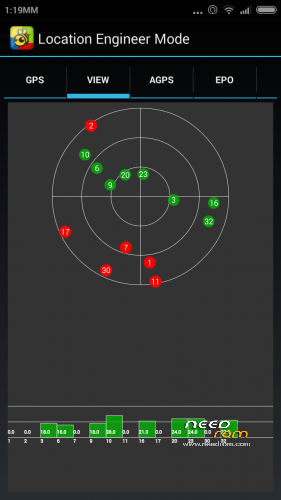
HI guys I'm testing the rom, problems with bluetooth does not keep connected, the rest pretty well, ok gps, 3g connection with mobileuncle solved, I will install the final version