
- Title: MIUI V7 6.05.05
- Listed: December, 2015
- Last modified: 06/03/2016 1:30 pm
- Version: 4.4.2
You must be logged for ROM download.
18481 total views, 2 today
6 Total favorites
 Member Info
DESCRIPTION
NOTICE:
starting from version 6.03.10, this MIUI ROM is no more multilanguage, this is due to xiaomi.eu decision to remove support to its multilanguage ROM for Xiaomi RedMi HM2013023.
base for this MIUI is now MIUI.it, the italian Xiaomi Community.
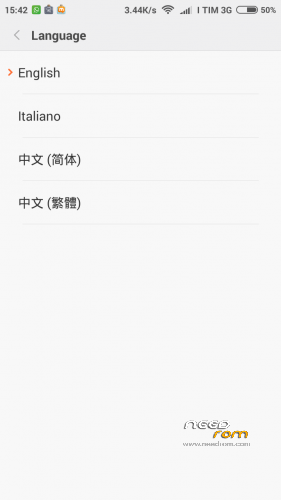
now you can find only this languages: English, Chinese, Italian
This custom ROM is based on G3S porting made by toshich79, published on forum 4pda.ru, i only add multilanguage apps made by Xiaomi.eu, taken from rom of Xiaomi RedMi HM2013023
You need a CWM or TWRP custom recovery to install this ROM.
You need also a bigger /system partition.
To increase size of /system partition, use the package G3T-Change_system_partition_size.zip.
Unpack in folder with your original rom files in flashtool format, and use SPFlashTool in FirmwareUpgrade mode to flash the phone.
Very important: After flash, reboot in recovery CWM or TWRP and execute a format of: /system /cache /data /emmc.
If you flash this ROM on another MIUI rom, you don't loose your data and apps, but if you install this rom over a different rom type, is mandatory you wipe or format /data before install.
In case of clean install, during first boot choice English language, otherwise Micloud registration will crash.
WARNING: never execute proposed OTA update, they arent' for G3S but for Xiaomi Redmi.
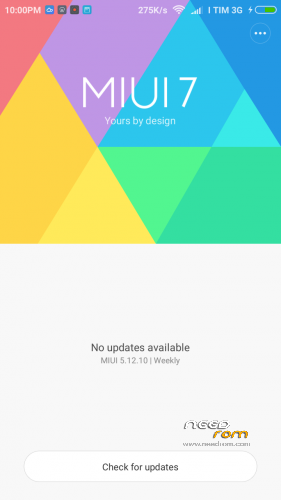
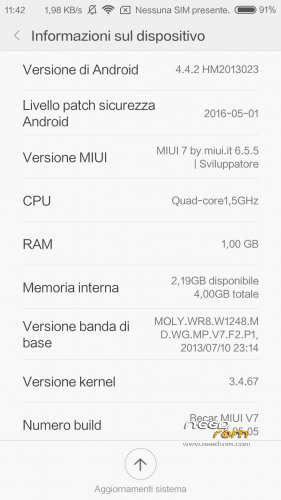
Screenshots


※Please make a backup of your device before installing or updating ROM
There is a problem to install this rom with CWM. It can't installing.
as i wrote in description: you need a bigger /system partition size.
use files in G3T-Change_system_partition_size.zip, original rom files in FlashTool format, and SPFlashTool program to change size of system partition, as i wrote in description.
see the last picture (diskinfo) to have an idea
can not be installed sp flash tool
step by step instruction to change /system partition size.
1- download original ROM in flash tool format: https://www.needrom.com/wp-con.....3-093005-fl.zip
2- unzip all rom files in a working folder:
3- unzip my file to resize partition in the same working folder, 3 files will be overwritten:
4- download this TWRP recovery, rename as recovery.img and replace the one in the working folder.
5- start SPFlashTool, load scatter file from working folder, choice mode Firmware Upgrade and click Download:
6- now turn off phone, connect to PC and wait flash process end (green circle)
7- restart in recovery anch choice Format of /system /data /cache /emmc
now your phone is ready to install my MIUI from recovery.
Extremely important!!!
In the name of the original firmware has characters that are not Latin.
Remove characters in the file name and the folder name different from Latin.
Watch out of this !!
Here I have a problem
I used SPFlashTool version 5.1532.00 with no problem.
Remove characters in the file name and the folder name different from Latin
Extremely important!!!
I found proximity not working with this rom
in my phone, is working, either in a call, either in CPU-Z app.
I lost IMEI after Flash. I fix it with Mobileuncle Tools
Extremely important!!!
In the name of the original firmware has characters that are not Latin.
Remove characters in the file name and the folder name different from Latin
hello.l have a lg g3 beat D724 ,this rom can be installed?? please answer, thank you.
@Helena3644: no, this ROM is only for Jiayu G3S/T
Roms seems working fine except for the SD card, I cannot create folders on it with my pc. Is that a known problem?