
- Title: MIUI V8
- Listed: August, 2016
- Last modified: 08/05/2016 9:40 pm
- Version: 6.0
You must be logged for ROM download.
13624 total views, 2 today
4 Total favorites
CUSTOM

 Member Info
DESCRIPTION
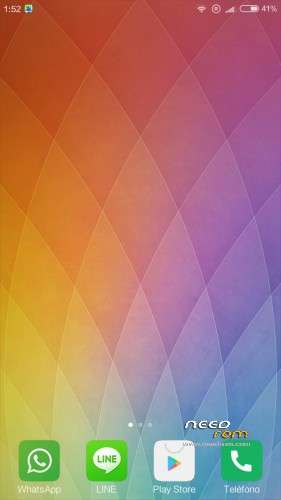
MIUI V8 for Cubot S308. I ported this roms to this device.
Install with TWRP recovery. I recomend repartition to get at least 3GB to internal storage. I test with 6GB and work correctly. I don´t know if work correctly with Stock repartition 1GB
DO A IMEI BACKUP BEFORE FLASH THE ROM, and if you have a imei problem restore the backup
Special thanks to:
saginesh for his rom to A104 and porting guide.
@manish for crossporting guide.
※Please make a backup of your device before installing or updating ROM
Good Is GPS works?
Yes GPS works correctly.
Sim not working for me
It's strange work perfectly in my device. What slot do you use? Are you test activating slot with dual sin control app?
Como veo que eres español, he probado en el slot 1 y he probado a activar y desactivar, no me encuentra la sim y me pone que no encuentra el imei.
Entonces es que por alguna razón has perdido el efs, lo ideal es que hubieras echo un respaldo antes y ahora lo restaurará el Efs. Como imagino que no lo habrás echo prueba lo siguiente. Quita la batería e tu móvil y mira los imeis y apuntamos. Enciende el móvil y entra en la aplicación e ingeniero que trae la rom. Mtk ingeniering o algo así e llama, el icono es como de un chip. Ahí sigue los pasos del siguiente vídeo para setear los imeis manualmente.
Antes de lo hacer lo dicho anteriormente, marca el número *#06# y ver si te aparecen los dos imeis, si no aparecen procede. Si aparecen los dos imeis entonces ese no es el problema.
He intentado hacer lo mostrado en el video con mis imeis, pero la pestaña CDS Information aparece bloqueada, buscando un poco he encontrado un post que me dice que remplaze el CDS_Info.apk de la rom, con el de la rom stock, pero no encuentro el apk mencionado.
Copia el apk al teléfono, descargate algun explorador root, y copia el apk a /system/app
Cuando lo copies asegurate de que está el apk en la carpeta, reinicia el teléfono y prueba.
Despues de conseguir una rom donde si que funcionase el cds information, he probado a introducir el comando con mi imei, pero me pone At command is failed to send
A mi me ocurrio algo parecido en otro terminal. Prueba poniendo un espacio entre el AT y +, quedano AT +EMGR=…
Si no pongo el espacio directamente me dice que el comando no esta permitido, lo que pasa es que no me deja enviarlo.
Entonces te recomiendo que te descargues la rom de stock para flash tools y hagas un upgrade firmware. Comprueba después que los imeis están. Si están, haz el repartición flasheando los ebr. Flashea el wrtp recovery con flash tools e instala de nuevo la rom
A ver, llevo desde hace 2 replys con la rom stock flasheada, porque es la unica que he encontrado que tuviese el cds information, los imeis no estan y no me deja enviar el comando.
Intenta alguno de los procesos descritos aquí: http://www.jellydroid.com/2014.....-fix-lost-imei/
Sigue igual.
¿Has probado con esta rom de stock, usando la opcion FIRMWARE UPGRADE en flash tool? Marcando todas las las particiones, desde PRELOADER hasta USRDATE. (Con Download only NO vale, tiene que ser FIRMWARE UPGRADE).
https://www.needrom.com/downlo.....k-rom-20141124/
Si sigues sin aparecer los imeis, tienes que reparar la NVRAM como sea, busca sobre como repararla para dispostivos mtk6582, yo he encontrado lo siguente:
Si no prueba con https://anusoftdevelopers.word.....k-6582-devices/
Siguiendo con lo de la NVRAM, lo unico que me queda por intentar es usar un backup de la NVRAM de otro cubot s308 y luego poner yo mis imeis.
where to download themes for MIUI v8?
You have the app themes in the rom, with this app you can download and set themes.
hi, it´s a nice rom. works perfektly.
only, everytime and everytime i lost my imei. the procedere to replace the imei dos´nt work. i´ve had a copy of the folder in external sd card. if i lost my imei than i copied the folders in the originals an it works. to the next lost.
can you fixed this?
sorry for my bad english
Hi all¡¡ My first post here¡¡
In the end I managed to install this ROM and I could solve the problem of imei
Flashing the original ROM and restoring imei before installing the ROM, then install the MIUI without wipe and imei not changed (I do not know after how many attempts…but in this case it works..)
There is a curious thing … in the engineer mode (with the app in the ROM and with MobileUncle) I can not enter Location Service to recalibrate the GPS … however in YGPS if I can get. When I enter Location gives me an error as if not installed … it happen to someone?
Moreover, it seems that the rest of things are going well. Thanks for the rom¡¡¡¡
Are this rom based on android m? (sorry for my bad english I am 14 years old and german
  )
)
Yes miui v8 is based on android m, but the kernel is 4.4. All roms to 6582 hace the kk kernel.
is the baseband detected? if not try reinstalling this rom or download the original firmware and open the system.img with ext4 unpacker and copy the modem in etc/firmware to your device
Alguien que me pueda ayudar con algun procedimiento de instalacion del TWR del rom y de la amplacion de memoria
Saludos
Puedes descargartelo aquí: https://www.needrom.com/downlo.....p-2-8-2-0-s308/
Sigue el procedimiento como explica en la pagina, si tienes algun recovery instalado, instala el zip, si no, descomprime el zip y flashsea con flashtool el recovery, recovery.img.
The first time it boots fine and you can use is, but after a reboot/power off it wont boot anymore and it stays in a bootloop.
Any idea what this could be?
Wiped everything before flash, but didn't change anything.
el sistema esta muy bien , pero al igual que los demas mienbros . da problemas al no reconocer los imei del telefono , al igual aparece bloqueado la opcion cds info . para inentar introducir manualmente dichos parametros . una solocion concreta y si funcione cual ?