DESCRIPTION
Preface:
I present to you port MIUI 7 Global stable with phone Xiaomi RedMi Note (lcsh92_wet_jb9) for phones ZOPO C2/ZP980, C3, C7/990. Installation is using Aroma Installer.
Port lcsh92_wet_jb9 -> HM2013023 by usnkreal
Port HM2013023 -> ZOPO 9xxQuad by Vell
Firmware need an extended system partition 1Gb.
Recomended recovery – TWRP 2.8.0.0 for C2/980, C3 for C7/990
Very important!
Update weekly rom on this firmware it is impossible!!! – You get bootloop!!!
Attention!
In all firmware when switching between HD and FHD mode after installing and running the firmware is not to panic, that the entire screen crooked, just reboot again.
| Known_issues_when_run_on_ZOPO_phones: |
SelectShow |
– You can't OTA upgrade firmware! You download firmware for Xiaomi phone, and we have ZOPO.
– 3G Internet only works on the first (small) SIM card.
– Very strongly lags the built-in gallery (problem inherited from Xiaomi).
– ART does not work properly on this firmware.
– Bluetooth not works with some devices
– In HD mode blur in the notification bar is shifted (and if you take a screenshot, it's OK)
– In all firmware when switching between HD and FHD mode after installing and running the firmware is not to panic, that the entire screen crooked, just reboot again.
– If you have a crashes in the first initialization, try to get first initialization of the English language, and then in the settings, select your own language.
|
| Helpful_information |
SelectShow |
Getting root rights
During installation choose to install SuperSU
For those who have in applications like Viber, WhatsApp, VK… messages arrive only after turning on the screen.
Go to Settings -> Additional settings -> Battery -> Manage apps battery usage -> disable! or uncheck needed apps.
Apps must be added to the startup. Program Security -> Permissions -> Autostart.
If calendar is not synchronized with Google
Delete the Google Calendar app, sync calendar in settings, install Google Calendar from the playmarket, or not to use it.
To enter in recovery you need:
Turn off the phone
Connect the phone to a charger
Press both "volume+" and "on"
|
| Special_thanks: |
SelectShow |
MIUI official developer team for the excellent firmware.
Amarullz for the excellent app: Aroma Installer.
usnkreal for the stable port.
paolothlw8 for global opportunity just to install firmware on Android 4.4 KitKat.
mSH for compiled the kernel source, with the corrected settings for the proximity sensor.
dreamer7 for compiled the kernel source, with a lot of tweaks.
Ancifer for MIUI ports from Multirom.me, I picked at it and was able to reproduce them and that gave information about the principle repacking of boot.img.
SergeyProl for config`s template for Aroma (got with him ModifyRom).
andrey_artphoto for a mod to disable the sound when a USB is connected.
Dark Star for translation English Installation.
mihei78 for HD mode.
Dave@NeedRom for their help in support in the English language.
mc1968, francodag, Dave@NeedRom for donation
Creators, Administrators, Moderators, Curators forums china-iphone.ru and 4pda.ru for creating and maintaining a human-readable form of the above forums.
All forum users who gave advice.
|
| Kernel_modification_description |
SelectShow |
Important!:
All kernels taken from boot paolothlw8, mSH and dreamer7.
For C3 is physically no modifications proximity sensors and rotation sensor, with any choice of settings of the sensors will be installed the default kernel.
In the name of kernel modifications present 5 unit:
1. The author of the kernel build
1.1. P - paolothlw8, The Italian master ,building for the first kernels Android 4.4 KitKat. Present all possible modifications.
1.2. M – mSH, Magician with china-iphone.ru forums, make us a kernels with a correct a proximity sensor (ALSPS). There are no modification: Alt and HD.
1.2. D - dreamer7, Developer with china-iphone.ru forums, make a kernels with a lot of tweaks. Present all possible modifications.
2. Phone model:
2.1. C2 – ZOPO C2 or ZOPO ZP980.
2.2. C3 – ZOPO C3.
2.3. C7 – ZOPO C7 or ZOPO ZP990.
3. Modification of the rotation sensor:
3.1. A – Default setting.
3.2. B – Should be selected if the A modification in landscape phone position – picture flipped upside down.
4. Modification of the proximity sensor:
4.1. Norm – Default setting.
4.2. ALSPS – Reconfigured sensor Norm respected mSH, to choose if Norm does bad work, but it works.
4.3. Alt – Alternative sensor, if selected Norm or ALSPS does not work just do.
5. Screen resolution:
5.1. FHD – Full HD (1280×1920) – phone screen native resolution.
5.2. HD – HD Ready (720×1280) – donor rom native resolution (reduce memory consuming, accelerate 3D application).
Kernels info:
dreamer7 kernel build with a few advanced features:
- VM Dirty ratio tweaks
- Added frandom driver
- Faster NOATIME and NODIRATIME mounting flags
- Asynchronous I/O latency to a solid-state disk greatly increased
- Compile vfp with neon
- Random: Entropy tweaks
- CPU governor added – ZZMOOVE (Default)
- New IO Schedulers added – ROW, ZEN, SIO (Default SIO – 1024)
- Intelli_plug driver (by @faux123) – An interesting thing which is now engaged in enabling and disabling cores (support profiles and some settings), also allows you to set the frequency in offscreen mode (754 instead of 1209 exhibited in the standard)
- Optimized ARM RWSEM algorithm(by @faux123)
- added multi core saving mode
- Sweep2Wake, Sweep2Sleep – disabled at the kernel level
- LZ4
- F2FS support (yet in fact, it is necessary to build the kernel for recovery to install the system on this FS)
- O3 optimization when assembling + other optimizations
- support for workqueue power-efficient mode
- implement LoUIS API for cache maintenance ops
- update cpu_suspend code to use cache LoUIS operations
- shorten freezer sleep time using exponential backoff
- wireless: Increase scan entry expiration to fit new scan time
- flush L1 cache in cpu_die
- Bluetooth: Fix SSP acceptor just-works confirmation without MITM
- Bluetooth: fix possible info leak in bt_sock_recvmsg()
- various fixes in processing workqueue
- ALSA: pcm: fix fifo_size frame calculation
- fixes in the TCP subsystem
- new cpu governors: [pegasusq], intelliactive, sakuractive, nightmare, interactivex, lulzactiveq, smartassV2
- slightly corrected the intelliplug settings
and a lot of other patches …
Recommended application to configure the kernel features – Kernel Adiutor
|
Full changelog of miui.com
| Changelog: |
SelectShow |
27.03.2016 s01
[+] Pilot firmware
|
| Terms_of_use_and_distribution: |
SelectShow |
This firmware is provided "as is". The author disclaims all related warranties, including all implied warranties of merchantability and compliance with the intended use.
The author shall not be liable for any special, direct, indirect or induced by damages, and any damages for loss of use, loss of data or profit, under the action of the obligations, negligence or other malicious actions that occur without or in connection with the use or performance of this software.
If you want to share with friends this file, please post a link to this page, not the file itself.
|
| How_to_extend_the_system_partition |
SelectShow |
Increasing the System partition to 1.0 Gb with simultaneous increase of the Data partition.
Suitable for those who have the native phone memory partition.
Available options:
System1Gb-DataStock.zip —- increases the /system partition up to 1GB, /data partition to 1.5GB.
System1Gb-Data2.5Gb.zip —- increases the /system partition up to 1GB, /data partition up to 2.5GB.
System1Gb-Data5.0Gb.zip —- increases the /system partition up to 1GB, /data partition up to 5GB.
System1Gb-Data10.0Gb.zip – increases the /system partition up to 1GB, /data partition up to 10GB.
Important:
1. There will be formatted partitions System, Cache, Data and Emmc (internal SD) – save data if necessary! All data in internal Sd will be destroyed!
2. If you want to return the native partitions the install through recoveri SystemStock-DataStock.zip (by analogy with System1Gb-DataStock.zip)
Attention!
Be careful when performing the instructions! Thoughtfully read and not to deviate from the above course of action. Pay particular attention to the strict implementation of the right step 3. For any wrong-doing will be a brick!
Instructions:
First, make a backup of the existing firmware and/or copy to an external SD card file with the new firmware, which will be installed after repartition. After performing the following steps will have a mobile repartition phone WITHOUT SYSTEM, it is necessary to reinstall or restore from backup!
1. Take the patch from the folder "Patches for Recovery", for example, System 1Gb-DataStock.zip, copy it to the SDcard (extSDcard – a removable SD flash drive and nothing else!).
2. Install it through Recovery (I recommend CWM 6.0.4.4).
3. Reboot again in recoveri and format partitions System, Cache, Data.
4. Connect your phone to your PC, go to the Recovery section mount, and mount intSDcard – internal memory as a USB-drive to your PC.
And with the PC format the intSDcard – internal memory in fat32 (cluster size you can leave the standard).
5. Repartition passed.
Restoring from a backup you firmware or install the new.
Attention!!!
1. Do not repartition the memory in other ways, before return to the native Memory partition – get a brick.
2. Whatever you do – do at your own risk.
3. The archives with patches has detailed instructions on rusiian language.
C2 ROM-4GB System_1.0gb.7z
This patch is only for ZOPO C2 with 4GB ROM !!!
System 1Gb-Data Gb.7z
This patch for ZOPO C2 / ZP980 / ZP990 with 16 / 32GB ROM !!!
This recovery only for repartition!!!
Recomended recovery for C2/980, C3
Recomended recovery for C7/990
Original information with the repartition files
Original post with recovery for C2/980, C3
Original post with recovery for C7/990
To install any firmware 4.4 Kitkat you must use the TWRP 2.7.1.0 or 2.8.0.0
TWRP 2.8.0.0 – is recomended
Attention!!! All data on internal SD will be lost!!!
This patches are installed only on the native memory partition!
Recomended recovery – TWRP 2.8.0.0 = for С2/980, C3 = = for C7/990 =
Repartition files for 16/32Gb phone version:
System-1Gb Data-Stock – System partition is 1Gb, Data partition is default.
System-1Gb Data-2,5Gb – System partition is 1Gb, Data partition is 2,5Gb.
System-1Gb Data-5Gb – System partition is 1Gb, Data partition is 5Gb. (Recomended)
System-1Gb Data-10Gb – System partition is 1Gb, Data partition is 10Gb.
System-Stock Data-Stock – Default partition set.
Repartition files for 4Gb phone version:
C2-4Gb System-1Gb – System partition is 1Gb, Data partition is default.
C2-4Gb System-Stock – Default partition set.
Instruction:
1. Copy rom into your external sdcard.
2. Copy zip file with the partition type into your external sdcard (for 32Gb version recomended System1Gb-Data5.0Gb, for 4Gb version – ONLY C2_ROM-4GB_System_1.0gb).
3. Wipe -> advanced: dalvik cache, cache, data, android secure, system.
4. Reboot -> Recovery.
5. Install zip file with the partition type.
6. Reboot -> Recovery.
7. Wipe -> advanced: dalvik cache, cache, data, emmc, android secure, system.
8. Reboot -> Recovery.
9. Install rom with needed options.
10. Reboot -> System.
If you have an error: error executing updater binary in zip when installing these patches, it means you already made the repartition other method.
In order to apply these patches, should be return to the native partition.
You can do this by using SPFlashTool3 by installing the stock firmware use button Firmware Upgrade.
|
Description of the installation process:
New installation:
1. Make sure again that you have Extended the System to 1.0 Gb.
2. Recommended to install Recovery – TWRP 2.8.0.0 = for С2/980, C3 = = for C7/990 =
3. Make a full backup.
4. Copy the archive file of the firmware on the internal or external SD card.
5. In TWRP Recovery do all wipes except flash drives.
6. Necessarily restart Recovery.
7. Install the firmware. The installation process in detail accompanied by a dialog menu and additional information.
8. After the system boots, do not rush to use the phone, give him a lie down for 5 minutes and then restart it.
Update a previous version:
1. Copy the archive file of the firmware on the internal or external SD card.
2. Make a full backup.
3. Necessarily restart Recovery.
4. Install the firmware. The installation process in detail accompanied by a dialog menu and additional information.
5. Wipe a Cache / Dalvik cache
6. After the system boots, do not rush to use the phone, give him a lie down for 5 minutes and then restart it.
※Please make a backup of your device before installing or updating ROM

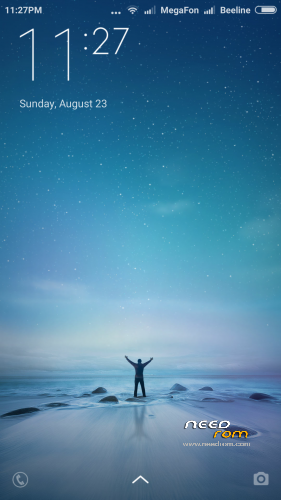
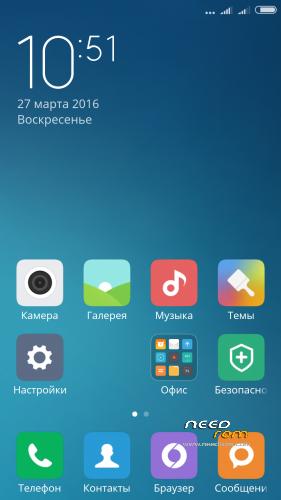
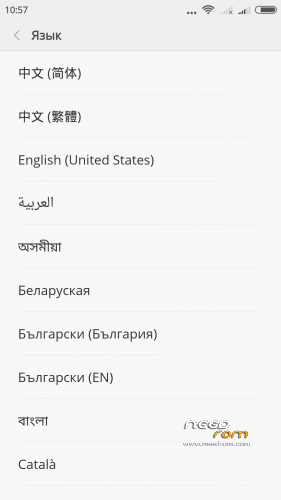
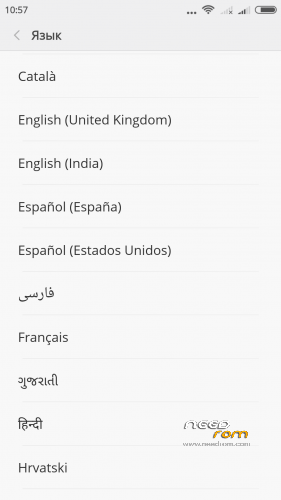
 Member Info
Nice work Vell, congratulation.
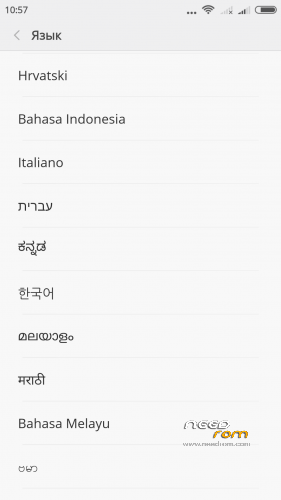
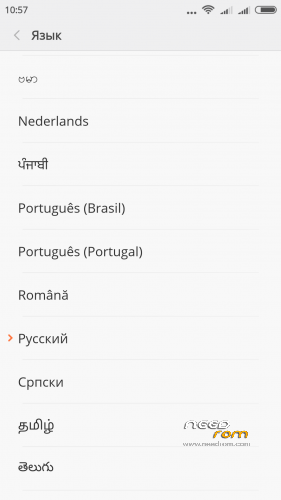
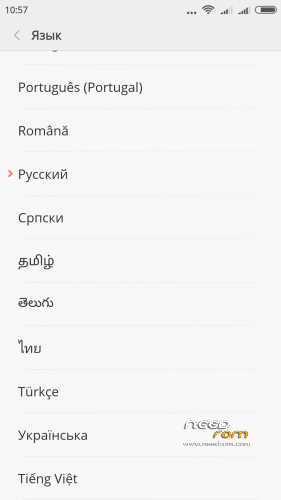
Can you tell us, what languages are included or maybe give us a link?
http://4pda.ru/forum/index.php.....#038;p=48167211
31 Language
у меня zopo zp 980 1/16gb я могу её установить?
I zopo zp980 1 / 16gb can I install it?
NoMoKoN, да можете. Подробно на Русском почитайте тут
Sadly, no German language included. Maybe in next releases….
Vell,will you continue the weekly rom too?
yes
Zopo 980-2/32 (sticker C+) — YES.
It's been 6 years !
Before that, on the same firmware with 1 core, there were problems with Internet-3G.
everything is working !!!! , on the 2nd core from colleague M – mSH . It is possible that it helped to register the connection settings to the mobile operator. What century are we living in? What are the APN settings??? Mini-OSes are going to be written to SIM cards, but the operator cannot put the line Internet.life.com.by there.
Most likely, there is no modem driver in the kernel, which means that the firmware is fully working with all cores.