
- Title: MIUI8 Lenovo Z90-7
- Listed: April, 2017
- Last modified: 04/15/2017 1:50 am
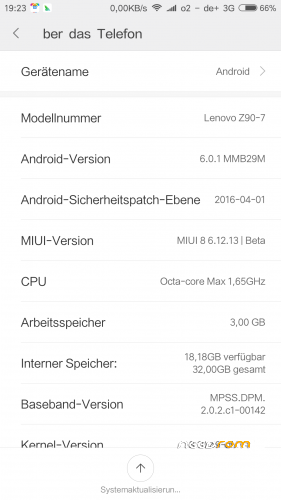
- Version: 6.0.1 and 7.1.1
You must be logged for ROM download.
20036 total views, 2 today
6 Total favorites
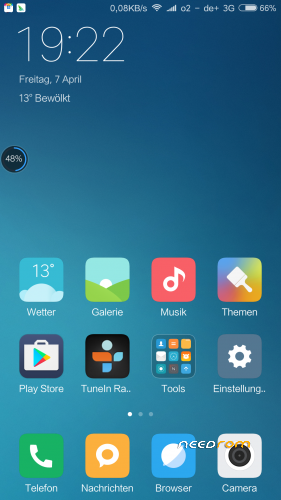
 Member Info
DESCRIPTION
links for ROMS below
https://yadi.sk/d/ZeIPzL3P33mDhw
_____________________________
Mokee 7.1.1
https://download.mokeedev.com/ad-dl.php
GApps
http://opengapps.org/
_______________________________________
_______________________________________
wipe full (not internal storage)
if you are on SevenMAXX TWRP,it is possible that the screen goes dark,but no panik, it is insalling, when you heare vibration, resart the phone…first boot took around 20 minutes…
So I Install, works
No GApps,
use " Google installer apk "
Root integrated ( so don,t flash it)
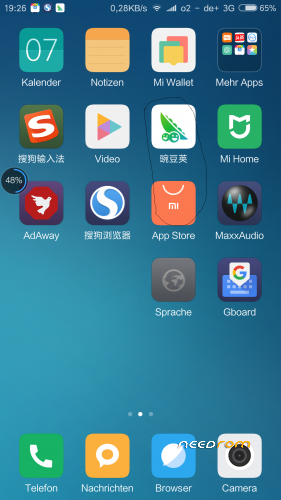
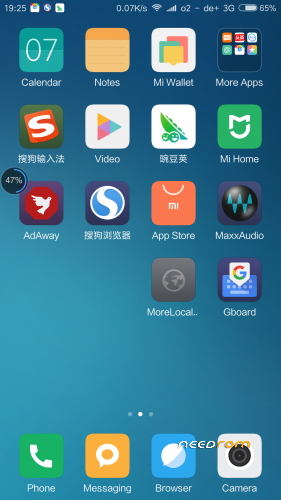
Multilanguage , if your language is not listed, install "More locale 2" app.and add with SuperSU privileg I change to DEUTSCH which was not listed…
※Please make a backup of your device before installing or updating ROM
when i check my bootloader its show
(bootloader) Device tampered : False
(bootloader) Device Unlocked : True
(bootloader) Charge Screen Enabled : false
then i go to next step i type (fastboot flash recovery recovery.img)
after reboot i pressed volume+ Volume- and power key same time when logo show i released powerkey and volume- key but its come stock lenovo recovery
i tried many times but its only happen
please tell me the solution to install this rom\
i am waiting for your pasitive reply
" fastboot devices "
" fastboot oem unlock-go "
now you unlocked your Bootloader !!
device wiping everything, restarting,, !!
again go and set developer mode for ADB
" adb reboot bootloader "
" fastboot devices "
" fastboot flash recovery recovery.img " recovery image must be name "recovery"
after succesful flashing, go to TWRP recovery buy commanding
" fastboot boot recovery.img "
now yoou landing in TWRP recovery !!
in case? you lost you internal memory, jump to recovery and enter command,
" fastboot format userdata "
now you recover your full memory,
back to recovery, " fastboot boot recovery.img "
first full Backup you stock ROM internal or in SD Card..
and then wipe complett ..and go to install MIUI8
I think it can help you–?
RU?
cany any one help me for port rom to z90-7
i ported rom but i have bugs and don know how to solve
camera bug dont opened
flash light dont work
sim active but no signal
wifi not working when turn on
can you help me or can you port more rom for this device
How to install this rom?
Thanks
Fabio
Now i've VIBEUI V3.1_1625_5.396.1_ST_Z90-7
u can install the rom after u have custom recovery such as twrp 3.0.2..u can search twrp by sevens maxx.
is there any update on this miui 8 rom?
Hi thanks for sharing. I've ported this ROM but did't no ROOT. I tried to root by TWRP, which shows successed. But in the system I'm still unable to unstill system apps and supersu doesn't work.
Can you help how to root? Does this rom comes with a app like supersu?
miui 8
1. has problems installing the room and twrp
2. google play can not !!!
3. LTE problems !!! (only 3G 2G is OK)
Bad ROM ! Don't install it..