
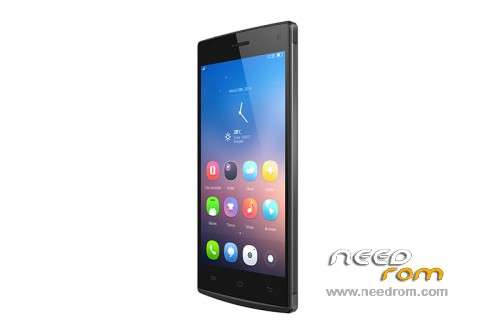
- Title: Mlais M9
- Listed: March, 2015
- Last modified: 03/23/2015 4:12 pm
- Version: 4.4.2 20141219
You must be logged for ROM download.
23586 total views, 3 today
8 Total favorites
 Member Info
DESCRIPTION
ROM Mobile MLAIS M9 – ROM Android 4.4.2
ONLY MT6592M
Official ROM MLAIS M9 Version: 20141219-031433
Gapps include – Rooted
Language support: Multilang
Install ROM:
- Unpack FlashTools, and Click on Flash_tool.exe
- Select a the MT6592_Android_scatter.txt in ROM
- Wait file to be added into Flash Tool
- choose Option->USB Model,click USB Model
–> Choose Option->DA DownLoad All->Speed->High Speed, click High Speed
- Turn off your phone, remove the battery and replace it after some seconds (and don't turn on the phone).
- "Press F9 (hit Download button)" OR " if upgrade ROM Firmware->Upgrade "
- and connect your phone into the computer via USB data cable.
- The process will start and a red progress bar will appear after color purple, yellow.
- And green circles display
- Finish !
- You can now safely disconnect your phone and turn it on.
※Please make a backup of your device before installing or updating ROM
why wou said that killed IMEIs? have you used format+firmware upgrade? have yo backed up Imeis with mobileuncle or mtk droid tools?
You need write the imei whit mtk droid
Upload a firmware please. Gives out an error: "brom error: s_fthnd_file_is_not_loaded_yet (5007)
Hi:
With the original ROM from Spain, the satellites are located but I do not connect the gps does not work.
Any solution?
Thank you.
same as mine… i sent it back to china.. and had refund
I need help, when I connect the smarphone to the PC it me recognizes it as 10 second and after the anada it is disconnected and one starts loading the battery of the smartphone
Please upload a backup of the rom stock
I've got dram failed 4032 mistake and a brick. tried to flash from the official rom from mlais, everything was ok during flashing and then no chance to wake it. seems to me i tried everything already and nothing changed.any chance to help me?
Please upload a backup of the rom stock
It works fine. I'm not sure how it is different from the first original version…but it works here. Do a proper install of a bootlader files and follow instructions. Cheers.
To the author: THANK YOU!
I get the error 4032 :( What do I do.. what I did wrong?
it says only
ONLY MT6592M