
- Title: MPAI 809T MTK6592
- Listed: March, 2014
- Last modified: 03/28/2014 1:42 pm
- Version: Android 4.3.0
You must be logged for ROM download.
20297 total views, N/A today
OFFICIAL











 Member Info
DESCRIPTION
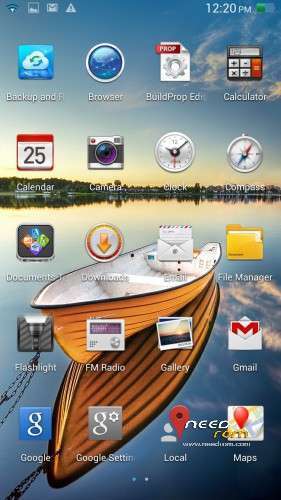
MPAI 809T MTK 6592stock ROM Android 4.3.0
Pre- Rooted multilanguage and CWM is installed .
Works fine , no Bugs find
Inside the file :
Files for flashtool
flashtool for mtk6592
Alcatel MTK driver ( if you need )
Description
Installation:
- unpack ROM file
- run SP Flash Tool
- open scatter loading file from ROM file
-check the preloader is not marked
- click Download button
- connect phone without battery
- wait for green circle
- disconnect phone, insert battery
-power on and have fun
to come to CWM , with vol + and power button holding .
※Please make a backup of your device before installing or updating ROM
thaks, ROM version ?
Android 4.3.0?
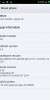
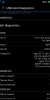
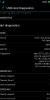
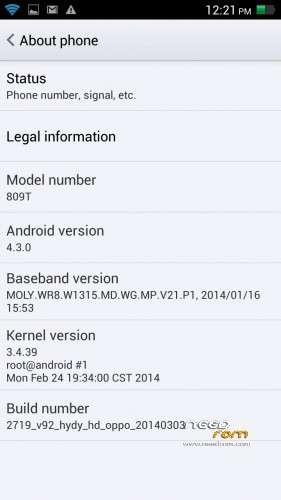
in last image you can see ,
Rom version 03032014
android version 4.3
greets
как установить
Have add new screenshot , now you can see real

I found first now , with cpuz and antutu come 4.3 as software .
Some fakes in build
Hi
My phone just disconnects straight away for i connect without battery
Can any one help?
Cheers
the reason it disconnects straight away is because the driver for the phone is not signed by microsoft if you press f8 befor win start up it will come up with a menu and at the bottom of that menu is disable signeture varifacation well thats with win7 but i did that and my computer is still doing the samething to me disconnecting straight away but when i figure it out i'll let you know what i did
Try a different version of flashtool, or play with the option setting for speed and battery. Try it with and without battery. There's no real "general" setting that works for all phones, it's more a trial and error based setting. On some phones you need to press volume up or down while you connect the usb. I flash my 809t with version 5.1348.00 (the latest) with battery, connection option set at high speed with auto battery detect. Works good however it is different on other phones and sometimes you even need tot change to a different usb port for it work.
does this rom works with al mtk6592 phones?
I tried to flash my phone, but all I got is Pop-up saying that PC didn´t find a driver for MT65xx Preloader. I made sure Preloader was unchecked (not marked) just like it says in the installation info. I use Windows 7 Home Premium. Can anyone help with this issue? Thanks in advance.
The preloader on flashtool (which is in the phone preloader partition) is not the same as the usb preloader driver on your pc. You should install the correct drivers on your pc for flashtool to work (google for it).
Does anyone tried this rom on other MT6592 Phone? Mine is Ulefone U692 (need to fix Phantom Touch problems).
Hi, i tried to install the rom but the pc dont detect the phone, can you help me?
Be very carefull with this rom, there are various versions of the 809t, even with the MT6592. It does not work with the latest 2G/16G version that comes with kitkat 4.4.2 and it will soft-brick your phone. Always have a COMPLETE and VALID backup before flashing (I did, so no prob, phone recovered in 2min). What does work is the recovery, but only use that one, nothing else (the EBR's are for example completely different).