
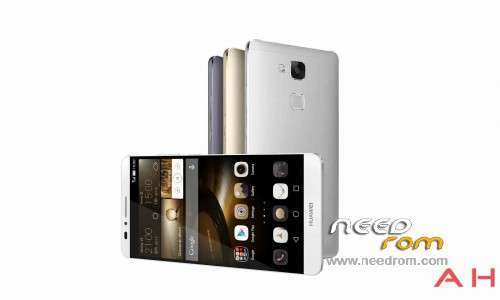
- Title: Mate 7-TL10
- Listed: December, 2014
- Last modified: 12/01/2014 3:30 pm
- Version: Android 4.4,Emtion UI 3 - English
You must be logged for ROM download.
23788 total views, 2 today
3 Total favorites
 Member Info
DESCRIPTION
Ascend Mate7 firmware(MT7-TL10)
Android 4.4,Emtion UI 3.0
V100R001C00B119SP03 - General Version
Upgrade operations
Notices:
1. Upgrade will erase the user data, please backup your data before upgrade.
2. Ensure that the power is at least 15% left when upgrading.
Force upgrade
Step 1. A MICRO SD card of 4GB or more should be available. The MICRO SD card made by Sandisk, Kingstone, or Kingmax is recommended.
Step 2. Format the MICRO SD card (This operation is optional).
Step 3. Make sure that there is an UPDATE.APP under the dload. Copy the Main package of dload in PC to dload of SD card.
Step 4. Make sure your handset is power off. Insert the MICRO SD card into the handset. Pressing the VOLUME UP key and VOLUME DOWN key, then press the POWER key to power on the phone, and VOLUME UP key and VOLUME DOWN key should be pressed more than 10 seconds, then enter the Software Upgrade Mode.
Step 1. A MICRO SD card of 4GB or more should be available. The MICRO SD card made by Sandisk, Kingstone, or Kingmax is recommended.
Step 2. Format the MICRO SD card (This operation is optional).
Step 3. Make sure that there is an UPDATE.APP under the dload. Copy the Main package of dload in PC to dload of SD card.
Step 4. Insert the MICRO SD card into the handset and power on. After entering the home screen, press menu key to choose Settings->Updater->Menu->Local upgrade->Confirm->Upgrade to start the upgrade.
Upgrade validate
Check the version
By Setting ->About phone->Build number, to check the version:
Build number:MT7-TL10V100R001C00B119SP03
※Please make a backup of your device before installing or updating ROM
Anyone else get the issue where is seems to 'hang' on the update (not just this one but any English based version) and not complete?
Found when playing around before hand I had made some non standard changes to the partition table and customer data that was the reason why it caused the issue.
yes i. my mobile is 3gb ram and 64 gb internal storage.
I have MT7 -lt10 china and I do not install this version. why?
I have MT7 -lt10 china and I do not install this version. why?
me too
The Chinese version changes some of the files and stops the English version from being put on top.
Originally Posted by sketchykingy
Hi,
I have been asked by a few people to describe installing the ENG/International edition over the top of the Chinese version
@lorenzw , @CoffeeandDonut
Download the tool located here and remember to thank or donate to @worstenbrood if the tool helps. http://forum.xda-developers.co.....m/mate…uawei-t2977735
Download the ENG/International edition from "http://consumer.huawei.com/en/.....32364"
Extract the ZIP file and located the 'dload/update.app'
Extract all the '*.img' files located in the 'update.app' file
Download CWM and ADB files from 'https://drive.google.com/file/.....haring'
CWM/Factory Recovery & Root
Flash the IMG files
In bootloader mode, it should say that your bootloader is unlocked for any of the following commands to work.
Use either "ADB reboot-recovery" or connect the USB cable to the computer and reboot the device and hold the 'volume down' button and you will be 'fastboot'
Type:
IF 'CUST' won't flash you may need to do the following.
Enter recovery mode again,
Mount the CUST partition via the 'Mounts' option
Reboot by typing "fastboot reboot"
Once done you should have root and a working ENG/International edition installation
"""""Download the tool located here and remember to thank or donate to @worstenbrood if the tool helps. http://forum.xda-developers.co.....m/mate…uawei-t2977735"""""" this link is not working. you can please provide us with another?
Best regards…
hi any body tested this method? because I have a chinese mate 7 3gb TL10 & want to convert to internation version!