PS: Before you do all these steps, make sure you are having developer options enabled + usb debugging is on.
1. Download and install the following files:
*
ABD tool ( http://forum.xda-developers.com/showthread.php?p=48915118#post48915118 , use the tool before the latest one that one works better)
**
NUBIA DRIVERS ( https://mega.co.nz/#!gBUDjKIY!zwaM7zIC3KkMvjX0xNMxSdEaU6SLyGWUw0-Ci1ABf1c )
***
thema for TWRP (otherwise everything will be in Chines) ( http://forum.xda-developers.com/android/themes/theme-twrp-materialised-dark-light-play-t2915584 )
****
Download the TWRP_RECOVEY ( https://mega.co.nz/#!BcEV2RjI!TLa5SS-UFpPTi2DGc-SBQqXH8O45KC0x4yOvQthHb0w )
2. Connect your smartphone to the pc and create a map on your internal called TWRP , after that in the map TWRP create a new map called theme. After you have downloaded the theme you want rename this theme to ui.zip and place it in the map theme.
3. Install ABD tools , press few times on (y), till you see that there 4 things have copied. The pc will ask you to install some more things, do this.
4. Install all the smartphone drivers, if you dident do it already.
5. Unpac the RECOVERY_TWRP.img file in a new empty map and start CMD and use the following commands. (before you use the commands in cmd go first with cd… to the right directory of your _TWRP.img file.
*
commando: fastboot -i 0x19d2 flash recovery Recovery_TWRP.img uit, en je zal het volgende zien:
[code]Microsoft Windows [Version 6.3.9600]
(c) 2013 Microsoft Corporation. Alle rechten voorbehouden.
C:\Users\>cd..
C:\Users>cd
C:\Users>cd desktop
C:\Users\\Desktop>cd test
C:\Users\\Desktop\test>fastboot -i 0x19d2 flash recovery Recovery
_TWRP.img
target reported max download size of 268435456 bytes
sending 'recovery' (24204 KB)...
OKAY [ 0.766s]
writing 'recovery'...
OKAY [ 0.703s]
finished. total time: 1.469s
C:\Users\\Desktop\test>fastboot -i 0x19d2 Recovery_TWRP.img
usage: fastboot [ <option> ] <command>
commands:
update <filename> reflash device from update.zip
flashall flash boot + recovery + system
flash <partition> [ <filename> ] write a file to a flash partition
erase <partition> erase a flash partition
format <partition> format a flash partition
getvar <variable> display a bootloader variable
boot <kernel> [ <ramdisk> ] download and boot kernel
flash:raw boot <kernel> [ <ramdisk> ] create bootimage and flash it
devices list all connected devices
continue continue with autoboot
reboot reboot device normally
reboot-bootloader reboot device into bootloader
help show this help message
options:
-w erase userdata and cache (and format
if supported by partition type)
-u do not first erase partition before
formatting
-s <specific device> specify device serial number
or path to device port
-l with "devices", lists device paths
-p <product> specify product name
-c <cmdline> override kernel commandline
-i <vendor id> specify a custom USB vendor id
-b <base_addr> specify a custom kernel base address.
default: 0x10000000
-n <page size> specify the nand page size. default:
2048
-S <size>[K|M|G] automatically sparse files greater th
an
size. 0 to disable
C:\Users\\Desktop\test>[/code]
** Than u use the latest 3 commands after everything is oke.
-
fastboot.exe -i 0x19d2 oem unlock
-
fastboot.exe -i 0x19d2 flash recovery recovery_twrp.img
-
fastboot.exe -i 0x19d2 boot recovery_twrp.img
PS: you sall see that your smartphone is going in recoverymode and is using your inserted theme.
From here you can install roms and more,
good luck with it….


 Member Info
Thank you
Hello,
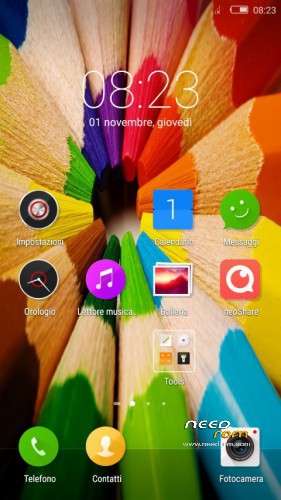
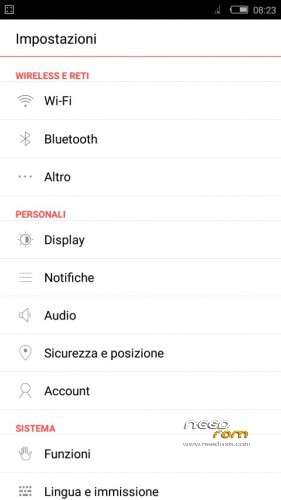
@Theduke thanks for that it is nice to be able to have a room in my native language.
But in my case even the contacts and calendar have been updated, play store opens but it is not able to download programs and Gmail do not synchronize (Unknown Issue with Google Play Services); I have tried to delete the Cache data log out / log in, etc without success.
Hello,
With what kind of recovery system do you work?
Try to install it agan.
sorry for the question, but does it work for nubia z9 max?
No only for the Z9 MINI…
thanks for the work done, congratulations … I wanted to ask, please, how to install the recovery TWRP / CWRP of this phone thanks
Follow the tutorial i placed in the topic.
Hope you come done with the installation…