
- Title: Multilingual rom 5.6.014S of bshuy2003! ROM V4
- Listed: May, 2016
- Last modified: 05/27/2016 1:16 pm
- Version: 6.0
You must be logged for ROM download.
19216 total views, 6 today

 Member Info
DESCRIPTION
ROM V4 BSHUY2003!
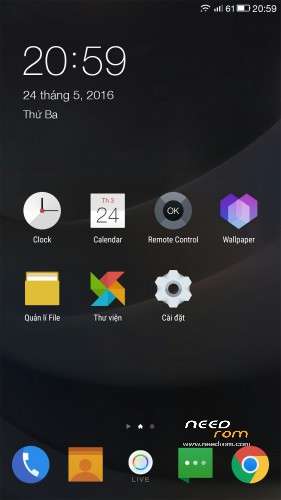
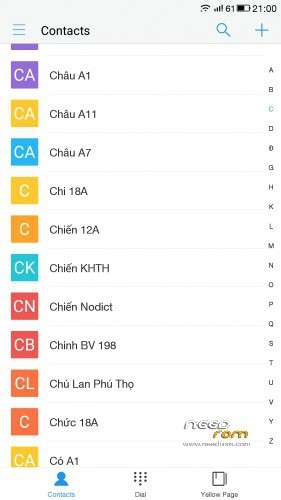
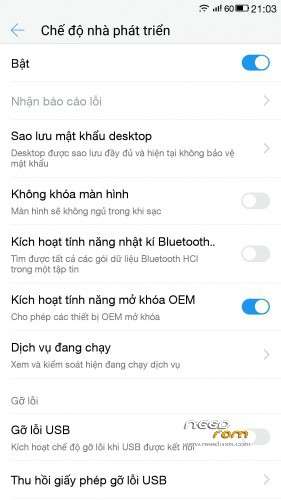
Very smooth and stable and very good battery life. Rom has many languages, has root, using a keyboard and a message of google, no Chinese apps, tap on the "Live" to the setting. And many other features waiting for you to explore!
Link Rom V4:
https://drive.google.com/file/d/0B6vmvz84t84_Nlp5Q0JFTGczbUE/view?usp=sharing
Link Add-V4:
https://drive.google.com/file/d/0B6vmvz84t84_b3A0WUduXzNiaDg/view?usp=sharing
FLASH ROM
- You download my ROM V4 and Add-V4, copy both of them in internal memory of mobile.
- Turn off your mobile. Go into recovery (Press 2 buttons together, power+vol in 10 seconds, mobile go into recovery).
- You choose WIPE. Choose install zip from surface, choose ROM V4 and flash it. You need to wait for 8 minutes for flashing this ROM.
- When it finishes (you see some red words, don't worry), you choose REBOOT SYSTEM NOW and wait again 5 minutes.
- Now, you choose NEXT and NEXT… to go Home menu , you choose Google keyboard and active it.
- Go into recovery again, and flash Add-V4 (make the same of flashing ROM).
- After rebooting, you will have multilingual ROM!
How flash recovery
1 Conect mobile with PC, open cmd.exe
2 Type following for fastboot
adb reboot bootloader
3 Type for unlock bootloader
fastboot oem unlock
4 Type for recovery twrp
fastboot flash recovery recovery_twrp.img
Turn off your mobile. Press 2 buttons together, power+vol in 10 seconds, mobile go into recovery.
If you want to root it, flash supersu.zip 2.71 over recovery!
PS: If you want to come back stock recovery, type
fastboot flash recovery recovery_stock.img
Link download :https://drive.google.com/folderview?id=0B1JX0MSsEt63ZkZBUGM4RUFDUFE&usp=sharing
Rom V3-Letv-X620-014S
- Based on newest stock rom 0.14S
- Multilangue
- Root, very smooth.
- Apex launcher. Battery is excilent!
- Google message
- Yahoo weather
How flash
- Go into recovery
- Flash rom (8 minutes)
- Reboot (5 minutes)
- Go into recovery again
- No wipe. Flash V2 multilingual update
- Reboot!
Rom V2-Letv-X620-014S
This rom is based on the last stock rom of Letv Le2 Pro (released on 26-5-2016):
- Rooted.
- No Chinese apps.
- Google play included.
- Smooth and stable.
- Many multilingual apps, such as setting, dialer, contacts, file manager, calendar, clock, calculator….
How flash: Make exactly these following steps
1. Go into recovery.
2. Wipe and flash rom V2-Letv-X620-014S over recovery (waiting for about 8 minutes, be patient please!).
3. Reboot system (about 5 minutes for first time).
4. Go into recovery again.
5. No wipe, flash V2 update multilingual zip.
6. Reboot system.
Congregation!
This is multilingual rom based on 5.6.014S of letv le2 pro.
- multilingualism (thank VNMod).
- no Chinese apps
- google play included.
- not personalize.
How flash:
- flash recovery TWRP for mobile.
- copy multilingual update to internal store of mobile.
- go into recovery.
- flash rom 5.6.014S over recovery
- reboot system.
- go into recovery again.
- no wipe, flash update multilingual zip.
- reboot system.
Congregation!
※Please make a backup of your device before installing or updating ROM
Guys how can i flash the custom recovery? The method in xda doesn't work for me.
Current version i am EUi 5.6.014S stable
Or any working method to root the phone only do i can fash the twrp recovery image with flashify wjould help…..thamks!
How flash recovery
1 Conect mobile with PC, open cmd.exe
2 Type following for fastboot
adb reboot bootloader
3 Type for unlock bootloader
fastboot oem unlock
4 Type for recovery twrp
fastboot flash recovery recovery_twrp.img
Turn off your mobile. Press 2 buttons together, power+vol in 10 seconds, mobile go into recovery.
If you want to root it, flash supersu.zip 2.71 over recovery!
PS: If you want to come back stock recovery, type
fastboot flash recovery recovery_stock.img
Link download :https://drive.google.com/folde.....038;usp=sharing
Its this working for LeTV X600 ?? did you know if they are swedish language in it ??
Don’t flash this rom for x600 please! This rom for only X620 (chip MTK X20).
after flashing the v3, it keeps stuck on the leeco boot screen. any ideas?
v4 is a good rom.
I think if you turned and reboot to recovery and dealt with the problem, not you wax recovery, disable recovery was perfect
goto v4 link https://drive.google.com/file/.....iew?usp=sharing
and written the file was not there anymore. any idea?
YOU HAVE ROM COMING OF MANUFACTURE THAT NO UPDATES? Multilingua 1S-009S US LAUNCHER 3
sucks.
antutu is not 85k or 92k. it is only 60k.
lots of bugs.
Hello. I can not switch off the auto correction. If I switch off everything in the text correction of the keyboard setting the always gives advises of word correction
While typing an sms or a whatsapp message.
How can I switch of this dam auto correction?
Thanks