
- Title: MyPhone HAMMER AXE M LTE
- Listed: January, 2017
- Last modified: 05/20/2019 2:19 pm
- Version: ROM Android 6.0
You must be logged for ROM download.
17247 total views, 1 today
9 Total favorites

 Member Info
DESCRIPTION
ROM Phone myPhone AXE_M_LTE – ROM Android 6.0
ONLY MT6752
ROM 1 – Official myPhone AXE_M_LTE : AXE_M_LTE_20161109_1.0.1_NEW - cs23_mle_axe35v-user 6.0 MRA58K
——————————————————————————————————————————————————————————-
ROM 2 – Official myPhone AXE_M_LTE : AXE_M_LTE_20160905_1.0.8 - cs23_mle_axe35v-user 6.0 MRA58K
——————————————————————————————————————————————————————————-
ROM 2 – Update Official myPhone AXE_M_LTE : AXE_M_LTE_20161031_1.0.11 - cs23_mle_axe35v-user 6.0 MRA58K
Gapps not include – No Rooted
Language support: Multilang
Install ROM :
- Unpack FlashTools, and Click on Flash_tool.exe
- Select a the MT6752_Android_scatter.txt in ROM
- Wait file to be added into Flash Tool
- choose Option->USB Model,click USB Model
–> Choose Option->DA DownLoad All->Speed->High Speed, click High Speed
- Turn off your phone
- "Press F9 (hit Download button)" OR " if upgrade ROM Firmware->Upgrade "
- and connect your phone into the computer via USB data cable.
- The process will start and a red progress bar will appear after color purple, yellow.
- And green circles display
- Finish !
- You can now safely disconnect your phone and turn it on.
※Please make a backup of your device before installing or updating ROM
Flashed AXE LTE with this rom. Loading screen is blurred and the first settings screen is so bright I can barely see anything. Is this me who did something wrong?
hammer axe and hammer axe M have different hardware
Is there a firmware for Myphone AXE LTE Android 5 or 6 !?
Tried on Hammer Axe LTE (version with base iunstalll of android kit kat), not working. Blurred start up screen, music plays like on start up of the phone, but after this only some lines on screen and everything stop to work.
As i have find out recently: there are two versions of Hammer Axe LTE: Hammer Axe M LTE which have two variants of LCD: old one new one and Hammer AXE LTE (Kitkat based). ROM for AXE M LTE with new screen won't work with Hammer Axe bassed on kitkat.
The newer screen in AXE M Lte has an onscreen buttons like that
If U have them on screen this rom will work on your device.
If U have the older one version with this buttons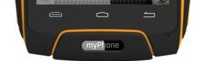 this rom won't work with your device.
Hey. Thank you for the rom. Have you had any luck rooting it?
After installing it on my axe m lte my IMEIs got scrambled. The IMEI issue isn’t that huge if you use Orange but Play no longer works.
Anyway, I’ve tried just about everything but haven’t had any luck rooting it yet. Any help would be much appreciated.
Did U have an 6.0 before or U had KitKat version? Asking because i've got an Axe M Lte with 6.0 and the battery is going down very quickly so maybe reinstalling of system would help….. but if U lost your IMEI so maybe it's not a good idea…..
Hey. I bought my Axe M LTE from Biedronka so it had Marshmallow on it. The IMEI problem is annoying but luckily the phone still works with NJU. I was able to download the latest update (1.03) and install it in recovery. Just wish there was a way to root it. I've tried to find other phones with similar specs but the only phone mith an MT6752M that reapetedly pops up is the Lenovo A7000… anyway, thanks for the reply.
Finally got this bad boy rooted!!! I posted a post explaining how on XDA: https://forum.xda-developers.c.....-m-lte-t3774671
Thanks a lot, a lot, a lot….
Nice piece of …. WORK.
Finally i get rid of annoying apps and can install new stuff.
TANK YOU
Hey, what can I do if after "- and connect the phone to the computer via a USB cable" the process does not start?
My device is AX M LTE, and befoere tried to update to version 1.03, as on the needromink post on XDA: https: //forum.xda-developers.c…..-m-lte-t3774671.
After the update, myPhone first displays the myPhone startup screen and restarts after the battery is turned off. The only thing I can do is use ptt + power later power on + vol and menu there (to turn off the power).
any suggestions on how to solve this problem?