
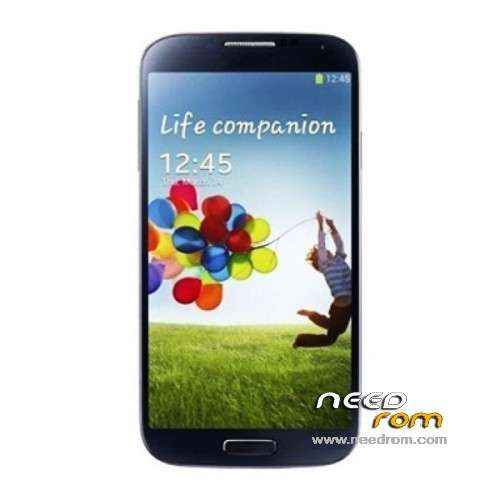
- Title: N9500 Stock Rom
- Listed: September, 2013
- Last modified: 09/17/2013 12:43 am
- Version: Firmware 08/2013 Android 4.2.2
You must be logged for ROM download.
39635 total views, 2 today
2 Total favorites
OFFICIAL
 Member Info
DESCRIPTION
for version 4 8 GB Device
install via recovery Mode
※Please make a backup of your device before installing or updating ROM
I flashed rom yesterday
renamed the .BAK files few minutes ago and after the reboot all missing apps are there!
perfect! Big THX
Other question on the phonepackage of my N9500 was listed 8GB ROM but the system has 1GB internal storage and 1,7GB phone storage. I used the "storage fix" to get 2,4GB internal storage totaly. Question is can I use the storage fix to upgrade to 8GB or not? Where can I find out which version my phone really is? Antutu show IO 2,5GB total but is this really all?
hi ich habe das selbe problem.
8gb version aber zeigt mir nur 1gb und 1.7gb an.
hast du schon fehler beheben können?
@spemm
Did you try the patch 3g. i not have this version firmware, but one of technoforum. can i use this:
08/2013
http://dfiles.eu/files/b78f8va.....5u
Mine is 4GB rom.
Or you have the original link forum or website?
@StingerWolf
fix 8G file for flashtool EBR EBR1 MBR
flash any file result 8GB ROM
in setting/memory
memory device see total size
or
http://dfiles.eu/files/xdw2mpd.....gn
App for repartitioning your phone's internal memory.
Meteos MTK6589 ROM EDIT
This app will allow you to change your phone's data partition size.
Since most people have a MicroSD card for storing their files on, the internal sdcard is just a waste of space and can be put to good use for storing apps;
This app allows you to do so.
Requirements:
A MT6589 device
Root access
A custom recovery
YOU ARE DOING THIS ON YOUR OWN RISK
(Although no serious harm can be done when correctly using this tool)
Instructions:
1 Make a backup of your files in your recovery (if you want to preserve them) and make sure they are stored on the external sdcard.
2 Download, install and start the Meteos app for your specific ROM size and choose your desired Data partition size.
3 Press "Reboot into Recovery" and choose "'Wipe data/Factory Reset" on CWM or Wipe internal storage on TWRP.
4 Restore your backup.
5 Profit.
@benz83
is bad version
yes use patch
@alemin_kraliyim
nein hab gestern versucht mit der Software von Spemm mehr Speicher "freizuschalten" ging aber nicht, danach lies sich das N9500 nicht mehr starten. Hab dann die ROM mit Flashtool wieder geflasht und die ROM von hier wieder druff. Danach via Recovery restored.
Ich glaube wir müssen mit den 2,5 GB internen Speicher leben. Telefonspeicher hab ich ca. 200 MB nach dem zusammenfügen, dass scheint normal zu sein.
Ich bin schon froh dass das mit dem 3G endlich funktioniert werd mal kucken ob das tatsächlich an der Basebandversion liegt die kann man glaube ich auch so upgraden hatte da mal in irgendeinem Forum was gelesen.
@Spemm
thx but didn´t work it seems I have the 4GB ROM version but it is ok only GPS doesn´t work after all. I have to look at it where the problem is. I´m happy enough that I can go to internet with the phone and be contactable at the same time
Do you know if I can upgrade the baseband version only? (it seems that there my "3G problem" cames from") like I said with MOLY.WR8.W1248.MD.WG.MP.V6.P4 I had problems since MOLY.WR8.W1248.MD.WG.MP.V6.P9 it works so far. Have to test if the phone goes into deep sleep if I´m contactable, too.
schade nochmals danke.
fallst du etwas finden solltest kannse mir hier was hinterlassen
GPS fixed it was a bad antenna found this video
https://www.youtube.com/watch?.....v=2mpARVPUP9I works great!
I took a aluminium foil instead
volevo sapere se era un altra custom rom, su gizchina non l'ho trovata quindi mi chiedevo questo. E che modifiche sono satate aapportate? grazie ragazzi
hi Stinger Wolf first page message have Patch baseband
https://www.needrom.com/mobile.....k-rom/#comments
@spemm
you mean your post?
08/2013
http://dfiles.eu/files/b78f8va.....5u
So MOLY.WR8.W1248.MD.WG.MP.V6.P9 is the latest version, isn't it?
No email app, no gps. Engineer menu has Location Based Service greyed out.
have a look at spemm´s post from: 09/20/2013 @ 12:54 am on the first page
I can confirm Location Based Service is greyed out but I don´t need it. GPS should work have a look at youtube too:
https://www.youtube.com/watch?.....v=ZnY_425NgB0
(you can skip the Location Based Service part on the video)
If you don´t get a gps connection maybe your antenna is to weak? (mine was before I saw this https://www.youtube.com/watch?.....PUP9I and used aluminium foil instead worked great)
An Alfred
Hab die Rom mit CWM-Recovery drauf gemacht. Das CWM wird per Flashtool draufgespielt und dann kann man damit Roms flashen.
Ich habe dieses Rom wieder durch ein anderes ersetzen wollen was nicht funktioniert hat. Ich habe erst wieder per Flashtool eine Stock Rom aufgespielt und dann meine per CWM geflasht.
Gruß
Joe-Hase