
- Title: Newman K1 – S4 TouchWiz
- Listed: June, 2013
- Last modified: 06/03/2013 4:52 pm
- Version: ROM Android 4.2.2
You must be logged for ROM download.
26671 total views, 2 today

 Member Info
DESCRIPTION
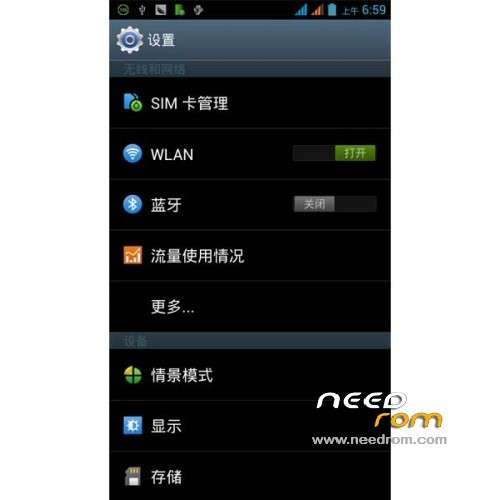
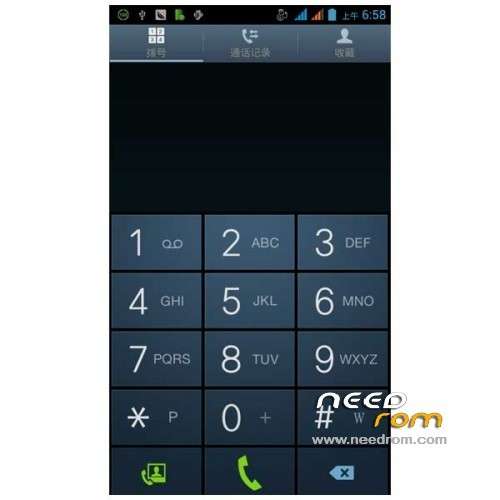
ROM Mobile Newman K1 – ROM Android 4.2.2
Version: S4 TouchWiz – Newman K1_zuncun_2013.05.17
Root, Gapps, Multilanguage.
No bugs found, works like a charm.
Install ROM:
CWM
Step 1: Download the custom ROM copied to an external SD card root directory
Step 2: the shutdown state. While holding down:
– Power button + volume button up, to enter the recovery mode.
– Wipe Data / Factory Reset -> delete all user data
Step 3: Return to recovery main interface Install zip from sdcard -> choose zip from sdcard -> Select your ROM
Step 4: Brush complete, restart the phone Patience required – first boot takes a while
※Please make a backup of your device before installing or updating ROM
Works wonderfull in FREELANDER I30, great work. Thanks
Nice Work in Newman K1..but how to root..i have try everthing but failed.
Hello!
I am trying to install this ROM but im not able to enter "recovery mode". I have tryed pressing pwr+volUp but it doed not work. I have rooted my phone and installed mobileuncle (MU) and granted it superuser rights. In MU there is an option to reboot the device into recoverymode but when it does, there is only a image of a droid lying down and a text saying "no command".
I have no clue of what im doing wrong. Can anybody help? Are there maby any other guides on how to update the ROM?
Kind regards
I was able to enter "factory mode" by pressing volUp+volDown+pwr. My problem is now that the only english text is "factory mode" everything else is in chinese (i guess)
Start with İn mobil Uncle tools İnto Recovery Mod Option…
I have the same problem.
Can't get to recovery:(
When press Voldown and power is only chineese
very nice rom. thanks bro
With the phone on, press the power button, chose reboot then chose recowery and the phone restart in recovery.
i can´t root this in this Rom i tryin All help me
How can root This Room? i Try All but i can root it =(
how to root it i can't do it too
this rom is rooted
can someone explain plz, how to root this rom?
This is how i rooted my freelander i30 (which is the same phone)
first make sure you have developer option in settings if you dont see " developer options" above "about phone" If you dont see it : then you have to 1.enter the "about phone" area 2. scroll to the bottom and tap several times on the "build" a message shows saying "You are now a developer". When you exit you should now see the developers option. make sure usb debugging is checked. (I know this maybe weird but I experienced it on three i30's so i thought it maybe worth mentioning)
make sure you download the mtk 65xx usb drivers and the motochopper android root exploit(one click root) ( these files are all over the place …just google.)
when connected to PC with debug enable you may get the driver not installed correctly message (depending on your version of windows….i did it with win 7.) select to browse computer for driver and point it to the mtk65xx drivers. it should install correctly.
open the rooter (one click – motochopper) and run the program by pressing the run.bat file. follow the on screen instructions (which is usually "press any key to continue") It will then root the device. After the phone reboots disconnect it….THAT'S IT!!! Your phone should be rooted.
If the rooter seems to stop after the message "successfully started daemon….." then your drivers arent installed correctly or you dont have DEBUGGING ON in your phone. be mindful that when you connect with DEBUG ON is the driver of importance. with DEBUG OFF the drivers in the usb connect options load successfully quite easily but these arent what is needed to execute this process.
i also had adb sdk installed and on the desktop but i really dont think this had any effect…..but i can be wrong.
Есть для этого Kingo Android ROOT, у меня получилось. ROM хороший, но наполовину китайский, пришлось доделывать для себя. Я в России.