
- Title: NEWMAN K18
- Listed: February, 2014
- Last modified: 04/09/2014 7:19 pm
- Version: ROM Android 4.2.2
You must be logged for ROM download.
29293 total views, 3 today
 Member Info
DESCRIPTION
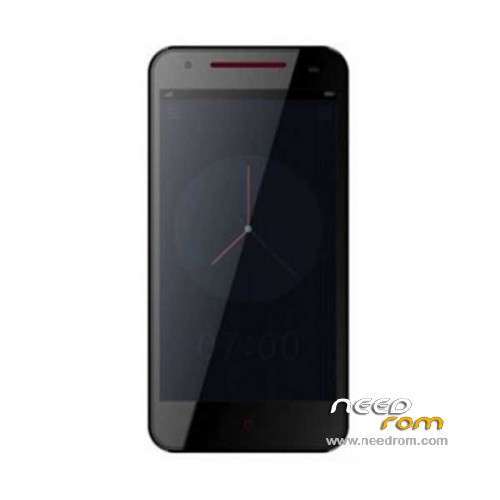
ROM Mobile NEWMAN K18 – ROM Android 4.2.2
ONLY MT6592
——————————————————————————————————————————————
Update Official ROM NEWMAN K18 Version : Newman_K18_V1.0.10
——————————————————————————————————————————————
Official ROM NEWMAN K18 Version : Newman_K18_V1.0.9
Gapps include – Multilang
Install ROM :
- Unpack FlashTools, and Click on Flash_tool.exe
- Select a the MT6592_Android_scatter_emmc.txt in ROM
- Wait file to be added into Flash Tool
- choose Option->USB Model,click USB Model
–> Choose Option->DA DownLoad All->Speed->High Speed, click High Speed
- Turn off your phone, remove the battery.
- "Press F9 (hit Download button)" OR " if upgrade ROM Firmware->Upgrade "
- and connect your phone into the computer via USB data cable.
- The process will start and a red progress bar will appear after color purple, yellow.
- And green circles display
- Finish !
- You can now safely disconnect your phone and turn it on.
※Please make a backup of your device before installing or updating ROM
Thanks to all members for the files !!!!
Can some1 know how i change the bootanimation?
Thanks in advance.
Check this Thread out: http://forum.xda-developers.co.....d.php?t=2334927
thanks lupus,you r0x!
can some1 have the gps working after update to .09 ??
ARGH!!!!
gps still not working !!!
can some1 fix this?
regards
GPS Problem is hardware related, I tried to open up my K18 to fix it but I had no proper tools so I stoped. Waiting for an official repair manual from newman or from others. I had a Iocean X7 with the same issue, but they released a repair manual and even replacement parts for free, after that it worked like a charm. hopefully newman is going the same way.
Dissasabeling is quite a pain in the ass, even trying to disconnect the battery from the board was unsure, its a tiny plug and I didnt wanted to apply to much force. Searched for a repair manual but havent found anything yet.
I will give it a second try as soon I have more information about how the phone ist assembled.
Check out these Three pictures: https://drive.google.com/file/.....dit?usp=sharing
https://drive.google.com/file/.....dit?usp=sharing
https://drive.google.com/file/.....dit?usp=sharing
The K18 itself has a few grounding points, there are 4 golden pins located on the lower frame.
They press against the metal back cover, you can easyly see it where the points are shiny ( for better contact)
Also on the top right of the phone there is a piece of foam filled metal fibre, Ive seen pictures where this part on the top right is completly missing!! Mine was there but it was very flat and I was not sure if it makes contact with the back plate. I added some fiber on the backplate to ensure contact but it didnt helped gps very much, I get a fix quite easyly but navigation is impossible, GPS is extremel jumpy by loosing connection and starting from the beginning searching for sattelites. You can try to fix that in case you have no connecten there!! But over all the main problem remains and I am sure its about a bad connection to ground ( Metal frame of the K18) that causes the interference fucking up the GPS so bad.
Hi lupusworax,
I have 1.07 version, I have flashed your boot and recovery
and then tried to roo with "root_with_restore" but it doesnt work.
Done!
http://www.gizbeat.com/2132/tw.....tk6582-mtk6589/
Any solution for the bad GPS reception?
Not yet.